A media company depends on strong relationships. Advertisers expect timely follow-ups, partners need clear communication, and sales teams need accurate data to move opportunities forward. When these activities are managed through scattered spreadsheets and disconnected tools, the entire process becomes slower and less reliable.
A well-built CRM for the media and publishing industry brings contacts, communication, sales activity, and follow-ups into one place, so teams can work more efficiently. For publishers, it creates better visibility across subscriber growth, audience engagement, and revenue-related workflows.
Here’s the list of the 7 best CRM for media and publishers you can choose from to manage advertisers, track deals, and keep every relationship organized.
| Photography CRM Software | Standout Features | Plans & Pricing (Billed Annually) |
|---|---|---|
|
1. Salesforce Media Cloud
 |
✓ Advertising Sales Management
✓ Subscriber Lifecycle Management ✓ Media-Specific Data Model ✓ OmniStudio Integration |
Media Cloud Growth: $325/User/Month Media Cloud Advanced: $475/User/Month Media Cloud Agentforce 1 Sales: $850/User/Month Media Cloud Agentforce 1 Service: $850/User/Month Free Trial: 30 days |
|
2. MediaOS
 |
✓ Ad Inventory Management
✓ Multi-Channel Integration ✓ Flatplanning & Production ✓ Automated Invoice Generation and Commission Tracking |
Custom Pricing |
|
3. HubSpot
 |
✓ Smart Content Personalization
✓ Newsletter Automation ✓ Ad Tracking & Attribution ✓ Membership Portals |
Free: $0 Starter: Starts at $9/month/seat Professional: $1,300/month Enterprise: $4,700/month Free Trial: 14 days |
|
4. RunMags
 |
✓ Subscription Fulfillment
✓ A/B Testing for Portals ✓ Self-Service Portals ✓ Integrated Credit Card Processing |
Pro: €399/month Team: €699/month Publisher: €1299/month Free Trial: 14 days |
|
5. Pipedrive
 |
✓ Visual Sales Pipeline
✓ Smart Docs (e-Signatures) ✓ Revenue Forecasting ✓ Chatbots and Web Forms |
Free: $0 Express: $7/user/month Premier: $12/user/month Bigin 360: $18/user/month Free Trial: 30 days |
|
6. Workbooks
 |
✓ 360-Degree Audience View
✓ Agency & Media Buyer Tracking ✓ Order Management ✓ Contract Management |
CRM: $45 Business: $92 Free Trial: 30 days |
|
7. LeadHeed
 |
✓ Built-in Form Builder
✓ Multi-Channel Lead Capture ✓ Automated Follow-ups ✓ Pipeline Management |
Free: $0/month (up to 3 users) Pro: $15/month Elite: $35/month Free Trial: 14 days |
1. Salesforce Media Cloud
Salesforce Media Cloud is a media-focused CRM system built on the Salesforce platform. It helps bring audience data into one place and supports two key parts of the business: advertising sales and subscriber management. For ad sales teams, it gives you a single view to manage placements across channels like digital, TV, print, and radio, while also helping with pricing, quotes, and contracts.
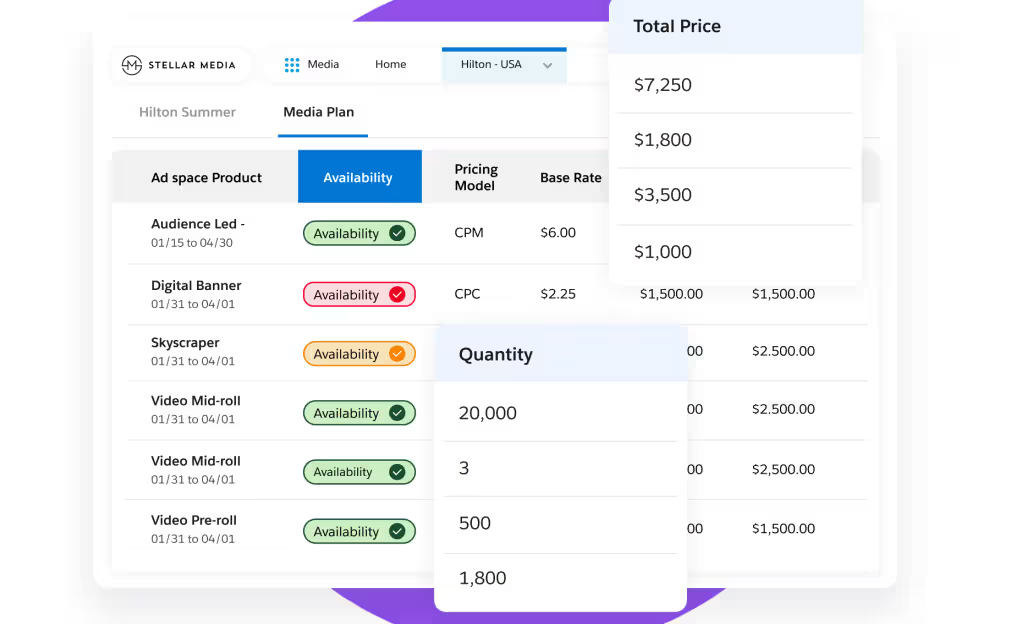
Its AI features help media teams better understand customer behavior and create more relevant experiences. They can spot churn risks, guide customer journeys, and recommend the next best step to improve long-term value. It also includes media-specific tools and flexible no-code options, so businesses can launch faster, automate routine work, and connect audience data more easily across their wider CRM setup.
Features:
- Audience and advertiser data in one place
- Subscriber lifecycle management
- Advertising sales management
- Media-specific workflows and data model
- AI and analytics for personalization and efficiency
| Pros | Cons |
|---|---|
| ✅ The solution can be customized to fit different business needs and workflows. ✅ Reporting and advanced features make it useful for larger teams. ✅ Strong automation tools help teams save time and manage sales tasks more easily. |
❌ Steep learning curve, especially for new users. ❌ Costs can rise quickly once add-ons and advanced capabilities are needed. |
2. MediaOS
MediaOS is made for publishers, magazines, and newspapers that want more than a basic CRM. It combines sales tools with publishing tools, so your team can manage advertiser relationships, invoicing, production, and editorial work in one place. That makes it a strong fit for media businesses that want one system for both revenue and daily publishing work.
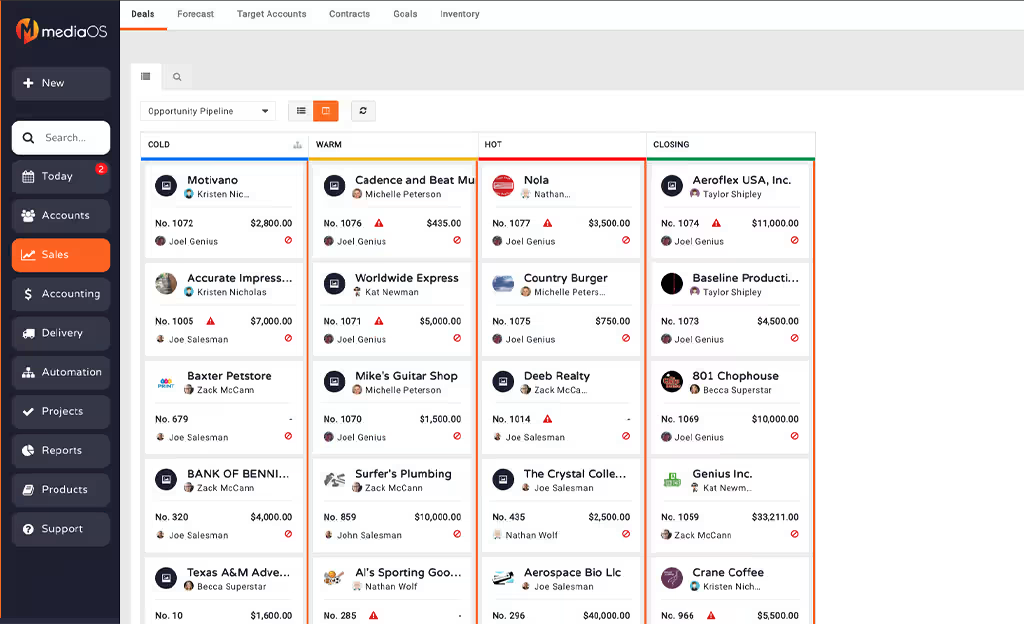
Its Adobe InDesign integration and Flat Planning feature help teams plan issues and track ad artwork without losing visibility. It also includes a lead-to-cash system with DocuSign and payment processing, so work can move smoothly from contract signing to invoicing. Plus, the visual timeline adds even more clarity by keeping sales, production, and finance synchronized.
Features:
- Ad sales and sales management
- Invoicing and accounting tools
- Production and flatplan management
- Customer data platform for audience insights
- Membership and subscription management
- Paywall and email newsletter tools
- Reporting dashboards and workflow automation
| Pros | Cons |
|---|---|
| ✅ Clear and easy interface to work with. ✅ Customer support is responsive and helpful. ✅ Strong reporting and dashboard visibility. |
❌ Limited marketing automation. ❌ Fewer integrations than bigger CRM platforms. |
3. HubSpot
For media and publishing businesses, HubSpot connects content marketing with customer relationship management. Its Content Hub allows teams to create and manage content while tracking audience engagement in one place. The Content Remix feature is especially helpful, as it uses AI to repurpose a single article into multiple formats such as email copy, social media content, and podcast-ready audio.
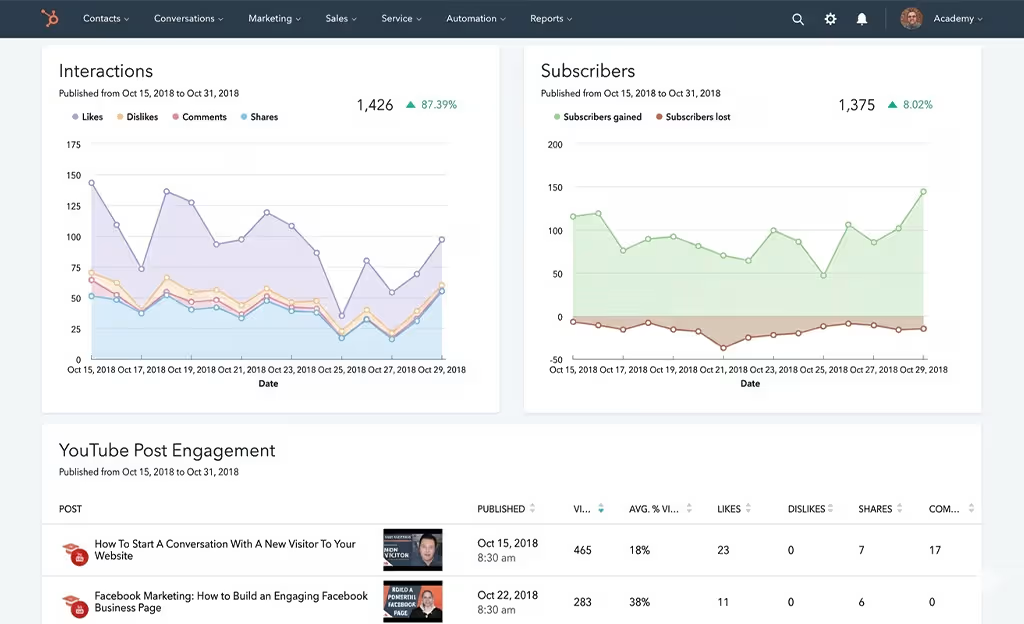
Additionally, with Smart Content, media companies can show different website content or calls-to-action based on a visitor’s interests, location, or subscription stage. It means readers see content that feels more relevant to them.
Features:
- Contact, deal, and task management
- Customizable sales pipeline
- Email tracking, templates, and scheduling
- Marketing automation and workflows
- Live chat and meeting scheduling
- Sales reporting and analytics
| Pros | Cons |
|---|---|
| ✅ Strong automation and workflow tools. ✅ Good email tracking and useful integrations. ✅ Unified platform for sales, marketing, and customer data. |
❌ Advanced features often require higher-tier plans. ❌ Less flexible for deep customization. |
4. RunMags
RunMags is a cloud-based publishing management platform built specifically for media and magazine businesses. It works like both a CRM and an ERP (Enterprise Resource Planning), helping teams manage customers and daily publishing operations in one place. The Flat Planning tool adds even more value by giving teams a live visual layout where they can arrange content and ad placements for each issue.
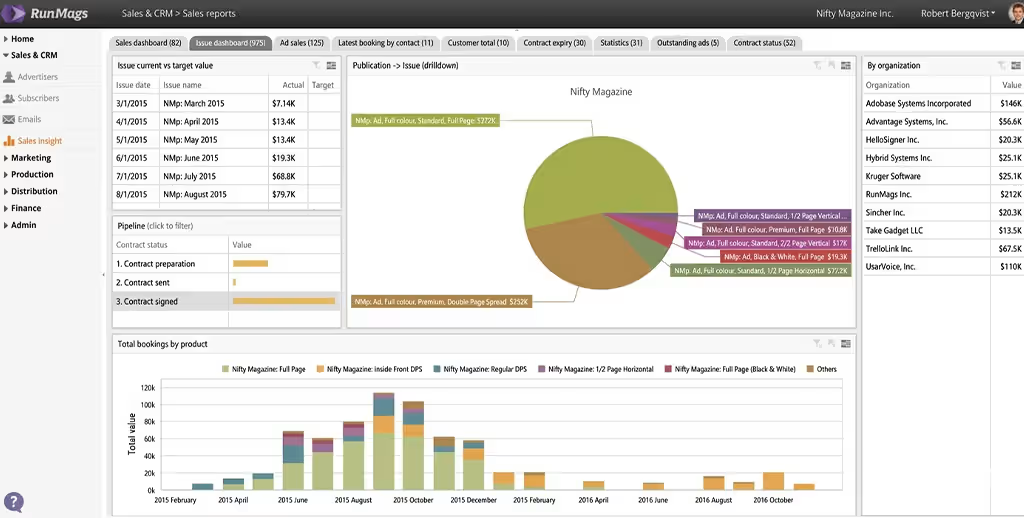
Furthermore, RunMags also supports issue planning and fulfillment. You can manage ad sales across different channels, organize issue layouts, send reminders for missing copy, and handle subscriber renewals through the same system. With accounting integrations included, it also helps connect closed deals with actual revenue and payments.
Features:
- Advertising sales and ad inventory management
- Contract management and eSign
- Subscription sales and circulation tools
- Billing and recurring payments
- Production planning and flatplan tools
- Email tools and campaign support
| Pros | Cons |
|---|---|
| ✅ Strong publishing-specific workflow support. ✅ Flat planning gives the whole team real-time visibility. ✅ Works well on mobile devices. |
❌ Detailed filtered reports can take time to generate. ❌ Can take a long time to launch. |
5. Pipedrive
Pipedrive is a sales-focused CRM that works well for media and publishing teams that rely on advertising revenue and strong client relationships. Its main strength is a visual, Kanban-style pipeline that helps publishers track ad deals at every stage, from the first pitch to receiving materials and final publication.
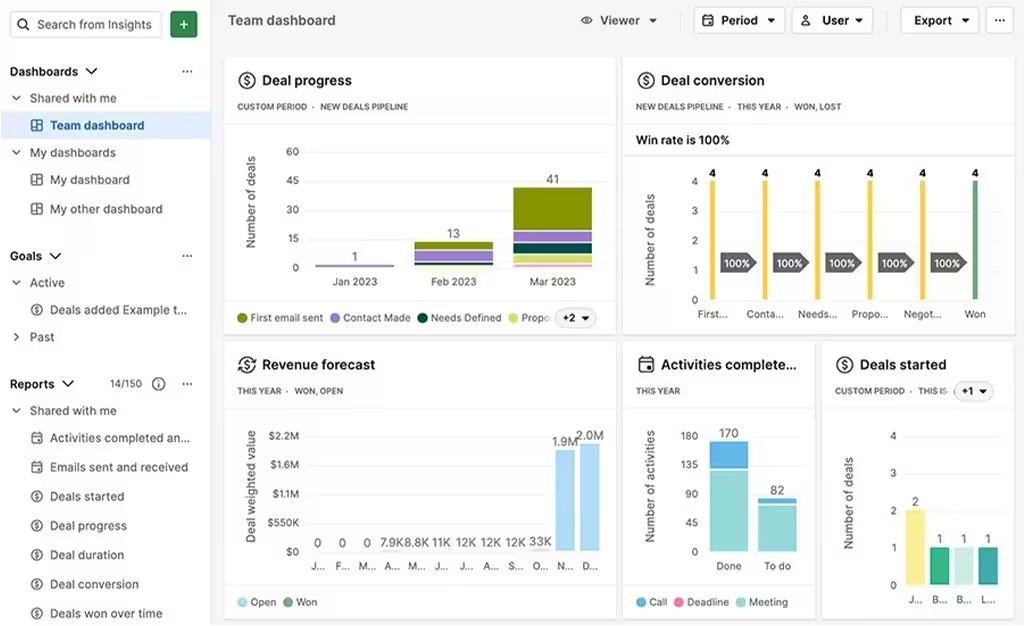
Pipedrive has grown beyond basic deal tracking by adding tools like the AI Sales Assistant, which suggests next steps and flags deals that may be losing momentum. For publishers handling repeat advertisers, it also supports automated renewal workflows and Smart Docs, which can quickly create contracts and proposals with trackable updates when clients open them.
Features:
- Visual sales pipeline and deal tracking
- Activity management and sales insights
- Workflow automation with ready-made templates
- Email sync, tracking, and templates
- AI tools for deal management and sales productivity
- 500+ integrations
| Pros | Cons |
|---|---|
| ✅ Easy to use and quick to learn. ✅ Visual pipeline makes deal tracking simple.. ✅ Strong activity management and sales automation. |
❌ Mainly focused on sales only. ❌ Advanced reporting is limited on lower plans. |
6. Workbooks
Workbooks is a business software platform made for mid-sized media and publishing companies. It helps teams manage subscribers, advertisers, agencies, and media buyers in one system, making it easier to understand every customer relationship. With all this data connected, publishers can handle audience engagement and sales activities more efficiently without switching between separate systems.
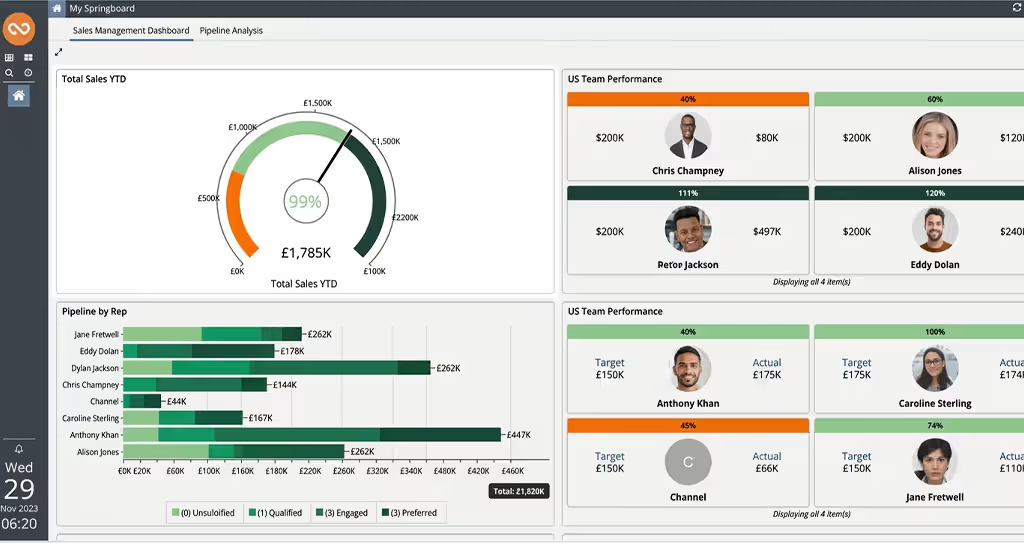
The platform is particularly useful for publishers that work across print, digital, and events. It shows ad inventory in real time, helping sales teams sell to the right buyers. The platform also has an Events Edition with tools to manage registrations, sponsors, delegates, tickets, and communications.
Features:
- Contact and pipeline management
- Quotation creation and sending
- Marketing automation
- Custom records, reports, charts, and dashboards
- Ticketing and case management
- Office 365 and Outlook integration
| Pros | Cons |
|---|---|
| ✅ Strong event management features. ✅ Helpful implementation support. ✅ Good security and data protection. |
❌ Fewer ready-made integrations. ❌ May be too much for very small teams. |
7. LeadHeed
LeadHeed is an easy-to-use CRM built for small businesses and growing media teams. It helps companies move away from spreadsheets by bringing all leads into one place. Messages from website forms and email can all be managed from a single inbox. This makes it easier for teams to stay organized and respond quickly.
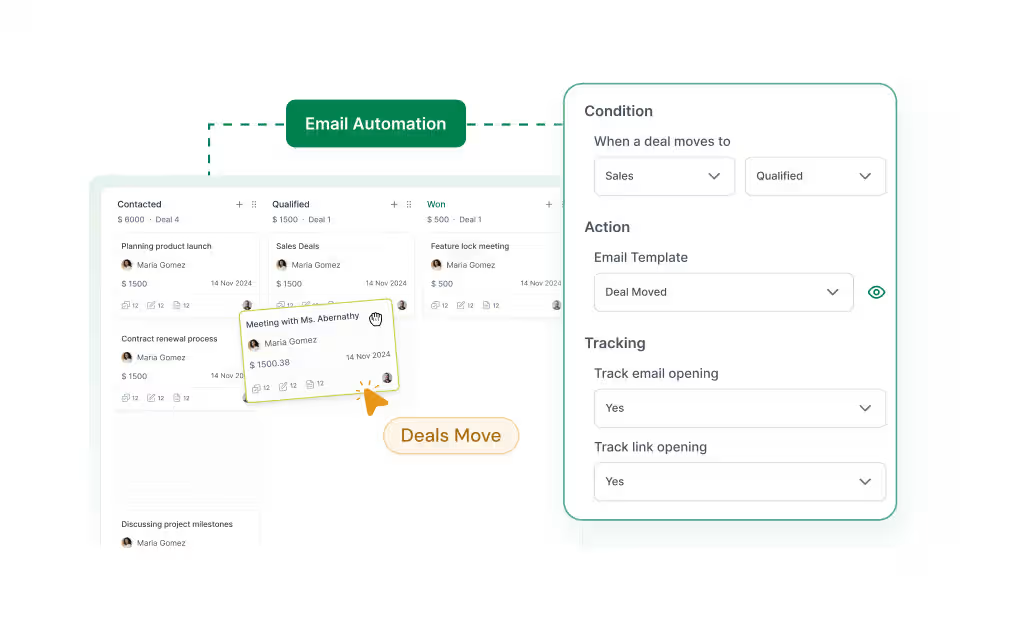
It also includes simple automation tools that help save time. Users can set rules to assign leads, send follow-up emails, or create tasks automatically. With its drag-and-drop pipeline, teams can clearly see where each lead stands and what to do next. Overall, LeadHeed is a good choice for small teams that want a simple and affordable CRM.
Features:
- Lead capture and lead management
- Contact and organization management
- Visual sales pipeline and deal tracking
- Task management with reminders
- Workflow and marketing automation
- Sales reporting dashboards
| Pros | Cons |
|---|---|
| ✅ Beginner-friendly CRM for small businesses. ✅ No-code automation is easy to set up. ✅ Helps capture leads from different channels and track them in custom pipeline stages. |
❌ Feels limited for larger or more complex organizations. |
Conclusion
Every media business has different needs, so there is no single solution that fits everyone. Some platforms are better for large media operations with complex workflows, while others are more useful for publishers that want simpler deal tracking, subscriber management, or better coordination across teams. The best choice is the one that helps your team stay organized, improve follow-ups, and manage relationships without adding more complexity.
If your business wants a simple and practical media CRM that is easy to use, LeadHeed is a strong option to consider. It helps media companies and publishers manage leads, contacts, communication, and sales activity in one place, while also supporting workflow automation and better visibility across the pipeline. Sign up for LeadHeed for free!
Frequently Asked Questions (FAQs)
Why do publishers need a CRM?
Publishers need a CRM to keep advertiser details, sales conversations, contact records, and follow-ups organized in one place. As the business grows, a CRM helps teams reduce manual work, improve visibility, and manage relationships more efficiently than spreadsheets or disconnected tools.
Is magazine production management software the same as a CRM?
No, magazine production management software is not the same as a CRM. Production tools usually help manage issue planning, layouts, deadlines, and publishing workflows, while a CRM focuses more on sales, relationships, contact data, and communication tracking.
Do I need separate CRMs for Ad Sales and Subscription Management?
Many media businesses can manage both ad sales and subscription workflows in one CRM, but if your processes are highly complex, you may need separate tools or a CRM with media-specific capabilities.
What features should I look for in a crm for publishers?
The best crm for publishers should include contact management, deal tracking, email history, task automation, reporting, and integrations. These features help publishers stay organized and manage advertiser and client relationships more efficiently.