
Running a photography business takes more than great photos. You also manage inquiries, track leads, send quotes, confirm dates, collect payments, and follow up at the right time. When you handle all of that across spreadsheets, notes, and scattered messages, you risk missed bookings and slow replies.
A reliable crm for photographers keeps your work organized and helps you respond faster. It helps you store client details, tracks each job stage, and automates reminders and follow-ups. Some tools also include proposals, contracts, invoices, scheduling, and galleries.
Below are the 8 best photography CRM software that help photographers manage inquiries, bookings, and follow-ups more efficiently.
| Photography CRM Software | Standout Features | Plans & Pricing (Billed Annually) |
|---|---|---|
|
1. HoneyBook
 |
✓ HoneyBook AI
✓ All-in-One Client Files ✓ Branded Portal |
Starter: $36/month Essentials: $44.25/month Premium: $96.75/month Free Trial: Available for 30 days |
|
2. Dubsado
 |
✓ Visual Workflow Builder
✓ Customizable Client Portals ✓ Conditional Logic |
Starter: $35/month Premier: $55/month Free Trial: Available for 21 days |
|
3. Sprout Studio
 |
✓ Built-in Galleries
✓ Booking Proposals ✓ Album Proofing |
Lite: $19 Basic: $ 36 Pro: $51 Unlimited: $69 Free Trial: Available for 30-days |
|
4. Studio Ninja
 |
✓ Extreme Simplicity
✓ Automated Lead Pipelines ✓ Dual Branding |
Starter: $16/month Pro: $27/month Master: $40/month Free Trial: Available for 7-days |
|
5. Pixifi
 |
✓ Studio Operations Management
✓ Built-in Expense Tracking ✓ Workflow Visualizer |
Essential: $39.95/month Studio: $59.95/month Free Trial: Available for 14-days |
|
6. Plutio
 |
✓ Project Management Focus
✓ White-Labeling ✓ Interactive Dashboards |
Core: $19/month Pro: $49/month Max: $199/month Free Trial: Available for 14-days |
|
7. 17hats
 |
✓ Lifecycle Workflows
✓Time Tracking ✓ Self-Service Portal |
Monthly: $60/month Yearly: $600/year Bi-Yearly: $800/two years Free Trial: Available for 7-days |
|
8. LeadHeed
 |
✓ Easy Lead Capture
✓ Contact Management ✓ Sales Pipeline Focus ✓ Workflow Automation |
Free: $0 Pro: $15/user/month Elite: $35/user/month Free Trial: Available for 7-days |
1. HoneyBook
HoneyBook is a popular photography CRM software for photographers who want to run the full client process in one place. You can handle new inquiries, follow up with leads, schedule sessions, send contracts for signing, and accept payments without switching between multiple tools.
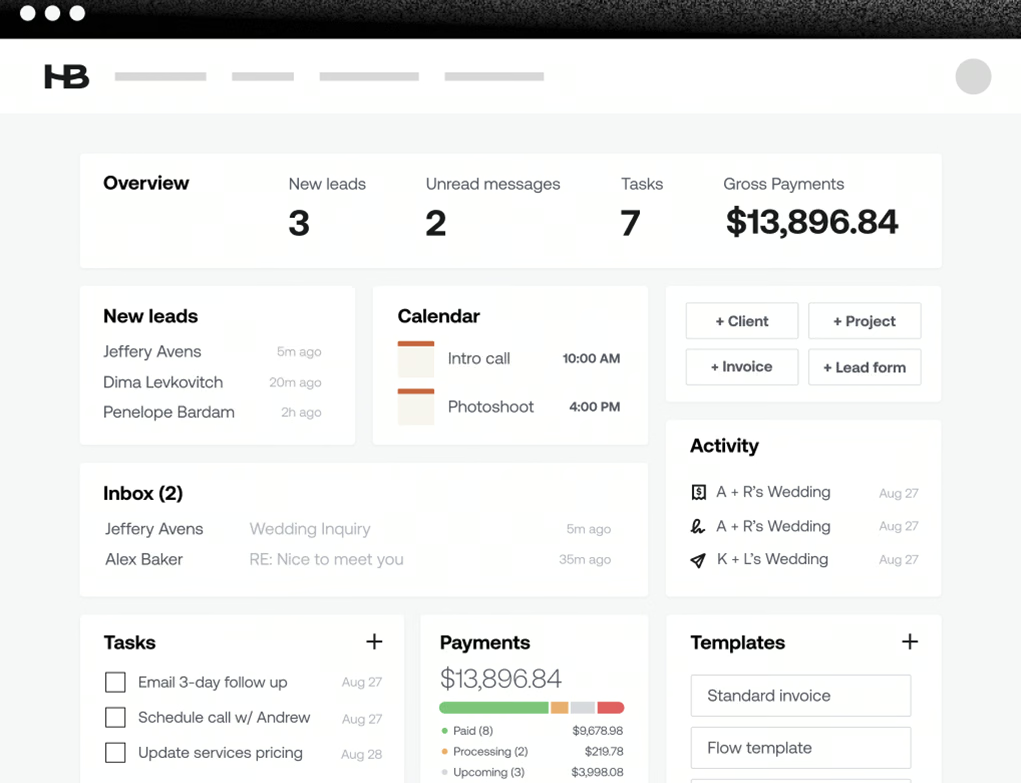
Its Smart Files feature makes booking easier for clients. It combines your packages, contract, and invoice into one shareable file, so clients can review details and complete steps faster. It saves you time, reduces repeated messages, and gives clients a smooth, professional experience.
Key Features:
- AI Workflow Builder: Create automated workflows with a simple text prompt.
- Smart Files: Combine contracts, invoices, and scheduling into one branded file.
- Built-In Scheduling: Let clients book sessions and pay at the same time.
- AI Lead Suggestions: Helps identify which inquiries to respond to first.
- Mobile App: Manage invoices, contracts, and clients from your phone.
| Pros | Cons |
|---|---|
| ✅ Easy-to-use, intuitive interface. ✅ Helps you look more professional with clients. ✅ Strong system for contracts and invoices. |
❌ Pricing feels expensive or increased over time. ❌ Some users reported integration issues. |
2. Dubsado
Dubsado is a flexible CRM for photographers that helps manage the client journey in a more customized way. It offers tools like the Visual Flow Builder, branded forms, and white-labeled portals, which help photographers create a client journey that feels professional and fully aligned with your business.
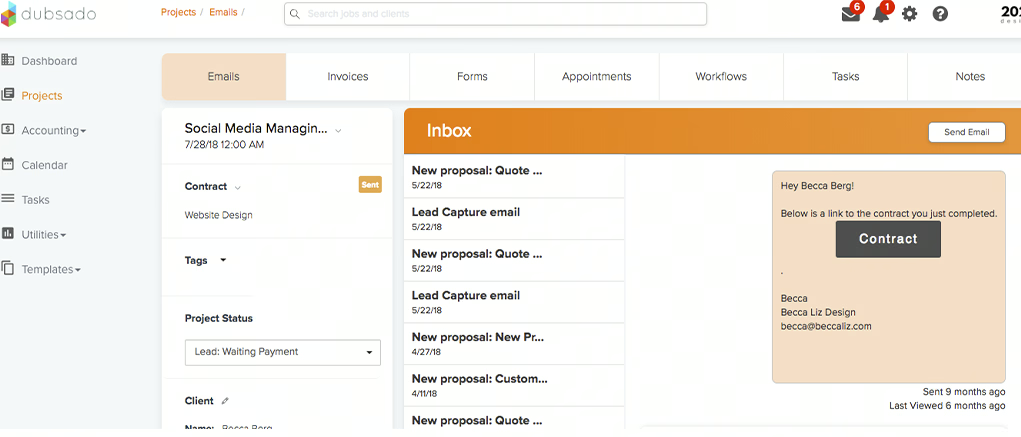
Dubsado also helps reduce manual work through automation. Dubsado can send different contracts, guides, and follow-ups based on what the client books, which keeps communication clear and organized.
Key Features:
- Smart Workflows: Automatically send forms, emails, or invoices based on client actions.
- Financial Reports: Track income, profit/loss, and taxes in real time.
- White-Labeling: Use your brand and domain instead of Dubsado branding.
- Client Portal: Give clients one place to view documents, emails, and project details.
- Custom Styling: Edit form designs with custom CSS.
| Pros | Cons |
|---|---|
| ✅ Strong automation/workflows that reduce manual follow-ups. ✅ Flexible setup for proposals/packages and client-facing flows. ✅ Good value for users who fully use workflows and templates. |
❌ Good value for users who fully use workflows and templates. ❌ Some users describe the system as “clunky” in places. |
3. Sprout Studio
Sprout Studio is an all-in-one CRM software built only for photographers. It combines client management software for photographers with galleries, sales tools, and studio features, which helps keep the full client journey in one system. It makes daily work easier and keeps the full client process more organized from inquiry to final delivery.
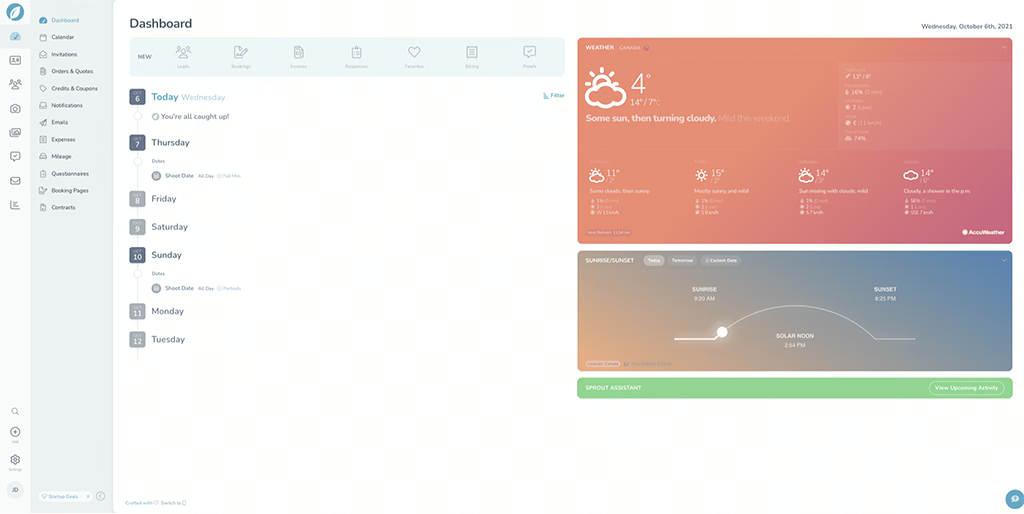
Additionally, with integrated galleries and Virtual IPS, clients can view photos and order prints or albums more easily. Sprout Studio also includes AI tools to help write emails and questionnaires, which reduces admin work.
Key Features:
- Built-in Galleries: Host client galleries directly inside the platform.
- Booking Proposals: One flow for selection, contract, invoice, and payment.
- Album Proofing: Clients can pick and comment on album images.
- Email Marketing: Send newsletters and promotions to past clients.
- Analytics: Reports on shoot types and lead sources.
| Pros | Cons |
|---|---|
| ✅ Works well for a full studio workflow once set up. ✅ Helpful and responsive support. ✅ Strong photo delivery and proofing tools. |
❌ Setup can take time and may feel frustrating. ❌ Reports of bugs and reliability issues. |
4. Studio Ninja
Studio Ninja is an easy-to-use CRM for photographers built for people who want less admin work and more time to focus on photography. It keeps the main parts of your business in one place, such as leads, bookings, invoices, and client details. The dashboard is clean and organized, so you can track each client from the first inquiry to the final payment without feeling overwhelmed by too many features or settings.
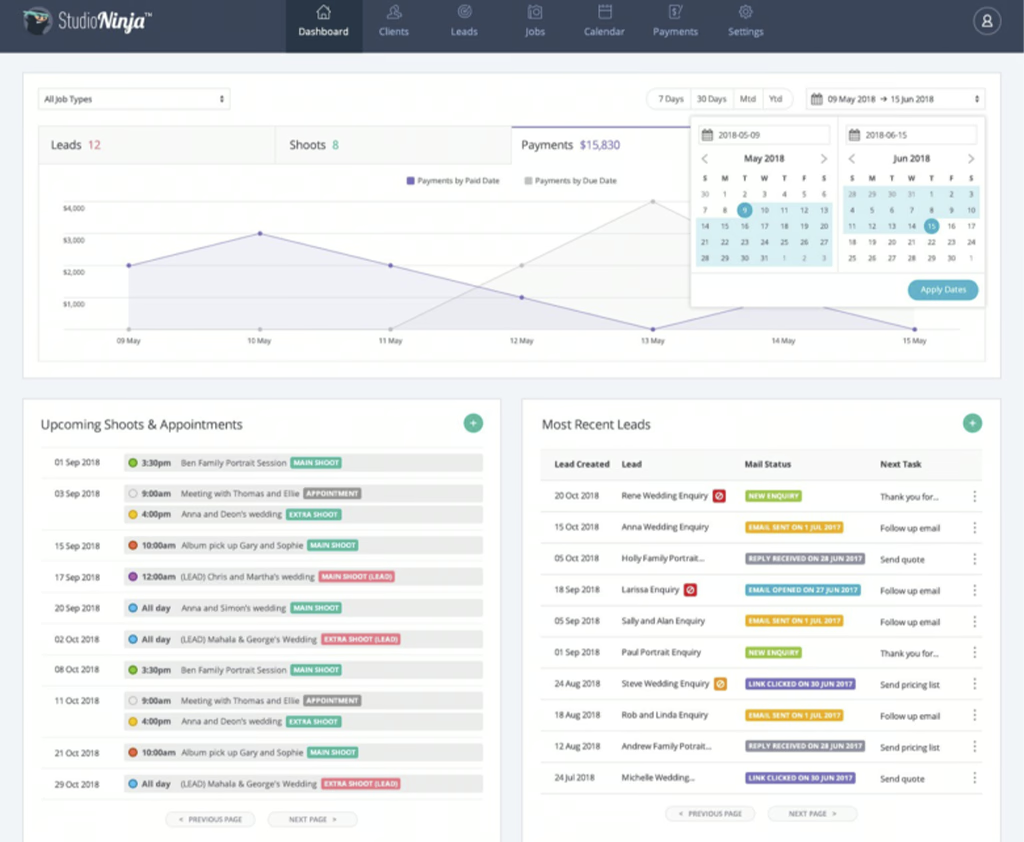
Its Online Booking feature is especially helpful for portrait and mini-session photographers because clients can confirm their slot and pay at the same time. This creates a smoother booking process and cuts down on manual follow-ups.
Key Features:
- Team Management: Schedule photographers and assign tasks for multi-person studios.
- Multi-Brand: Manage up to three businesses in one account.
- Simple Dashboard: View the status of all leads and jobs in one place.
- Multi-Currency Support: Accept payments in different currencies.
- Google/Microsoft Sync: Two-way sync for calendar and email.
| Pros | Cons |
|---|---|
| ✅ Tracks each job through clear stages. ✅ Helps repeat the same workflow every time. ✅ Regular updates and clear communication. |
❌ Support feedback is mixed and not always consistent. ❌ Some studios expect more features for the price. |
5. Pixifi
Pixifi is designed for photographers and studios with a high volume of work. If you handle many bookings, events, or team members, this CRM for photographers helps you keep everything organized. It works as a central system where you can manage leads, projects, schedules, and deliveries without losing track of important details.
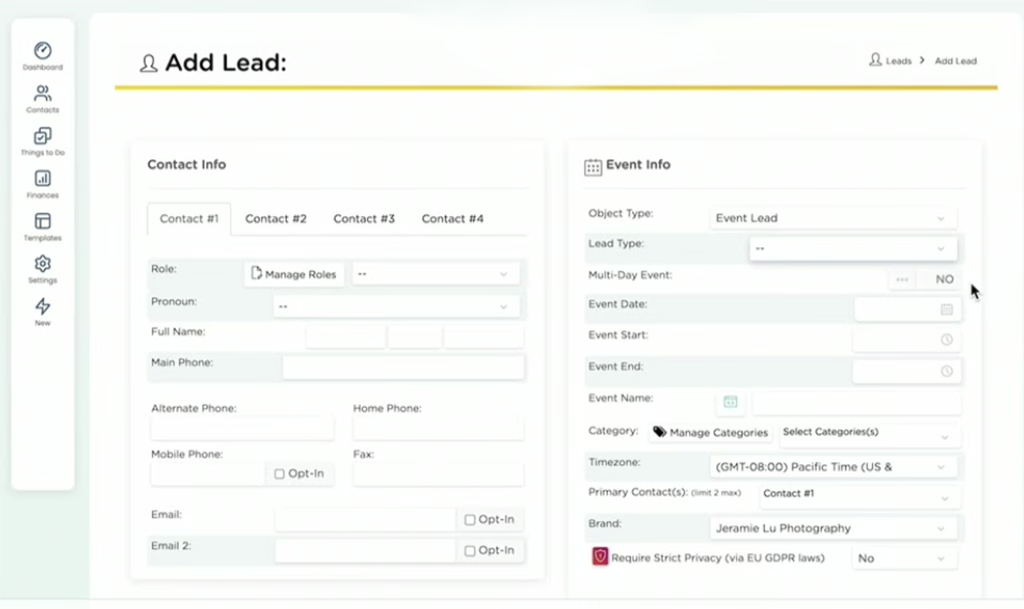
Another strength of Pixifi is its CRM reporting and tracking tools. You can see how jobs are moving through your pipeline, track expenses, and understand which services bring the best results. While it is more advanced than some other photography CRM software options, it is a strong choice for studios that want a system built for growth.
Key Features:
- Team Scheduling: Assign shoots to second shooters/associates.
- Expense Tracking: Record business costs like travel, gear, and studio expenses.
- Workflow View: See project progress in a visual timeline.
- Event Booking: Support for workshops and ticketed events.
- Gift Cards: Sell and track digital gift certificates.
| Pros | Cons |
|---|---|
| ✅ Good for complex studio workflows. ✅ Can support detailed tracking for business admin. ✅ Support multi-user collaboration. |
❌ The interface can feel outdated. ❌ Setup takes time and can be confusing at first. |
6. Plutio
For photographers who handle commercial and multi-step projects, Plutio offers a more advanced photography CRM system. It is made for businesses that need to manage more than leads and bookings. With white-labeled portals, Plutio helps photographers present their work and communication in a more professional and branded way.
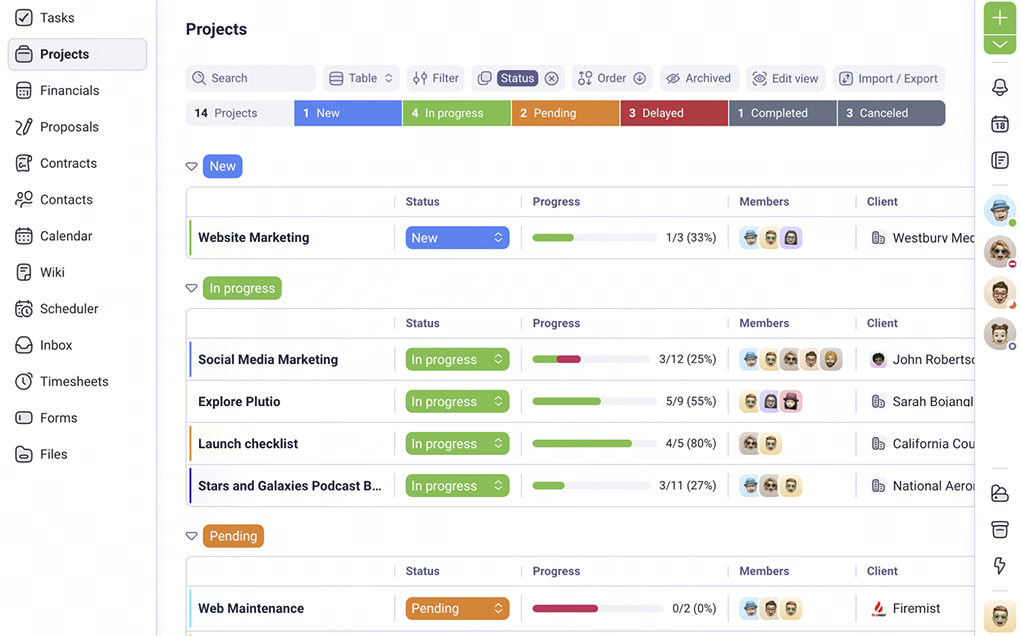
Furthermore, the platform includes an AI assistant that can prepare proposals, contracts, and task lists, helping reduce manual effort. It also comes with time tracking and invoicing, which are valuable for photographers who charge hourly rates. With team permissions and a unified inbox, it supports better communication and easier project handling.
Key Features:
- Project management: Manage tasks, files, messages, and project details in one place.
- Task Boards: Kanban-style boards with custom statuses, dependencies, comments, and milestone tracking.
- Invoicing: Send invoices, set payment schedules, and accept payments through Stripe or PayPal.
- Time Tracking: Track time with one click and log billable hours to projects and invoices.
- Proposals and contracts: Build and send proposals or contracts using ready-made templates.
| Pros | Cons |
|---|---|
| ✅ People like its customization and collaboration options. ✅ Adaptable for different workflows. ✅ Includes many tools in one place for small teams and freelancers. |
❌ The platform can feel too feature-heavy if you only need the basics. ❌ Bugs or slow performance are mentioned in reviews. |
7. 17hats
17hats is a smart option for photographers who want to automate routine tasks and stay on top of client work. It supports the full client journey, including inquiries, follow-ups, bookings, and post-project communication. Its Life-Cycle Automation handles repeated tasks automatically, such as replies, reminders, and follow-ups, which allows photographers to focus more on their work.
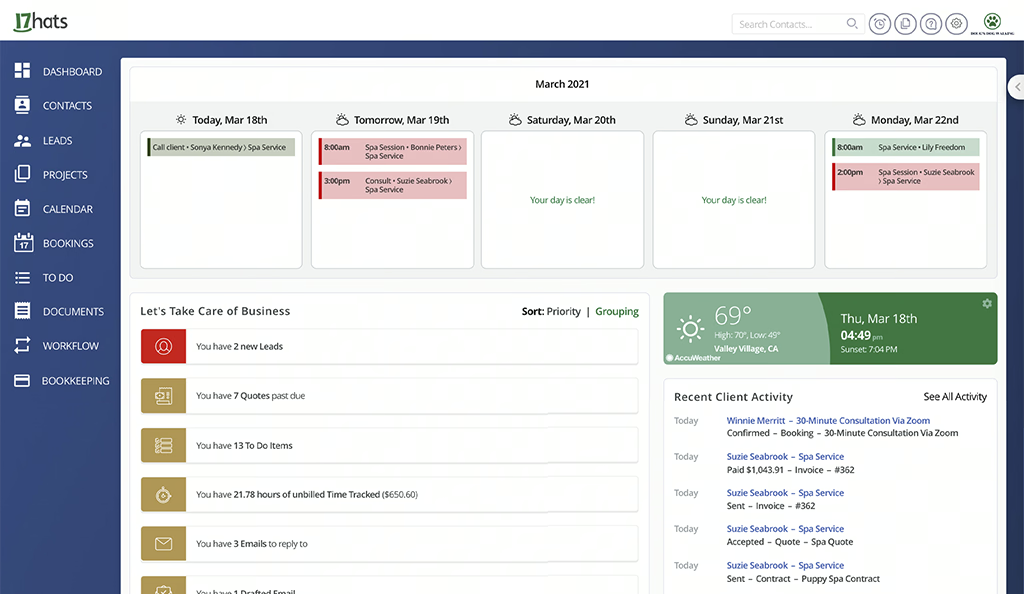
Beyond automation, it supports bookkeeping and sales tax reporting, which adds more control to daily business management. The software also puts a strong focus on reusable templates and streamlined documents. It offers email templates that you can personalize using “tokens,” and it states there is no limit to how many email templates you can create.
Key Features:
- 3-in-1 Documents: Combines quote, contract, and invoice into one document so clients can review, sign, and pay at once.
- Lead Source Reports: See which channels bring paying clients.
- Bulk Actions: Send or update documents for many clients at once.
- Online Booking & Scheduling: Lets clients book sessions online with calendar sync
- Client Portal: Clients can access documents anytime.
| Pros | Cons |
|---|---|
| ✅ Powerful automation and workflow tools. ✅ Saves time for solo operators once set up. ✅ Makes your process consistent for every client. |
❌ Accounting tools feel basic compared to dedicated accounting software. ❌ Some find the interface a bit confusing. |
8. LeadHeed
LeadHeed is a simple CRM for photographers who want an easy way to manage leads, contacts, and follow-ups without dealing with a complicated setup. It focuses on the core parts of client management, such as capturing inquiries, organizing contact details, tracking deals in a pipeline, and automating reminders, which makes it a practical option for solo photographers and small teams.
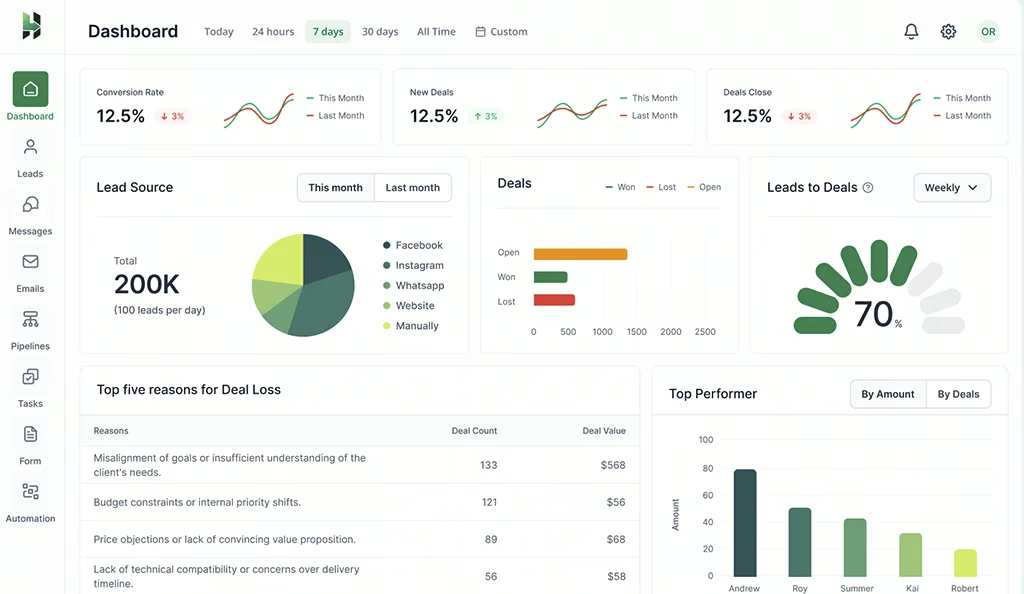
If your main challenge is responding quickly, tracking conversations, and making sure every inquiry gets proper follow-up, LeadHeed provides a straightforward setup without a heavier studio-management layer. It includes workflow automation, email inbox support, and contact management tools that help centralize communication and reduce manual admin.
Key Features:
- Multiple Channels Lead Capture: Collect leads from forms, ads, live chat, social messages, calls, and SMS in one place.
- Custom Lead Forms: Build lead forms, share them as links, or use QR codes for events, flyers, or posters.
- Lead Organization and Source Tracking: Track where each lead came from, filter by source, and keep your database clean with duplicate prevention and validation.
- Sales Pipeline Management: Create pipelines, add stages, assign deal owners, and move deals from opportunity to won or lost.
- Automation and Follow-Ups: Automatically send emails, reminders, and tasks when a deal changes stage or gets stuck.
| Pros | Cons |
|---|---|
| ✅ Easy to use for beginners and small teams. ✅ Tracks leads in a clear sales pipeline. ✅ Centralized email inbox to manage follow-ups in one place. |
❌May feel too sales-focused for photographers who want full studio management. |
Conclusion
Choosing the right CRM for photographers comes down to how you run your shoots and how much admin work you want to remove. Some tools focus on full studio workflows with booking and client delivery, while others focus on keeping leads, follow-ups, and tasks organized. The best choice is the one that helps you reply faster, stay consistent, and avoid losing inquiries.
For photographers who need a simple system to manage leads and follow-ups, LeadHeed offers an easy starting point. You can track every inquiry through clear stages, set tasks for yourself or your team, and automate routine follow-ups to keep momentum. Sign up for LeadHeed for free, and capture clients for your photo studio!!
Frequently Asked Questions (FAQs)
Do I need a CRM for a photography business if I’m solo?
Even solo photographers lose bookings when inquiries slip through the cracks. In such cases, CRM for a photography business helps you track leads, respond faster, and avoid missed follow-ups.
How do I choose the right CRM system for photographers?
When choosing a photographer CRM, consider features like lead management, scheduling, automation, and client communication. The right platform should help you respond faster and keep every booking organized.
Is there a free CRM for photographers?
Yes, several CRM tools offer free plans that photographers can use to organize contacts and track leads. LeadHeed is one option that provides a free plan where photographers can manage inquiries and follow-ups in a simple pipeline.
Can I deliver galleries and proofs inside the CRM, or do I need another tool?
Some CRMs for photographers include built-in gallery and proofing tools for delivering images to clients. However, many photographers still use a separate gallery platform alongside their CRM.