Get a Lead Management Software to Manage Your Prospects
LeadHeed helps you organize every lead in one place and follow up without confusion. Use our lead management software to qualify leads, assign an owner, add notes and tasks, and convert the right leads into deals.
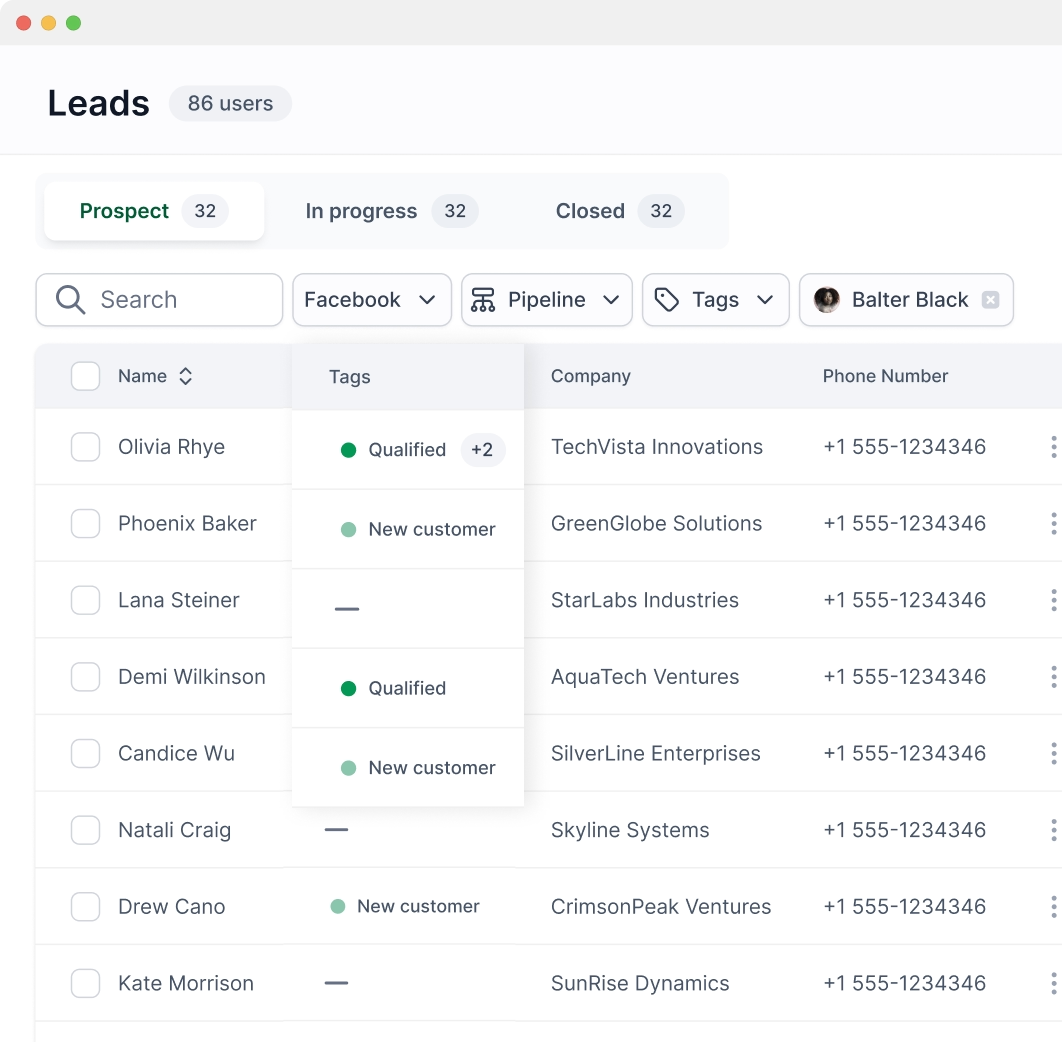
Segment leads and qualify them for deals.
Label leads with tags for quick sorting.
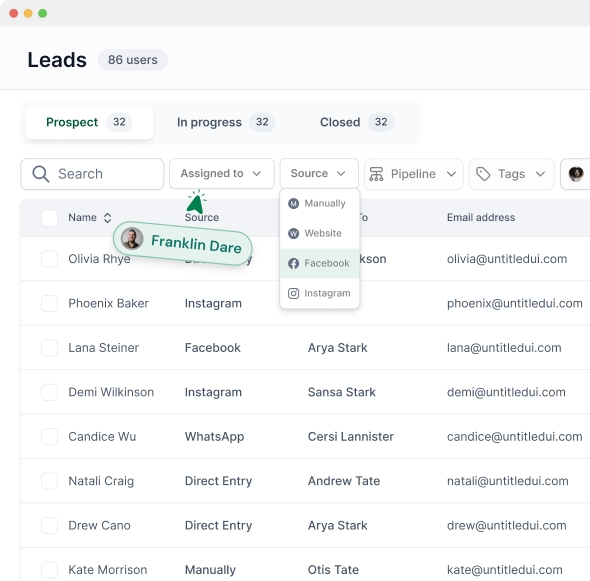
Filter leads by dates, source, and assignee.
Attach proposals, agreements, screenshots, and more.
Convert qualified leads into deals and assign tasks to owners.
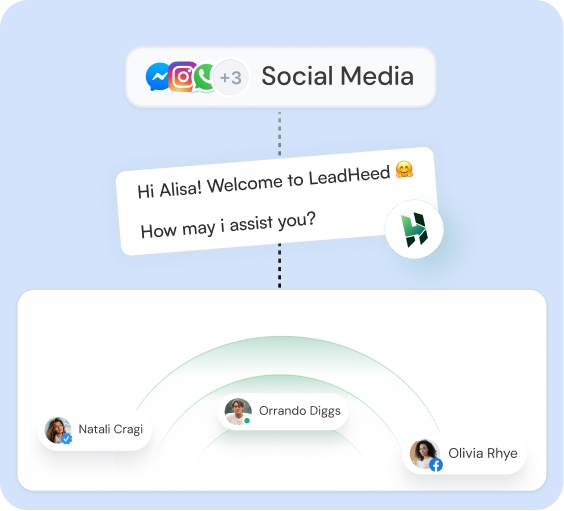
You can bring leads into our lead management software from forms, website live chat, social inbox, calls/SMS, ads, and imports. LeadHeed keeps them in one lead list, which you can review to plan the next step.
Managing leads in LeadHeed is so simple
With our lead management software, you can qualify leads, organize details, and assign owners tasks—so your team follows a clear process to convert a lead into a deal.
Qualify Leads
Label leads with tags (New, Contacted, Qualified, Not a fit).
Add business info (company, needs, budget, timeline).
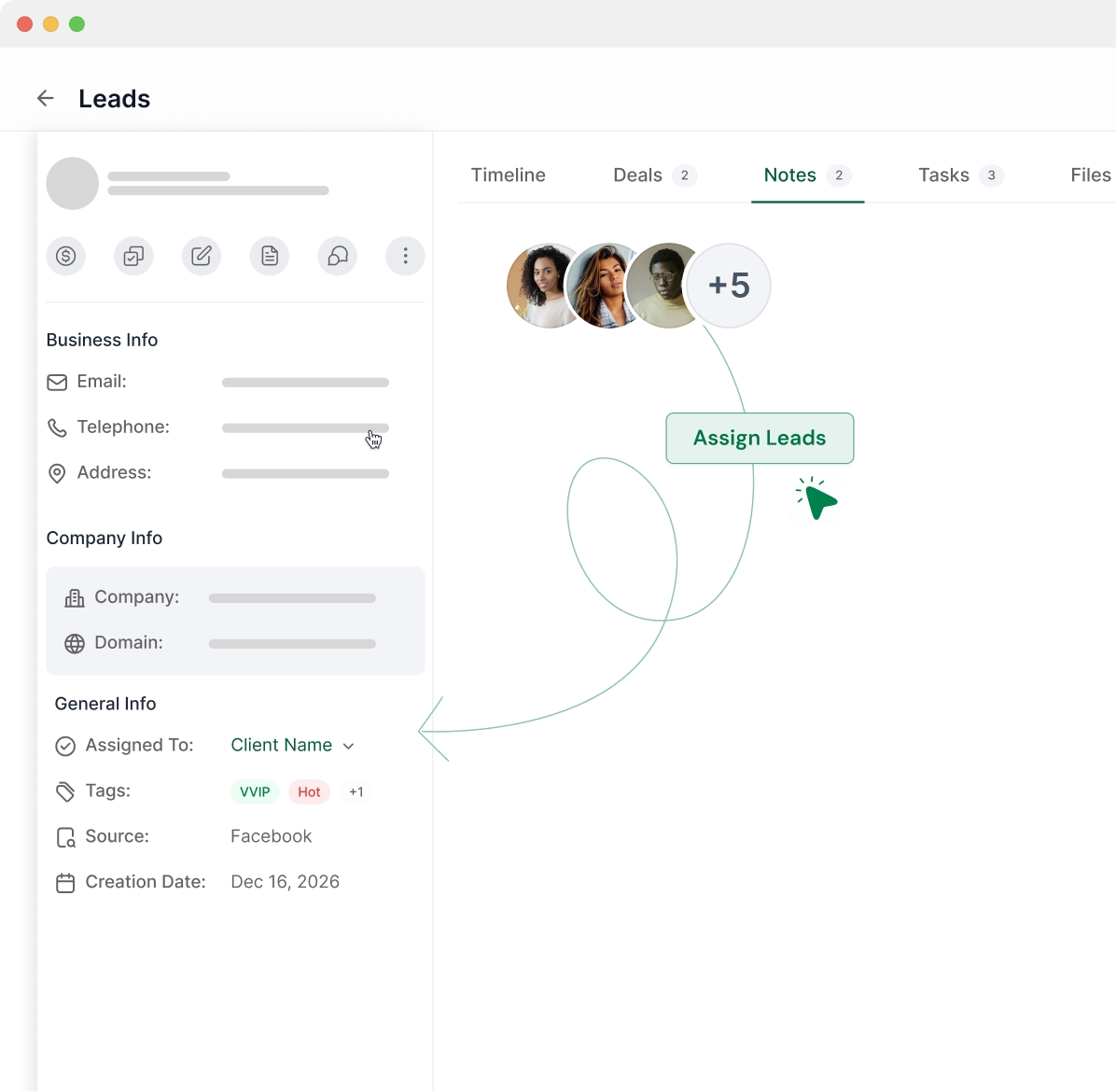
Assign Leads
Assign leads to an owner (sales rep, agent, team member).
Assign tasks with due dates (call, demo, send quote).
Segment Leads
Filter leads by source, tags, owner, and dates.
Search leads fast by name, phone, email, or company.
Lead Notes
Add notes so your team has context before contacting the leads.
Attach files: proposals, screenshots, agreements, documents and more.
Create Deals
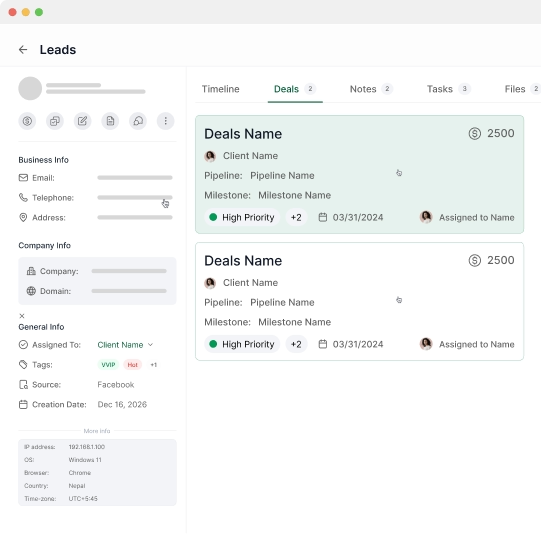
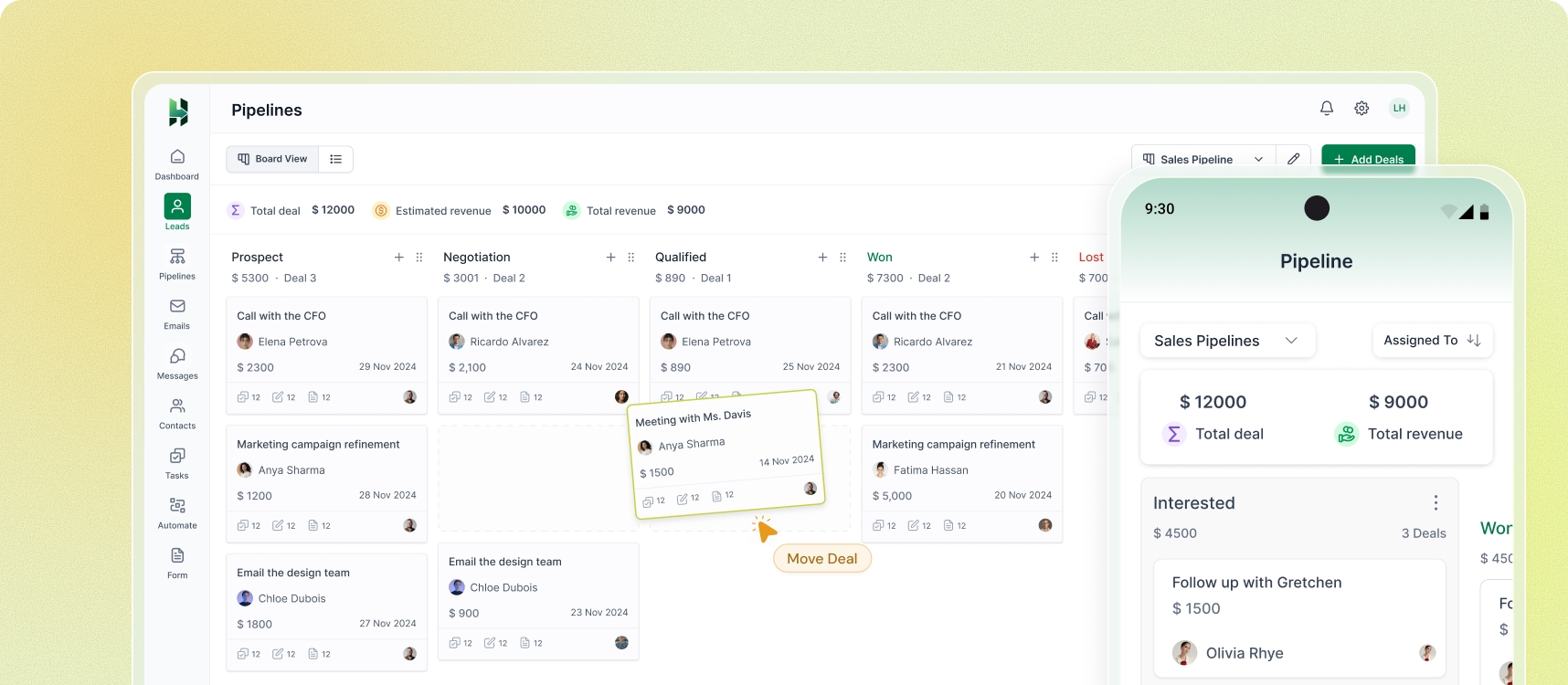
Convert qualified leads into deals.
See the deal value and overdue deals in the pipeline.
One Clear Lead Profile
LeadHeed gives you a complete view of each lead in one screen—who they are, where they came from, and what happened last.
Avoid Repeated Outreach
Everyone sees the same updated lead details, so your team avoids repeated outreach and stays aligned on the latest context.
Update Leads in Bulk
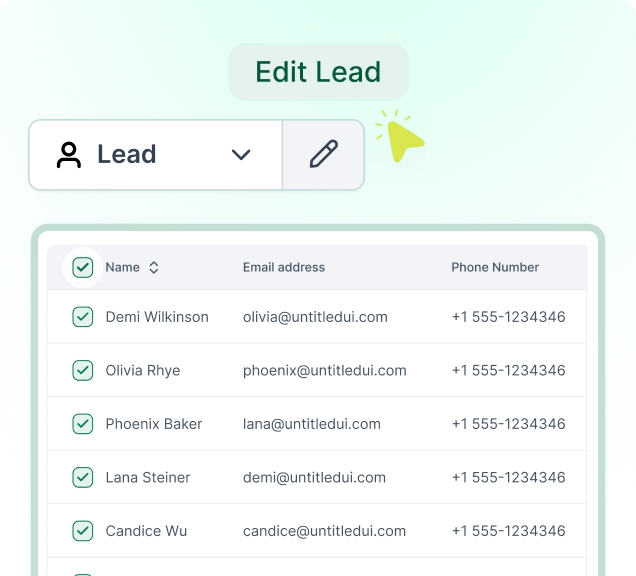
LeadHeed lets you select multiple leads and apply changes at once—like adding tags, or assigning an owner.
How to Manage Leads
in LeadHeed?
LeadHeed keeps lead management consistent in your simple and easy-to-use CRM. Our lead management software ensures you turn the right leads into real opportunities.
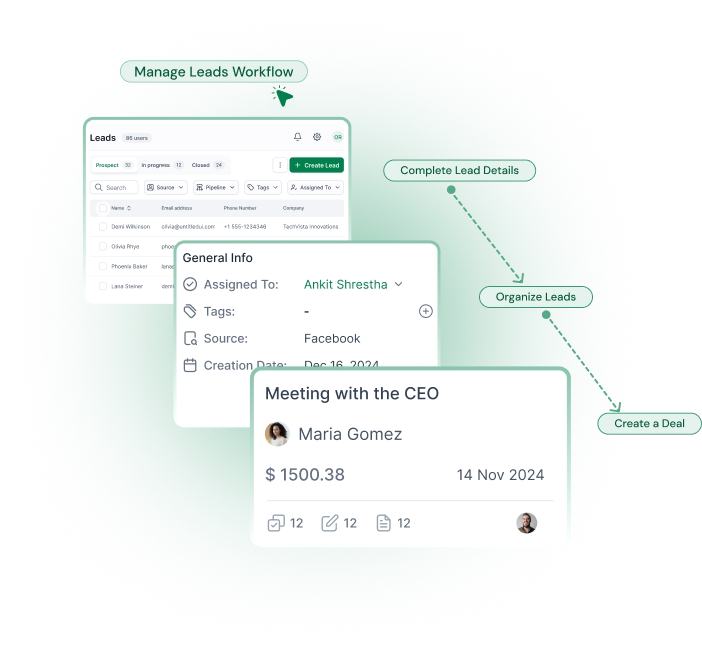
Review and complete lead details
Open the lead profile to add business details like company, need, budget, and notes. Clear records help you understand context.
Organize leads with tags and filters
Add tags to group leads by priority, service, or campaign, then use filters to create focused lists. It keeps your work tidy and
easy to plan.
Create a deal and move forward
Turn qualified leads into opportunities—set a deal value and due date. You can then move the deals through stages in your pipeline.
Lead Management Software
For every industry
LeadHeed helps businesses from every industry handle inquiries and needs a clear way to organize leads. Our lead management software fits both service and product businesses, from local teams to growing companies.
LeadHeed helps you run a simple workflow from a new lead to converting it to an opportunity. Capture leads, review and organize them, convert them into deals using a simple CRM.
Capture Leads
Bring new leads into LeadHeed from forms, website live chat, ads, social messages interactions, and calls and SMS.
Organize & Prioritize
Use tags, status, and filters to group leads by priority, service type, and source. It helps you keep your list easy to manage.
Qualify Leads
Use tags and filters to group and qualify leads by priority, service type, and source. It helps you focus on the right leads first.
Convert to Deals
When a lead becomes an opportunity, convert it into a deal and move it to your pipeline. Set deal value, close date, and
assign owners.
Attract Prospects
Bring people to your business using Facebook ads, Instagram ads, emails, blogs, and social media posts that link to your form or website chat.
Organize & Prioritize
Use tags, status, and filters to group leads by priority, service type, and source. It helps you keep your list easy to manage.
Capture Leads
Collect leads from forms, website live chat, social messages interactions, and telephony integration that creates leads from phone calls and SMS.
Convert to Deals
When a lead becomes an opportunity, convert it into a deal and move it to your pipeline. Set deal value, close date, and
assign owners.
What’s Next?
Lead Nurturing
Now nurture your qualified leads (deals) with consistent follow-ups from your lead management software. Reach them through the channels they prefer and move the deals through the pipeline until they become Won or Lost.