Small businesses do not need complex systems to manage customers. They need a simple and easy-to-use CRM to keep leads, deals, and follow-ups organized in one system. A simple CRM has a clean interface that makes it easy to capture leads, manage contacts and tasks, and move deals through a clear pipeline to close deals.
Most sales fail due to missed follow-ups, unclear deal stages, and scattered customer notes. A good lightweight CRM software gives small businesses one place to track progress, measure what is working, and stay consistent every day.
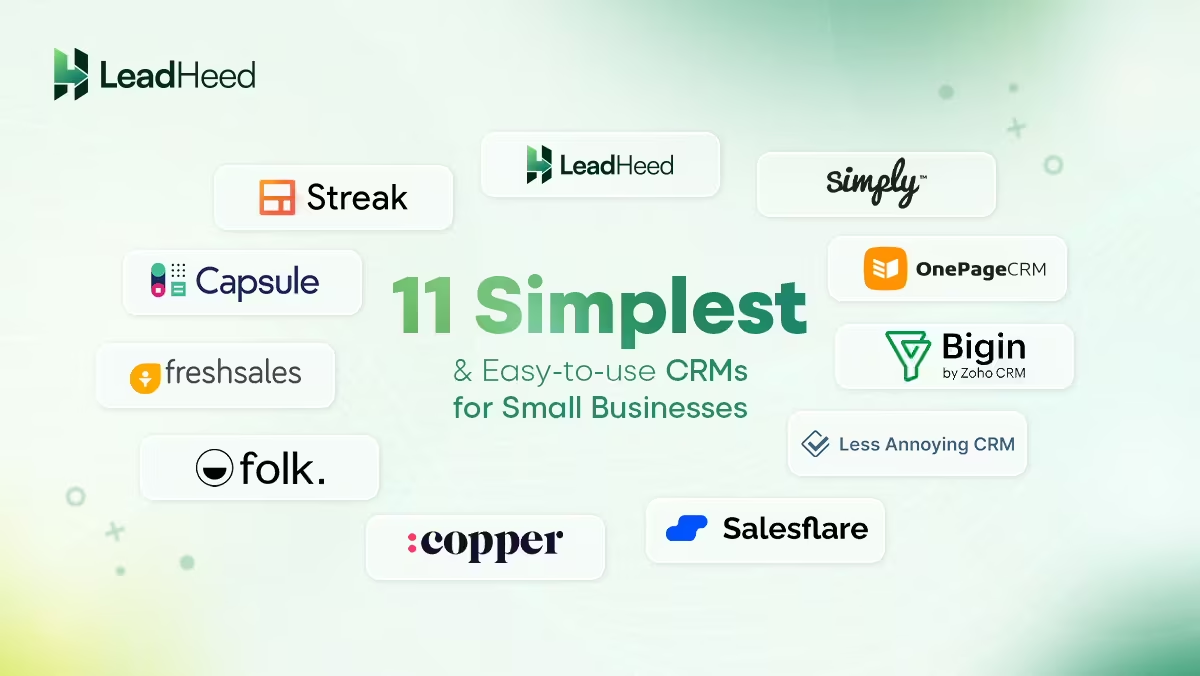
Here are the 11 simplest CRMs that small businesses find easy to use.
- Simply CRM
- OnePageCRM
- Zoho Bigin
- Less Annoying CRM
- LeadHeed
- Salesflare
- Copper
- Folk CRM
- Freshsales
- Capsule CRM
- Streak
| Catering CRM Software | Standout Features | Plans & Pricing |
|---|---|---|
|
1. Simply CRM
 |
✓ Custom dashboards
✓ Lead + contact management ✓ Quotes, invoices, sales orders ✓ Project management ✓ Automations + workflows |
Starter: $17/month ($15/month, if billed annually) Professional: $28/month ($22/month, if billed annually) Enterprise: $47 month ($41/month, if billed annually) Free trial: 14 days |
|
2. OnePageCRM
 |
✓ Action-based “next step” selling
✓ Contact + deal management ✓ Full email sync ✓ Tasks + reminders ✓ Mobile app |
Professional: $15/month ($9.95/month, if billed annually) Business: $29/month ($19.95/month, if billed annually) Free trial: 21 days |
|
3. Zoho Bigin
 |
✓ Simple pipelines + stages
✓ Built-in forms ✓ Email integration ✓ Workflow automation rules ✓ Mobile app |
Express: $9/month ($7/month, if billed annually) Premier: $15/month ($12/month, if billed annually) Free trial: 15 days |
|
4. Less Annoying CRM
 |
✓ Clean contact management
✓ Simple pipeline tracking ✓ Tasks + follow-ups ✓ Calendar + reminders ✓ Notes + activity history |
Single plan: $15/user/month
Free trial: 30 days |
|
5. LeadHeed
 |
✓ Lead capture forms
✓ Sales pipelines ✓ Email automation ✓ Lead source tracking ✓ Omnichannel messaging ✓ Telephony integration ✓ Analytics + reporting |
Free plan: $0 (up to 3 users) Pro: $15/month ($12/month, if billed annually) Elite: $35/month ($28/month, if billed annually) Free trial: 14 days |
|
6. Salesflare
 |
✓ Auto data entry (email + calendar)
✓ Email/link/website tracking ✓ Simple pipeline management ✓ Email workflows ✓ Lead finder credits |
Growth: $39/month ($29/month, if billed annually) Pro: $64/month ($49/month, if billed annually) Enterprise: $124/month ($99/month, if billed annually) Free trial: 30 days |
|
7. Copper
 |
✓ Google Workspace native CRM
✓ Flexible pipelines ✓ Task automation + workflows ✓ Reporting ✓ Project management |
Starter: $12/month ($9/month, if billed annually) Basic: $29/month ($23/month, if billed annually) Professional: $69/month ($59/month, if billed annually) Business: $134/month ($99/month, if billed annually) Free trial: 14 days |
|
8. folk CRM
 |
✓ Shared contact workspace
✓ Pipelines + deals ✓ Email sequences ✓ Contact enrichment ✓ LinkedIn extension |
Standard: $25/month ($20/month, if billed annually) Premium: $50/month ($40/month, if billed annually) Custom: $100/month ($80/month, if billed annually) Free trial: 14 days |
|
9. Freshsales
 |
✓ Built-in email + phone + chat
✓ Deal pipelines ✓ Sales sequences ✓ Workflow automation ✓ Reporting + dashboards |
Growth: $11/month ($9/month, if billed annually) Pro: $47/month ($39/month, if billed annually) Enterprise: $71/month ($59/month, if billed annually) Free trial: 21 days |
|
10. Capsule CRM
 |
✓ Contact + opportunity tracking
✓ Sales pipelines ✓ Project boards ✓ Workflow automation ✓ Shared mailbox + email templates |
Starter: $21/month ($18/month, if billed annually) Growth: $38/month ($36/month, if billed annually) Advanced: $60/month ($54/month, if billed annually) Ultimate: $75/month ($72/month, if billed annually) Free trial: 14 days |
|
11. Streak
 |
✓ CRM inside Gmail
✓ Shared pipelines ✓ Mail merge ✓ Automations + integrations (Pro+) ✓ Analytics and Reporting |
Pro: $59/month ($49/month, if billed annually) Pro+: $89/month ($69/month, if billed annually) Enterprise: Contact sales Free trial: 14 days |
1. Simply CRM
Simply CRM helps small businesses manage contacts, track deals, and keep follow-ups organized. It gives you a clear place to log customer details, update opportunities, and monitor progress, so your sales process stays consistent instead of scattered across sheets and messages.
Along with pipeline tracking, Simply CRM includes tools like quotes/invoices, projects, and support tickets, which help businesses manage both the sale and after-sales work.
Features:
- Contact and organization management.
- Opportunities, deals, and a visual pipeline.
- Tasks/projects to organize work.
- Quotes and invoices.
- Helpdesk/support tickets.
Plans & pricing:
Starter: $17/month ($15/month, if billed annually)
Professional: $28/month ($22/month, if billed annually)
Enterprise: $47 month ($41/month, if billed annually)
Free trial: 14 days
Pros
✅ Keeps sales, billing, and service in one place.
✅ Works well for service businesses that run projects after closing.
Cons
❌ Can feel heavier than a lightweight CRM if you only want pipeline + reminders.
2. OnePageCRM
OnePageCRM is a simple CRM built for teams that sell through consistent daily follow-ups. It focuses on “next actions,” so every lead has a clear step, which helps small teams stay organized and avoid missed follow-ups.
It also keeps pipeline tracking clean and easy. You can manage contacts, deals, and activity in one place, plus sync email and use automation features without turning your CRM into a complex setup.
Features:
- Action-based selling (“next action” workflow).
- Unlimited records (contacts/deals/fields/tags).
- Full email sync.
- Workflow automation.
- Mobile apps (iOS/Android).
Plans & pricing:
Professional: $15/month ($9.95/month, if billed annually)
Business: $29/month ($19.95/month, if billed annually)
Free trial: 21 days
Pros
✅ Keeps follow-ups structured with a clear “next step.”
✅ Simple pricing and low learning curve for small teams.
Cons
❌ May feel limited if you want deep customization modules beyond sales tracking.
3. Zoho Bigin
Zoho Bigin is designed for small businesses that want a clean way to manage leads, contacts, and deals without the complexity of a full enterprise CRM. It keeps the workflow straightforward: capture a lead, log activities, move deals through stages, and track progress in a visual pipeline.
Bigin also works well when you want “just enough” automation and reporting. You can set basic workflows to reduce manual updates, track interactions, and view simple dashboards to understand what moves and what gets stuck.
Features:
- Pipeline-first deal tracking with clear stages.
- Contact management with activities, notes, and reminders.
- Built-in forms and lead capture options.
- Basic workflow automation (rules and triggers).
- Simple dashboards and reports for visibility.
Plans & pricing:
Free: $0 (one pipeline, 500 records only)
Express: $9/month ($7/month, if billed annually)
Premier: $15/month ($12/month, if billed annually)
Bigin 360: $21/month ($18/month, if billed annually)
Free trial: 15 days
Pros
✅ Easy to set up and use for small teams
✅ Strong pipeline view for tracking deals quickly
✅ Good balance of simplicity and essential automation
Cons
❌ Limited compared to full-scale CRMs if you need deep customization.
❌ Advanced reporting and complex workflows require upgrading.
4. Less Annoying CRM
Less Annoying CRM is one of the simplest CRM software for small businesses that want a clean system without extra modules, confusing menus, or long setup time. It helps you store contacts, log notes, track conversations, and keep follow-ups organized with tasks and reminders.
Less Annoying CRM does not try to be an all-in-one platform, so it works best for teams that want a lightweight tool to stay consistent. You can track deals in a basic pipeline, keep customer history in one place, and make sure every lead has a next step.
Features:
- Clean contact management with notes and activity history.
- Tasks and reminders to stay on top of follow-ups.
- Simple pipeline tracking for deals.
- Custom fields to match your workflow.
- Easy setup with minimal learning curve.
Plans & pricing:
Single plan: $15/user/month
Free trial: 30 days
Pros
✅ Very easy to learn and start using quickly.
✅ Great for small teams that want a no-frills CRM.
✅ Strong follow-up support with tasks and reminders.
Cons
❌ Limited automation and advanced reporting.
❌ Not ideal if you need a lot of built-in integrations or complex workflows.
5. LeadHeed
LeadHeed is a simple and easy-to-use CRM for small businesses to keep the sales process organized from the first inquiry to the final close. It helps you capture leads, store contact details, and move deals through a clear pipeline, so your team always knows what to do next.
If you want a CRM that stays simple but still supports daily selling, LeadHeed fits well because it focuses on essentials, not clutter.
LeadHeed is a practical, lightweight CRM that makes follow-ups easier to manage. You can assign tasks, set reminders, and track progress using simple insights, so deals do not get stuck or forgotten.
Features:
- Form builder + ready-made form templates.
- Capture leads from forms, websites, and social media.
- Lead management with tags and source filters.
- Simple pipeline and deal tracking.
- Tasks and reminders + sales tracking insights.
- In-built email management.
- Omnichannel (WhatsApp, Facebook and Instagram).
- Basic automation to keep sales consistent.
Plans & pricing:
Free plan: $0 (up to 3 users)
Pro: $15/month ($12/month, if billed annually)
Elite: $35/month ($28/month, if billed annually)
Free trial: 14 days
Pros
✅ Clean interface that small teams can adopt quickly.
✅ Strong pipeline + follow-up workflow for daily sales tracking.
✅ The features it offers justify its pricing very well.
Cons
❌ Limited integrations are available.
❌ Mobile app not available.
6. Salesflare
Salesflare reduces manual work by helping teams track customer activity with less data entry. It’s a is a simple CRM for small businesses that want pipeline visibility but do not want to spend time logging every email, meeting, and interaction.
If your team sells through email and online conversations, Salesflare is a practical, easy-to-use CRM to keep the timeline updated and the next steps clear. You can track deals in a visual pipeline, set reminders, collaborate on accounts, and review simple reports to see what is moving and what is stuck.
Features:
- Auto-tracks sales activity (emails, meetings, touchpoints).
- Visual pipeline with deal stages and reminders.
- Contact and company timeline for full context.
- Email tracking and templates for outreach.
- Simple reporting for pipeline and performance.
Plans & pricing:
Growth: $39/month ($29/month, if billed annually)
Pro: $64/month ($49/month, if billed annually)
Enterprise: $124/month ($99/month, if billed annually)
Free trial: 30 days
Pros
✅ Saves time with activity tracking and less manual updates.
✅ Easy pipeline view for daily deal management.
✅ Good for teams that work heavily in email.
Cons
❌ Can feel expensive for very small teams.
❌ It has limited customization options.
7. Copper
Copper is a basic CRM for small businesses that work inside Google Workspace. It fits teams that live in Gmail and Google Calendar and want a CRM that feels familiar instead of “new software to learn.”
Copper supports simple team workflows without heavy setup. You can track opportunities, assign tasks, and keep an activity timeline linked to your conversations, which makes collaboration easier when multiple people work on the same account.
Features:
- Deep Google Workspace integration (Gmail, Calendar).
- Simple pipelines and deal tracking.
- Automatic activity logging and timelines.
- Task automation and reminders.
- Clear reporting for sales progress.
Plans & pricing:
Starter: $12/month ($9/month, if billed annually)
Basic: $29/month ($23/month, if billed annually)
Professional: $69/month ($59/month, if billed annually)
Business: $134/month ($99/month, if billed annually)
Free trial: 14 days
Pros
✅ Great fit for Gmail-first teams.
✅ Easy to adopt with the workflows familiar with Google.
✅ Strong pipeline tracking with a clean UI.
Cons
❌ Can get costly as your team size grows.
❌ The best experience depends on using Google Workspace heavily.
8. folk CRM
folk CRM gives you an easy way to organize relationships, manage conversations, and track deals without a heavy setup. It feels lightweight because it focuses on clean contact management, quick tagging, and shared visibility.
Folk CRM also works well for teams handling sales plus partnerships, agencies, or community-style relationships. You can build a simple pipeline, segment contacts, and keep basic outreach organized so follow-ups stay consistent.
Features:
- Lightweight contact workspace for teams.
- Simple pipelines for deals and partnerships.
- Tags and segmentation for quick lists.
- Email sync and outreach tools.
- Fast setup with a clean interface.
Plans & pricing:
Standard: $25/month ($20/month, if billed annually)
Premium: $50/month ($40/month, if billed annually)
Custom: $100/month ($80/month, if billed annually)
Free trial: 14 days
Pros
✅ Very quick to set up and adopt.
✅ Great for teams that manage many relationships, not just deals.
✅ Clean UI that stays simple for daily use.
Cons
❌ May feel limited for complex sales workflows.
❌ Advanced automation and deep reporting are not the main focus.
9. Freshsales
Freshsales is one of the easiest CRM to use, especially designed for small businesses that want a clean sales pipeline plus built-in communication tools. It helps you manage leads, track deals through stages, and keep customer conversations organized, so your team does not need multiple tools just to follow up.
Freshsales lets you prioritize leads using scoring, automate basic follow-ups with workflows, and view reports to understand what is closing and what is stalling. You also have an option to expand into stronger automation and reporting.
Features:
- Visual pipeline and deal stage tracking.
- Built-in email, calling, and chat.
- Lead scoring to prioritize high-intent leads.
- Workflow automations and sequences.
- Dashboards and reports for performance tracking.
Plans & pricing:
Growth: $11/month ($9/month, if billed annually)
Pro: $47/month ($39/month, if billed annually)
Enterprise: $71/month ($59/month, if billed annually)
Free trial: 21 days
Pros
✅ Good mix of simplicity and built-in communication tools.
✅ Scales well as your team needs automation and reporting.
✅ Strong pipeline view for daily sales management.
Cons
❌ You find the best features only on higher plans.
❌ Can feel like more setup than ultra-minimal CRMs.
10. Capsule CRM
Capsule CRM is considered the simplest CRM for small businesses to keep contacts, deals, and follow-ups organized without a steep learning curve. It gives you a clean way to store customer details, track conversations, and manage opportunities in a pipeline, so you can see what is moving forward and what needs attention.
You can use tags to segment contacts, set tasks and reminders, and track sales activity in one place. Capsule is a good choice when you want a lightweight CRM that feels easy on day one, but still supports better organization as your pipeline and customer list grow.
Features:
- Contact management with notes and activity tracking.
- Simple pipelines for deals and opportunities.
- Tasks and reminders for consistent follow-ups.
- Tags and lists for segmentation.
- Basic reporting for sales visibility.
Plans & pricing:
Free: $0 (up to 2 users)
Starter: $21/month ($18/month, if billed annually)
Growth: $38/month ($36/month, if billed annually)
Advanced: $60/month ($54/month, if billed annually)
Ultimate: $75/month ($72/month, if billed annually)
Free trial: 14 days
Pros
✅ Easy to learn and start using quickly.
✅ Good balance of contacts + pipeline + tasks.
✅ Useful tagging for organizing leads and customers.
Cons
❌ Automation and advanced reporting are limited compared to bigger CRMs.
❌ Some teams may need add-ons for more advanced workflows.
11. Streak
Streak is a simple CRM that works inside Gmail, which makes it easy for small businesses that already manage most sales conversations through email. Instead of switching between tools, you can track leads and deals directly in your inbox using pipelines, so your team can follow up faster and stay organized with less effort.
Streak helps teams run lightweight outreach and keep visibility across shared conversations. You can use email tracking, templates, and mail merge for follow-ups, then move deals through stages as replies come in.
Features:
- CRM inside Gmail with pipeline views.
- Shared pipelines for team collaboration.
- Email tracking and snippets/templates.
- Mail merge for outreach campaigns.
- Automations and integrations.
Plans & pricing:
Pro: $59/month ($49/month, if billed annually)
Pro+: $89/month ($69/month, if billed annually)
Enterprise: Contact sales
Free trial: 14 days
Pros
✅ Extremely easy to adopt for Gmail-based teams.
✅ Keeps CRM activity inside the inbox.
✅ Strong for email follow-ups and simple outreach.
Cons
❌ Less ideal if your sales happen outside email (calls/field sales).
❌ Can become expensive for teams compared to lightweight CRMs.
Conclusion
A simple CRM only works when your team actually uses it every day. The best choice is the one that makes it easy to capture leads, keep customer details organized, move deals through clear stages, and follow up on time. If you pick a CRM that feels heavy or confusing, your pipeline will still live in spreadsheets and messages, and leads will continue to slip through the cracks.
If you want a CRM that stays clean, practical, and easy for small teams, choose LeadHeed. LeadHeed helps you manage leads, contacts, and pipelines in one place, set tasks and reminders so follow-ups do not get missed, and track progress with simple insights. Sign up for LeadHeed! No credit card required!
FAQs
What is the basic CRM system?
A basic CRM system is software that helps you store customer and lead details, track conversations, manage deals in a simple pipeline, and set tasks or reminders for follow-ups. It focuses on the essentials like contacts, deals, and activities, so small teams can stay organized and close deals consistently.
What is the simplest CRM to use and learn?
The simplest CRM is the one your team can start using in a day, with a clean interface and an easy workflow (add lead → move deal → set next task). Tools like Less Annoying CRM and Zoho Bigin are known for being easy to learn, and LeadHeed is also a strong option if you want simple pipelines and follow-ups in one place.
How long does it take to set up a CRM?
Most small businesses can set up a simple CRM in a few hours. You usually import contacts, create your pipeline stages, and set basic follow-up rules for your team.
Can a simple CRM still support automation?
Many simple CRMs offer basic automation like reminders, workflows, and follow-up tasks. LeadHeed, Zoho Bigin, and Freshsales offer automation options without forcing a complex setup.
Is a free CRM enough for a small business?
A free CRM can work at the start if you only need basic contact storage and simple deal tracking. If you need better follow-ups, automation, reporting, or teamwork features, a paid plan becomes worth it. LeadHeed provides you with both free and paid CRM plans for businesses of all sizes.