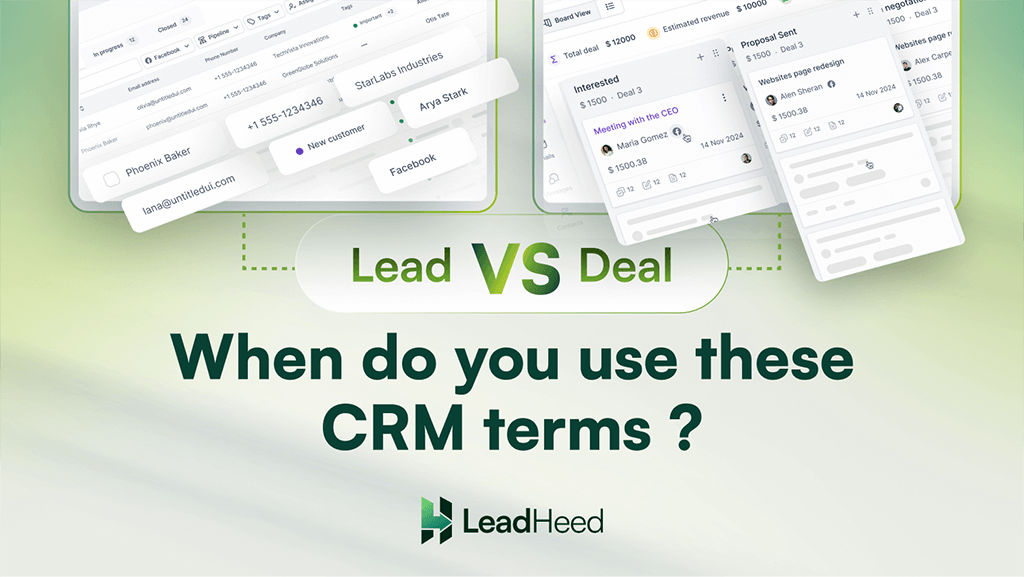
Not every contact in a CRM has the same intent. Some people only show interest, while others are ready for purchase. This difference is where confusion around lead vs. deal begins.
A lead points to early engagement, while a deal represents a qualified lead who is ready to make a purchase. Many teams use leads and deals interchangeably, even though they serve very different purposes in the sales process.
Once you understand the difference between a lead and a deal, you can manage pipelines with clarity and focus on the right prospect at the right time.
Highlights
- Leads focus on interest and qualification, while deals focus on active sales progress and revenue potential.
- Use leads for early-stage conversations and deals once buying intent becomes clear.
- Common mistakes include creating deals too early, skipping lead qualification, delaying deal creation, and losing context during conversion.
- Using leads and deals correctly keeps the sales pipeline organized, improves forecasting accuracy, and helps teams close opportunities more effectively.
What Is a Lead in CRM?
A lead in a Customer Relationship Management (CRM) is a contact who has shown initial interest in a product or service but has not yet been evaluated by the sales team. The interest may come from actions such as submitting a form, downloading content, responding to an ad, or making an inquiry. At this stage, the sales team does not know whether the person has a real need for the product or service.
Leads give sales and marketing teams a starting point. They allow teams to qualify interest, understand needs, and decide whether a contact is worth pursuing further. Once a lead shows clear intent, such as requesting pricing or discussing requirements, it moves closer to becoming a deal.
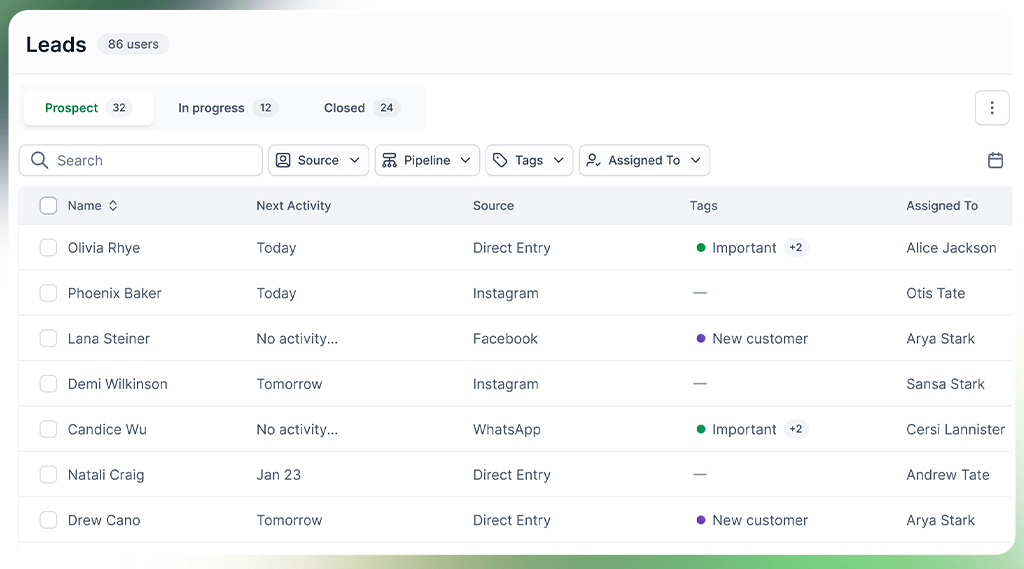
Components of a Lead
Every lead in a CRM includes key details, such as name, contact information, lead source, etc, which help sales teams decide whether to contact the lead or not.
- Contact Information: Name, email address, phone number, and company details.
- Source of the Lead: Where the lead came from, such as a website form, ad campaign, referral, or inbound call.
- Level of Interest: Actions taken by the lead, like page visits, downloads, or form submissions.
- Lead Status or Tags: Current position in the sales process, such as new, contacted, or qualified.
What Is a Deal in CRM?
A deal is a confirmed sales opportunity that emerges after a lead is qualified. The sales team verifies the leads’ interest, need, and readiness to move forward in the pipeline. The lead is called a deal only when the team actually contacts the prospect.
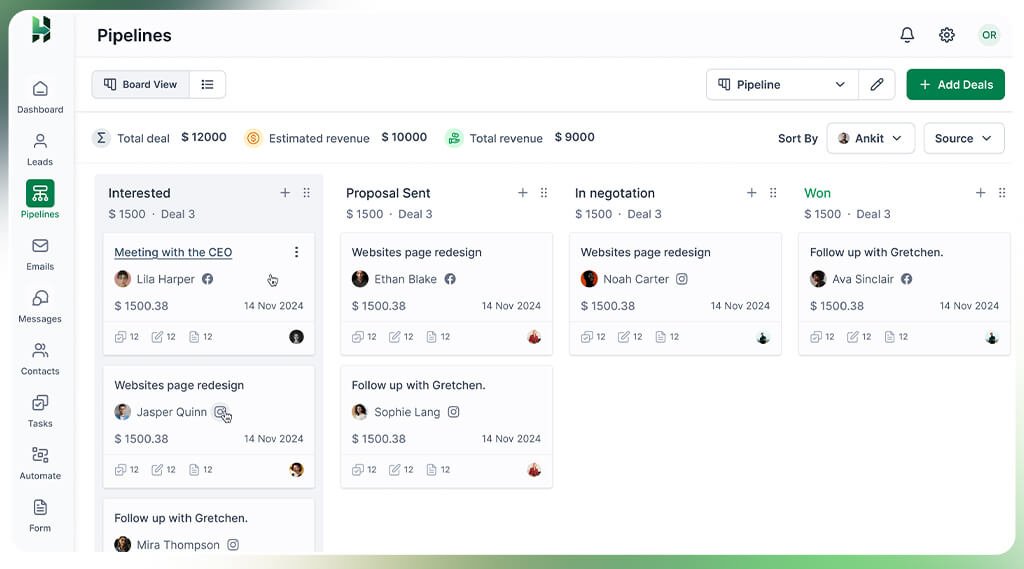
Deals carry more detailed information than leads. They include deal owner, deal value, expected close date, pipeline stage, and logged sales activities. It helps you track how sales conversations with a person or organization progress as the opportunity moves through each stage of the pipeline.
Components of a Deal
A deal in CRM contains structured information such as deal name, value, contacts, close date and the stage in the pipeline. These components separate real sales activity from early-stage interest.
- Deal Name: A clear label that identifies the opportunity, often linked to the company or contact.
- Deal Value: The expected revenue amount if the deal closes successfully.
- Pipeline Stage: The current position of the deal, such as proposal sent, negotiation, or closing.
- Expected Close Date: The estimated time frame for closing the deal.
- Associated Contacts: Decision-makers or stakeholders involved in the purchase.
Key Differences Between Leads and Deals
Leads and deals both represent potential customers in a CRM, but they differ in intent, detail, and revenue impact. A lead is an interested prospect that requires evaluation to confirm need and purchasing authority, while a deal is a verified sales opportunity with clear buying intent that moves through the sales pipeline toward closure.
The table below breaks down lead vs deal across aspects:
| Aspect | Lead | Deal |
| Definition | A raw contact who has shown basic interest but has not been evaluated yet. | A qualified prospect where interest is confirmed, and a real sales opportunity exists. |
| Stage in the Sales Process | Early stage, before any sales discussion begins. | Active stage, where sales conversations move through pipeline stages. |
| Intent Level | Uncertain intent; the contact may be researching or gathering information. | Clear and confirmed intent; the prospect shows readiness to purchase. |
| Primary Goal | Identify and filter potential customers before sales engagement. | Convert interest into revenue by managing active opportunities. |
| Data Tracked | Basic details such as name, email, source, and early interactions. | Sales-focused data like deal value, pipeline stage, close date, decision-makers, and activity history. |
| Role in CRM System | Acts as the entry point of the pipeline and helps assess which prospects to pursue. | Manages active sales opportunities and supports forecasting and planning. |
Deal vs Lead: When Should You Use Each Term?
Using the terms lead and deal depends on the prospect’s intent and the stage of the sales conversation.
Classify the contact as a lead when the relationship is still forming. This applies when a contact has just entered the CRM and the team has not confirmed intent, budget, or authority. Leads work best for nurturing, early follow-ups, and qualification. They help teams decide whether the conversation should move forward or stop.
Once the lead is switched to a deal, the intent becomes measurable. It happens when the prospect actively engages in sales conversations, agrees to discuss pricing, requests proposals, or outlines timelines. At this stage, the opportunity carries revenue potential and belongs inside the sales pipeline.
Common Mistakes to Avoid when Managing Leads and Deals in a CRM System
Mismanagement of leads and deals often happens when teams treat all inquiries as deals, fail to qualify leads, delay adding opportunities to the pipeline, use inconsistent CRM stages, and overlook activity history during transitions.
- Creating Deals Too Early: Turning every inquiry into a deal raises pipeline value and creates false revenue expectations. Use deals only after confirming intent.
- Skipping Lead Qualification: Moving leads forward without checking fit, budget, or need wastes sales time and lowers conversion rates.
- Delay in Deal Creation: Delaying deal creation hides real opportunities from the pipeline, which slows down follow-ups and affects sales forecasting.
- Inconsistent Use of Labels or Stages: Mixing leads and deals across teams causes errors in CRM reporting and creates confusion during handoffs between marketing and sales.
- Loss of Context During Conversion: Ignoring call notes, emails, or activity history while moving from lead to deal disrupts conversations and reduces the quality of sales interactions.
Conclusion
Using lead and deal correctly helps teams respond to prospects at the right moment. Leads capture interest at the right time, while deals help teams focus on prospects who are ready to move forward. When these two stages stay clearly defined, teams avoid confusion and keep the pipeline moving smoothly.
LeadHeed, a simple all-in-one CRM software, keeps the sales journey flow clear by managing leads and deals within one system, but in separate stages. It lets teams qualify leads before turning them into deals, track the progress as they move forward, and view the pipeline with real intent and value. Start your free trial today!
FAQs
Is a lead the same as a deal?
No, a lead is not the same as a deal. A lead shows early interest in a product or service, while a deal represents an active sales opportunity that appears after qualification, when sales teams begin working toward closing.
Can a lead skip straight to a deal?
A lead can move straight to a deal if it shows clear buying intent from the start and meets sales criteria, such as a pricing request or a direct sales inquiry.
Do all CRMs separate leads and deals?
Not all CRMs separate leads and deals by default. Some CRM systems combine them into a single pipeline, while others use separate stages for leads and deals.
Why is a CRM system important for managing leads and deals effectively?
Implementing CRM helps manage leads and deals by organizing customer details and interactions within the centralized system, tracking sales progress clearly, and supporting timely follow-ups.