Every small business depends on leads to grow, but managing them is often harder than expected. Inquiries arrive from websites, emails, ads, and social media, yet follow-ups get delayed, and important details slip through. Over time, scattered tools and manual tracking turn promising interest into missed opportunities.
A lead capture CRM software brings all the leads into one system and helps you track every interaction from first contact until the deal is closed. It allows your teams to respond faster, stay organized, and focus on deals that matter most.
Highlights
- A lead capture CRM software automatically collects leads from multiple sources and tracks every interaction to show where each opportunity stands
- A lead-capturing CRM also improves follow-ups, visibility, collaboration, and conversion rates by keeping all lead data in one system.
- LeadHeed, Zoho CRM, Monday, Nimble, HubSpot, Pipedrive, Agile CRM, Freshsales, LeadSquared, and Insightly are popular lead capture software for small businesses.
- The right lead capture CRM should match your sales process, budget, team size, and need for automation and scalability.
What is a Lead Capture CRM Software?
A lead capture CRM software is a system that collects and stores leads from different sources in one place. These sources may include website forms, emails, social media, live chat, or marketing campaigns. Instead of handling leads manually, the system records them automatically and keeps the data organized in the CRM database.
Once a lead enters the system, the CRM software tracks every action linked to that contact. It logs messages, calls, notes, and status updates, giving teams a clear view of where each lead stands in the sales process.
Why Do Small Businesses Need Lead Capture Software?
Lead capture software helps small businesses keep track of potential customers and stay organized. The CRM system improves follow-up, saves time, and increases the chances of turning leads into sales.
- Keeps Track of Leads: Instead of juggling spreadsheets, notes, and emails, a CRM puts everything in one place. You can see where each lead came from, what they’re interested in, and what needs to happen next.
- Faster Response Time: With automated alerts and task reminders, you can respond to leads faster. Quick responses help build trust and increase the chances of closing a sale.
- Improves Follow-Ups: Beyond helping you capture leads, with CRM software, you can also set follow-up tasks and schedule reminders. It ensures no potential customer is left out.
- Better Visibility Into Your Sales Pipeline: You can see who’s interested, who’s stalled, and who’s close to buying. That makes it easier to focus time where it actually pays off instead of guessing.
- Stronger Customer Relationships: A CRM stores past conversations, notes, and preferences. You can personalize the communication and improve customer experience.
- Clear Performance Reports: You’ll know which channels bring in leads, which ones convert, and where deals get stuck. These insights help improve your sales process over time.
- Better Team Collaboration: Everyone on your team can access the same lead information in real-time. It reduces miscommunication and makes it easier to pick up where someone else left off.
Top 10 Lead Capture CRM Software for Small Business
LeadHeed, Zoho CRM, Monday CRM, Nimble, HubSpot, Pipedrive, Agile CRM, Freshsales, LeadSquared, and Insightly are the best lead-capturing CRMs for small businesses in 2026.
1. LeadHeed
LeadHeed is a lead capture CRM software that collects potential customers the moment they interact with a business online. It includes a built-in form builder that lets companies create custom “Contact Us” or “Get a Quote” forms and embed them on their website.
When someone fills out a form, clicks an ad, or engages through channels like Facebook or LinkedIn, their contact details are pulled into the system instantly.
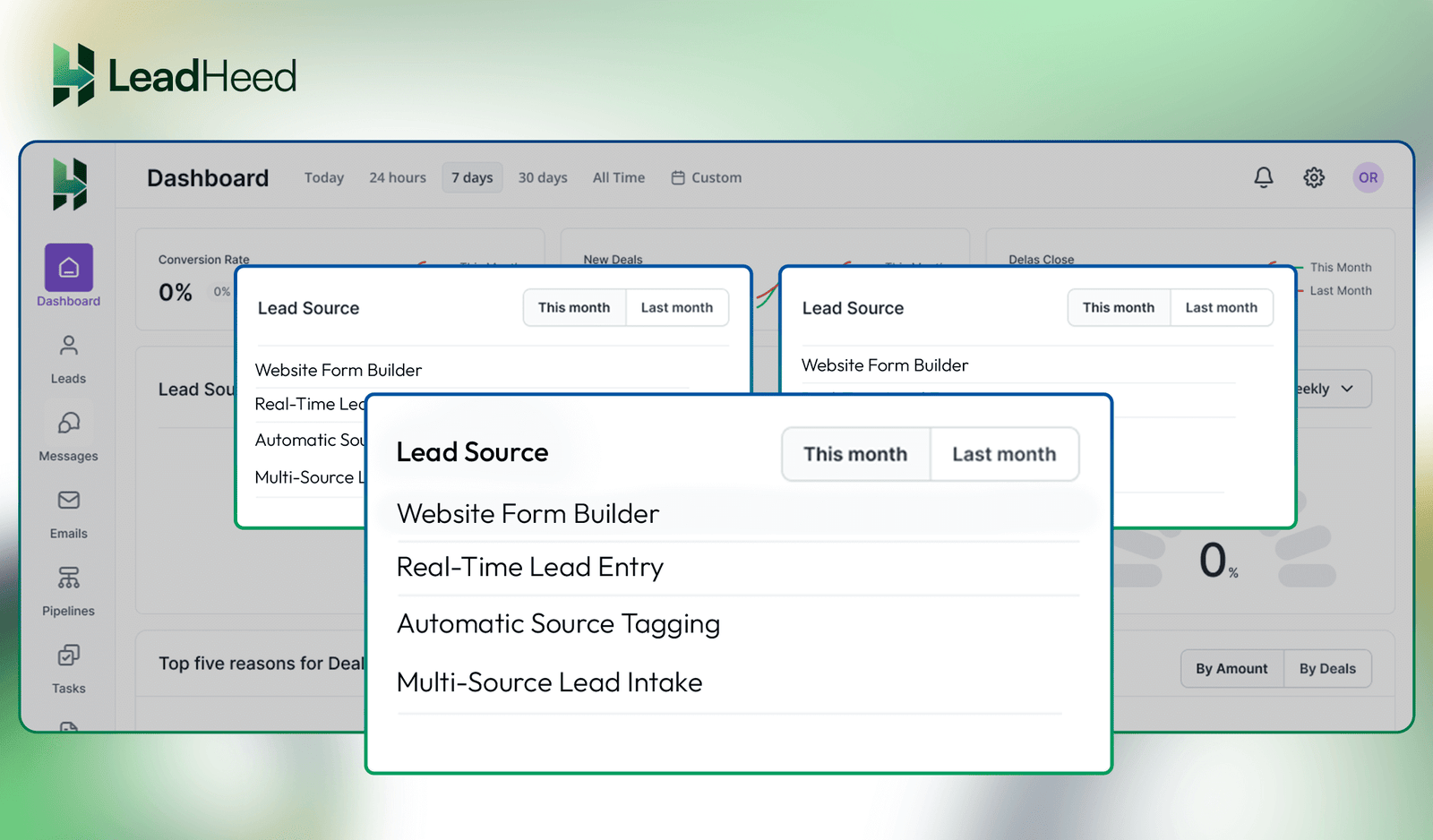
Each captured lead is automatically tagged with its source, such as Google search, Instagram, or social ads, making it clear which channels are driving interest.
Combined with task reminders and automated trigger follow-up, it helps teams respond while interest is still fresh, increasing the chances of moving the conversation forward.
Additionally, the platform offers straightforward pricing, starting with a free tier and extending to a Pro plan with unlimited contacts. This makes it accessible for small businesses that want predictable costs.
Lead Generation Features:
- Website Form Builder: Create and embed contact or inquiry forms that capture leads instantly from websites.
- Multi-Source Lead Intake: Collect leads from ads, landing pages, and online interactions in one system.
- Automatic Source Tagging: Records where each lead came from, such as ads or social platforms.
- Real-Time Lead Entry: Saves leads instantly the moment details are submitted.
- Trigger-Based Lead Intake: Creates a lead automatically when a user takes a defined online action.
Pricing and Plans (per user/ month):
- Free: $0
- Pro: $15
- Elite: $35
Best For: Small teams that want simple, real-time lead capture from websites, ads, and social channels without complexity.
2. Zoho CRM
Zoho CRM offers a flexible lead capture software for businesses that collect inquiries from both digital and offline touchpoints. It uses customizable webforms that can be shared through links or QR codes, so leads can be captured from websites, events, or even in-person meetings. When someone fills out a form or scans a code, their details are captured instantly and saved with the source information.
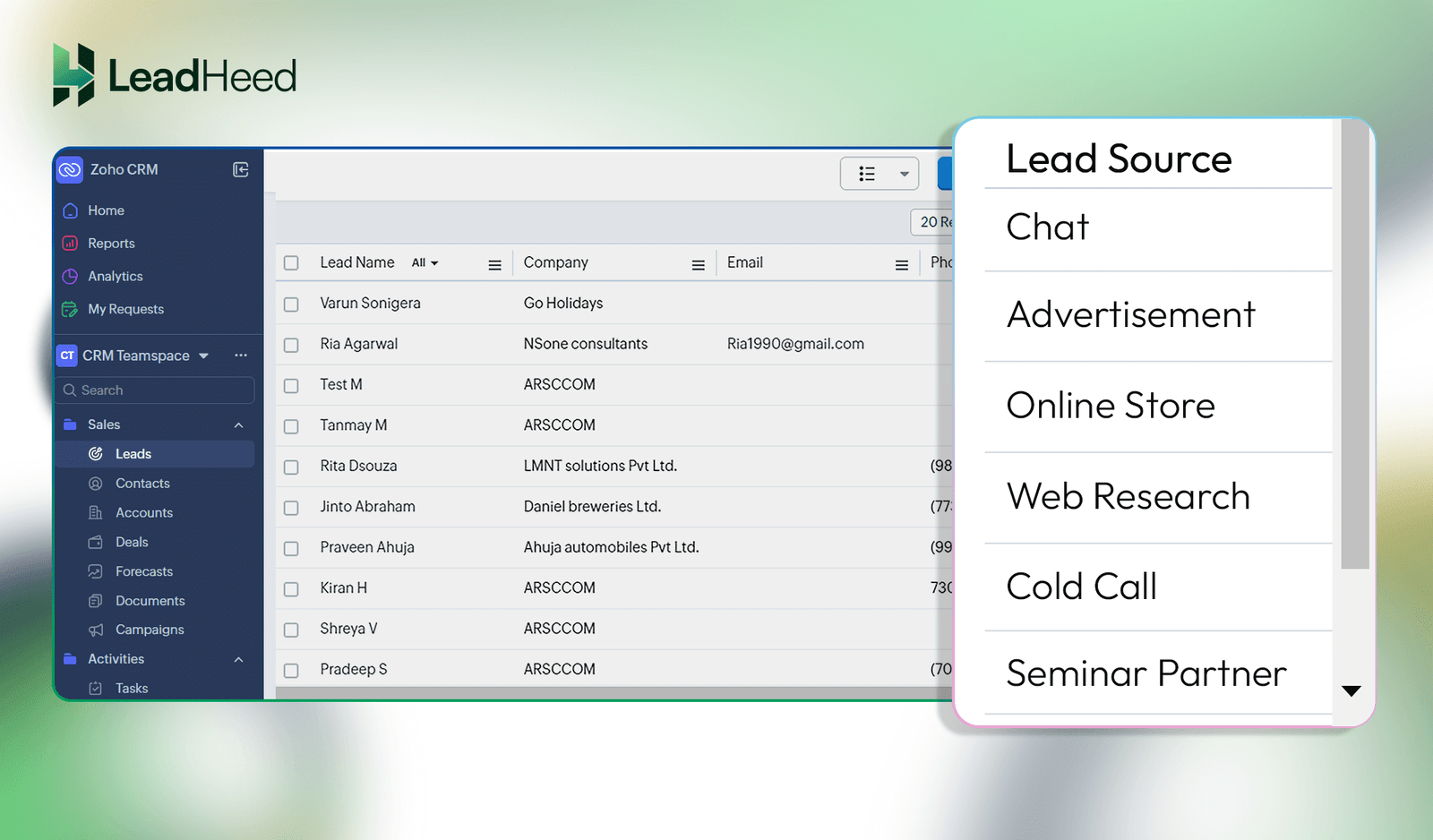
Zoho CRM also captures leads from real-time and offline interactions. Its card scanner turns physical business cards into digital leads, while social listening tools convert brand mentions and comments into contacts.
Live chat and email parsing automatically collect visitor and inquiry details, making sure every interaction turns into a captured lead.
Lead Generation Features:
- Web-to-Lead Forms: Captures leads when visitors submit forms on websites or landing pages.
- QR Code Lead Capture: Collects lead details when someone scans a QR code at events and offline locations.
- Social Media Lead Capture: Converts social interactions and ad responses into leads.
- Business Card Scanner: Converts physical business cards into digital leads using a mobile app.
- Live Chat Lead Collection: Creates leads when visitors start chat conversations.
Pricing and Plans (per user/ month):
- Standard: $20
- Professional: $35
- Enterprise: $50
- Ultimate: $65
Best For: Businesses that capture leads from both online and offline interactions.
3. Monday CRM
Monday CRM works as a visual lead capture software that collects leads from websites and campaigns. It captures leads through customizable web forms that can be embedded on landing pages or shared as links. Once submitted, each lead appears instantly as a visual item on a central board.
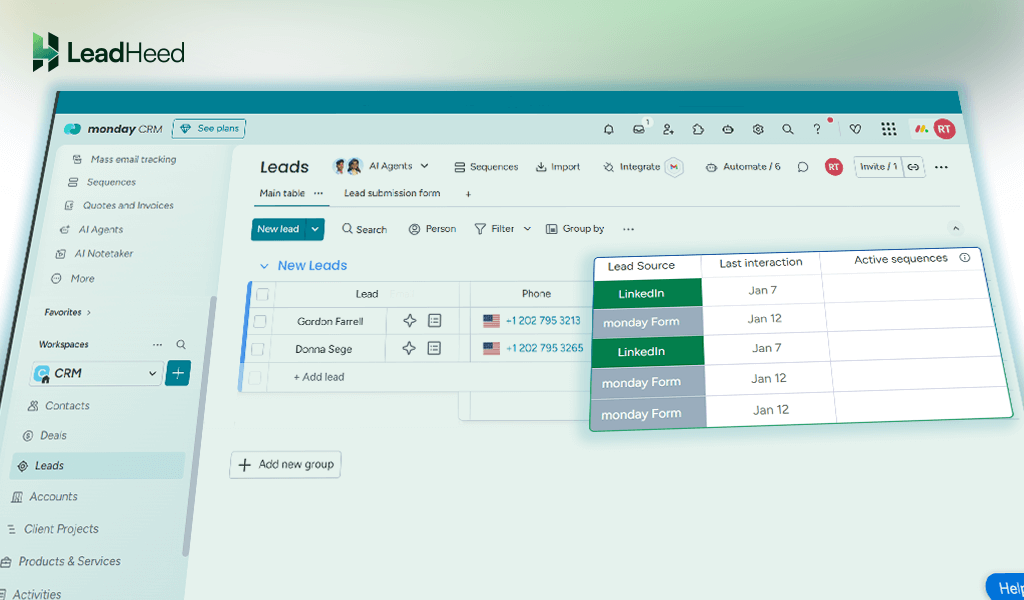
Beyond website forms, Monday CRM captures leads through integrations. It connects with tools like email marketing platforms, ad tools, and third-party form builders to pull new inquiries automatically into the CRM. AI-based sorting then labels leads by interest level and routes them to the right salesperson right away, keeping the capture process fast and structured.
Lead Generation Features:
- Embedded Lead Forms: Custom and add lead capture forms to websites and landing pages to collect visitor details.
- Web-Form Templates: Use ready-made templates to capture leads without building forms from scratch.
- Social Ads Integration: Pulls leads directly from Facebook and LinkedIn lead ads.
- Third-Party Form Sync: Imports leads from external form tools automatically.
- AI Lead Categorization: Automatically labels incoming leads based on interest level.
Pricing and Plans (per user/ month):
- Basic: $15
- Standard: $20
- Pro: $33
- Enterprise: Contact Sales
Best For: Teams that prefer a visual, no-code approach to capturing leads from forms and social ad campaigns.
4. Nimble
Nimble lead capture CRM software focuses on collecting leads directly from daily online activity. Its Prospector browser extension lets users capture lead details from LinkedIn, Twitter, company websites, and online directories while browsing. With a single click, Nimble pulls names, emails, company details, and social profiles into the system.
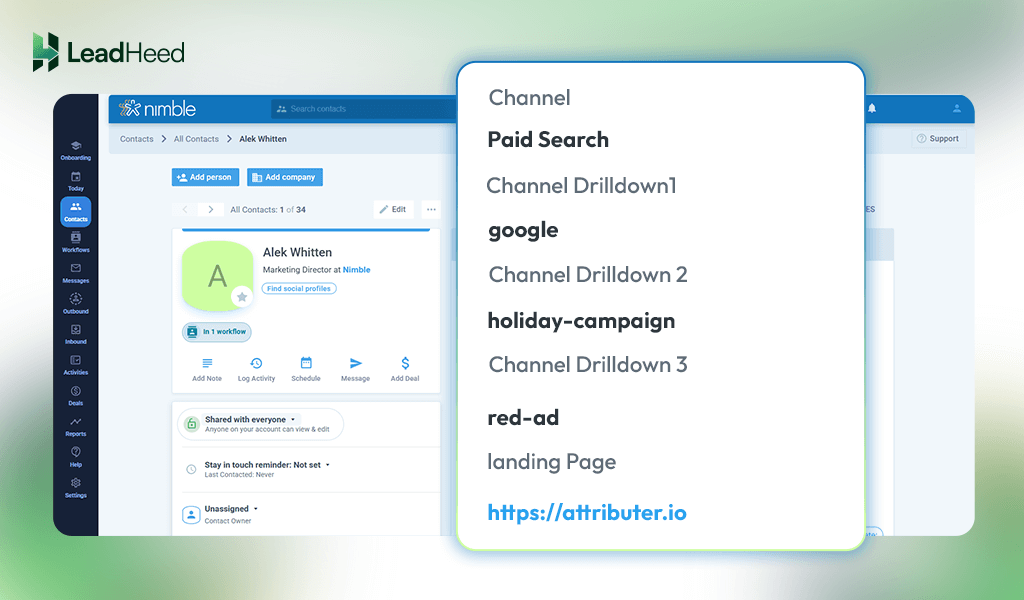
Nimble also captures leads through website forms and email interactions. Custom web forms collect visitor details and sync them automatically into Nimble. In addition, when someone emails or engages through connected inboxes, the Email signature scanner reads the contact details included at the bottom of emails and saves them as a new lead.
Lead Generation Features:
- Prospector Browser Extension: Captures lead data from LinkedIn, websites, and social profiles.
- Email Signature Capture: Extracts contact details from Gmail and Outlook conversations.
- Website Lead Forms: Collects visitor details through embedded forms.
- Social Profile Enrichment: Builds lead profiles using public online data.
- One-Click Contact Capture: Saves leads directly while browsing the web.
Pricing and Plans (per user/ month):
- Starting: $29.90
Best For: Relationship-driven sales and networking that capture leads from emails, social profiles, and online research while browsing the web.
5. HubSpot
HubSpot is a popular lead capture CRM software for businesses that rely heavily on inbound traffic. It captures leads through website forms, landing pages, pop-ups, and live chat widgets that can be added to any page. When a visitor fills out a form or starts a chat, their details are saved instantly as a new lead with the page and source clearly recorded.
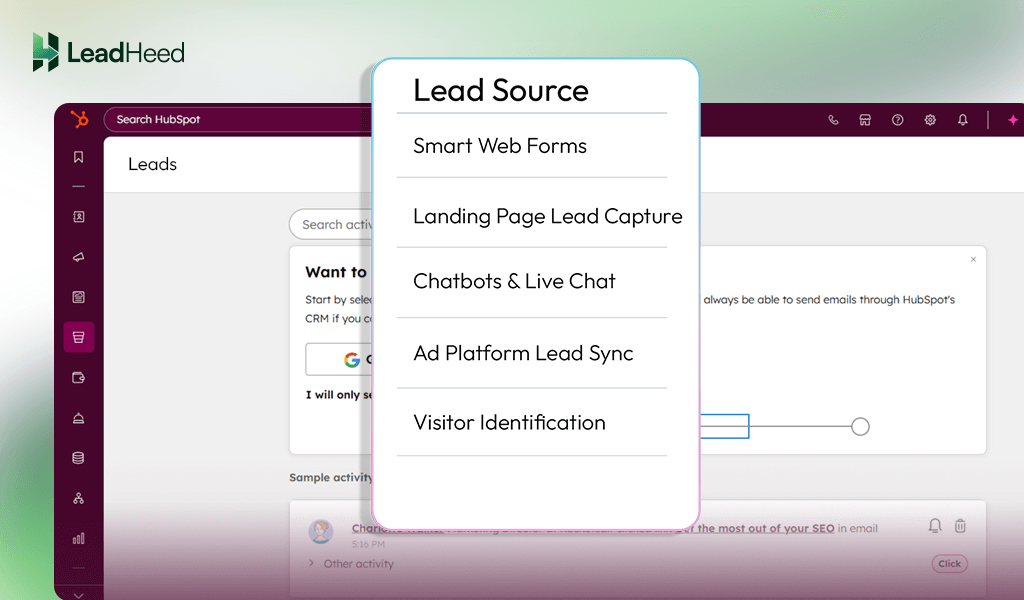
HubSpot also captures leads from marketing campaigns and email interactions. It syncs lead data from ads, email subscriptions, and gated content like ebooks or demos into one system. In addition, its visitor tracking identifies companies browsing the website even without form submissions, helping businesses spot interest early and capture leads.
Lead Generation Features:
- Smart Web Forms: Capture visitor details with adaptive form fields.
- Landing Page Lead Capture: Dedicated pages collect leads from offers and events.
- Chatbots & Live Chat: Conversations automatically convert into leads.
- Ad Platform Lead Sync: Pulls leads directly from Google, Facebook, and LinkedIn ads.
- Visitor Identification: Identifies companies visiting the website before form submission.
Pricing and Plans (per user/ month):
- Professional: $50
- Enterprise: $75
Best For: Inbound marketing that wants to capture leads through content, ads, chat, and website interactions.
6. Pipedrive
Pipedrive is a sales-lead capture CRM system that focuses on buyer intent, prioritizing active prospects. Instead of waiting for visitors to fill out static forms, it uses AI chatbots that engage site visitors in real time, ask qualifying questions, and book meetings automatically. As soon as a visitor shows interest, a lead record is created and placed in a separate leads inbox.
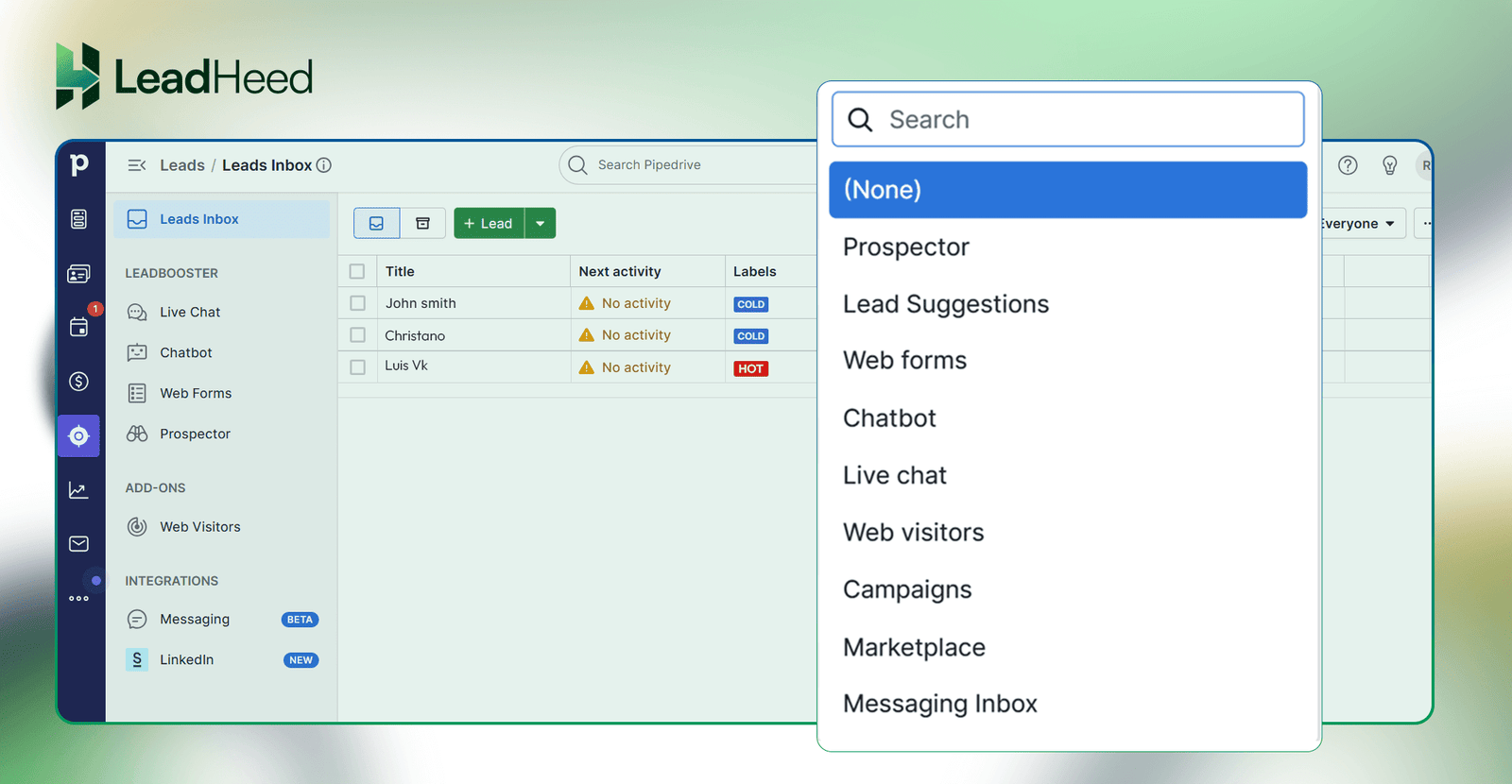
At the same time, Pipedrive supports outbound lead capture through its built-in prospecting database. Sales teams can access a large database of verified contacts that can be added as new leads instantly. It creates a balanced flow where leads come from both website engagement and targeted sales outreach.
Lead Generation Features:
- AI Chatbots: Qualify visitors and capture lead details in real time.
- Web Forms: Collect leads from landing pages and websites.
- Lead Inbox: Separates new leads from active deals at the capture stage.
- Prospector Database: Pulls verified contacts directly into the CRM.
- LinkedIn Lead Capture: Converts LinkedIn interactions into lead records.
Pricing and Plans (per user/ month):
- Lite: $24
- Growth: $49
- Premium: $79
- Ultimate: $99
Best For: High-intent lead capture through chatbots, web forms, and outbound prospecting tools.
7. Agile CRM
Agile CRM is a behavior-driven lead capture software that reacts to how visitors interact with a website. It tracks real-time actions such as scrolling, page views, and exit attempts, then triggers targeted pop-ups to collect contact details at the right moment. This ensures leads are captured when visitors are most likely to respond.
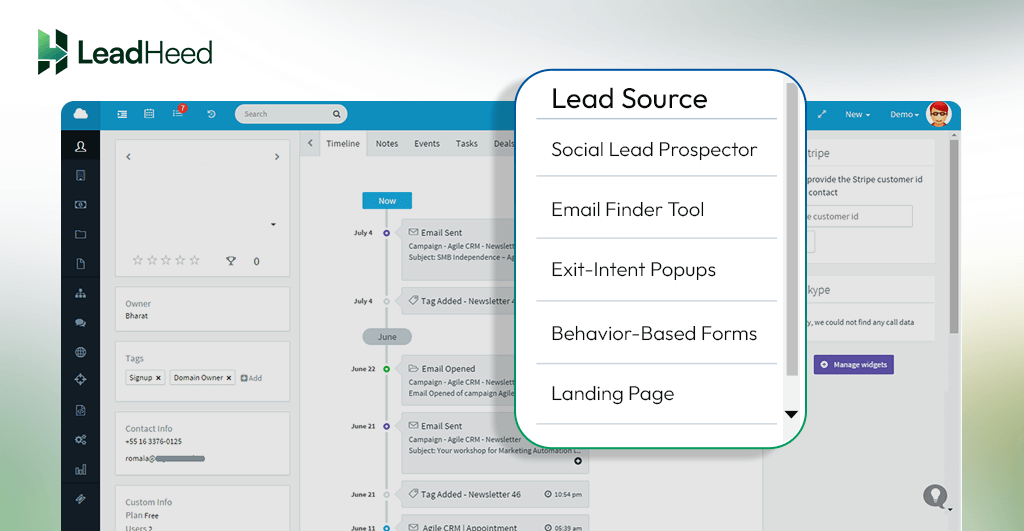
Agile CRM further strengthens lead capture by supporting active lead discovery. Its Social Lead Prospector captures contact details from LinkedIn profiles, while the Email Finder generates verified business email addresses. The mix of on-site triggers and outbound discovery helps fill the lead database with contacts showing real interest.
Lead Generation Features:
- Social Lead Prospector: Captures lead data directly from LinkedIn profiles.
- Email Finder Tool: Generates verified work emails using name and company domain.
- Exit-Intent Popups: Captures visitor details before they leave the website.
- Behavior-Based Forms: Displays lead forms based on visitor activity.
- Landing Page Lead Capture: Collects leads from targeted campaign pages.
Pricing and Plans (per user/ month):
- Free: $0
- Starter: $8.99
- Regular: $29.99
- Enterprise: $47.99
Best For: Proactive lead capture using social prospecting, email discovery, and behavior-triggered popups.
8. Freshsales
Freshsales uses AI-powered lead capture software to capture leads without changing your website setup. It turns existing website forms into lead capture points using a simple code, so when a visitor submits their email, the lead is saved instantly. This makes capturing leads fast and easy without redesigning pages.
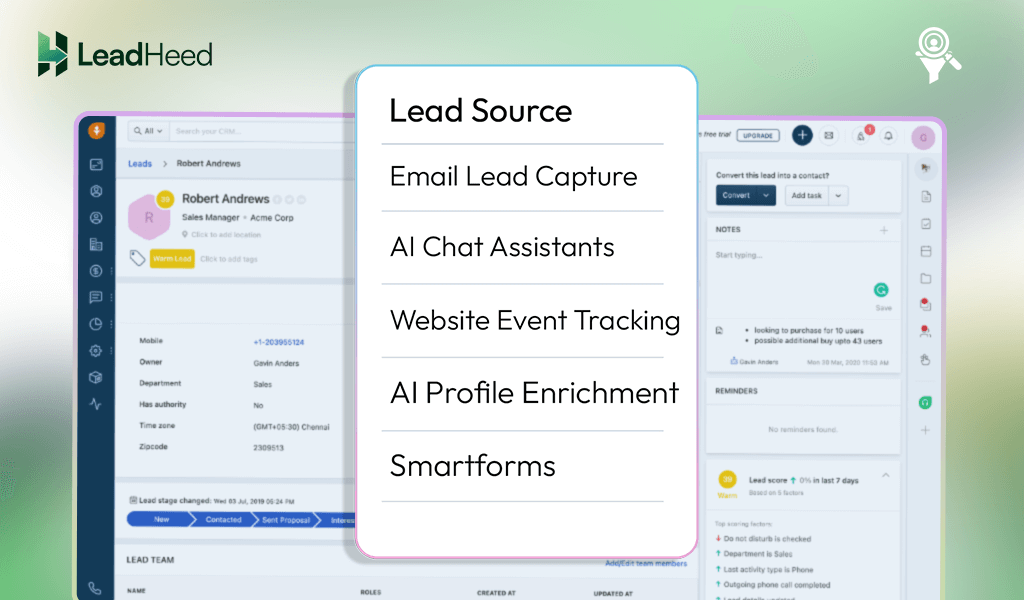
After a lead is captured, Freshsales automatically adds more details to the profile. Its AI gathers public information like job role and company name, while tracking how visitors interact with the website. This helps businesses focus on leads that show real interest instead of guessing.
Lead Generation Features:
- Smartforms: Turns existing website forms into lead capture points.
- AI Profile Enrichment: Expands lead data immediately after capture.
- Website Event Tracking: Captures leads based on visitor actions.
- AI Chat Assistants: Collects lead details during conversations.
- Email Lead Capture: Converts inbound emails into lead records.
Pricing and Plans (per user/ month):
- Growth: $11
- Pro: $47
- Enterprise: $71
Best For: AI-driven lead capture to identify, enrich, and prioritize leads based on visitor behavior.
9. LeadSquared
LeadSquared CRM is a multi-channel lead capture software built for businesses handling large volumes of inquiries. It connects directly with phone systems, WhatsApp, landing pages, and third-party platforms, so when someone calls, sends a message, or submits details, a lead is created automatically. Even missed calls are converted into leads through automation, ensuring no inquiry is lost.
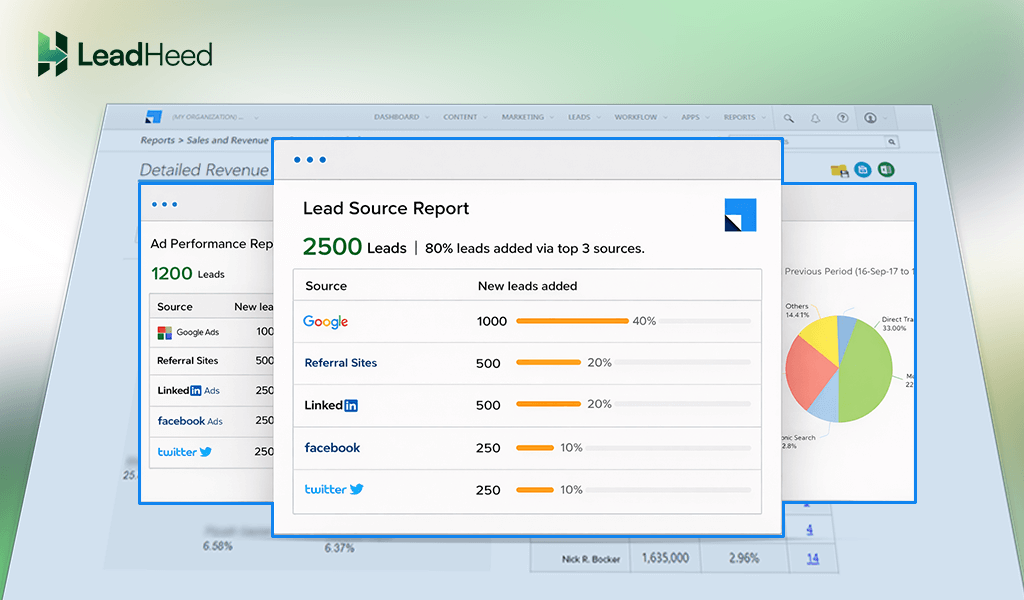
LeadSquared also captures leads by tracking visitor activity. It records anonymous website behavior first, then links those past actions to the lead profile once a form is submitted. For offline events, its mobile lead capture tool collects details with OTP verification, helping businesses capture accurate leads from events, field sales, or walk-ins.
Lead Generation Features:
- Multi-Channel Lead Capture: Collects leads from calls, WhatsApp, ads, and forms.
- Missed Call Automation: Converts missed calls into leads automatically.
- Anonymous Visitor Tracking: Links browsing behavior once a visitor converts.
- Mobile Lead Capture: Captures leads offline using mobile devices.
- OTP Verification: Ensures accurate lead data at capture time.
Pricing and Plans (per user/ month):
- Sales Pro: $40
- Sales Super: $60
Best For: High-volume lead capture from multiple digital channels.
10. Insightly
Insightly lead capture CRM software connects the first point of customer contact directly to sales and project workflows. Its Web-to-Lead feature accepts raw HTML forms. That means companies can design forms that fully match their brand and website layout, while sending lead data straight into Insightly. There is no forced template or visible “CRM look” that breaks the user experience.
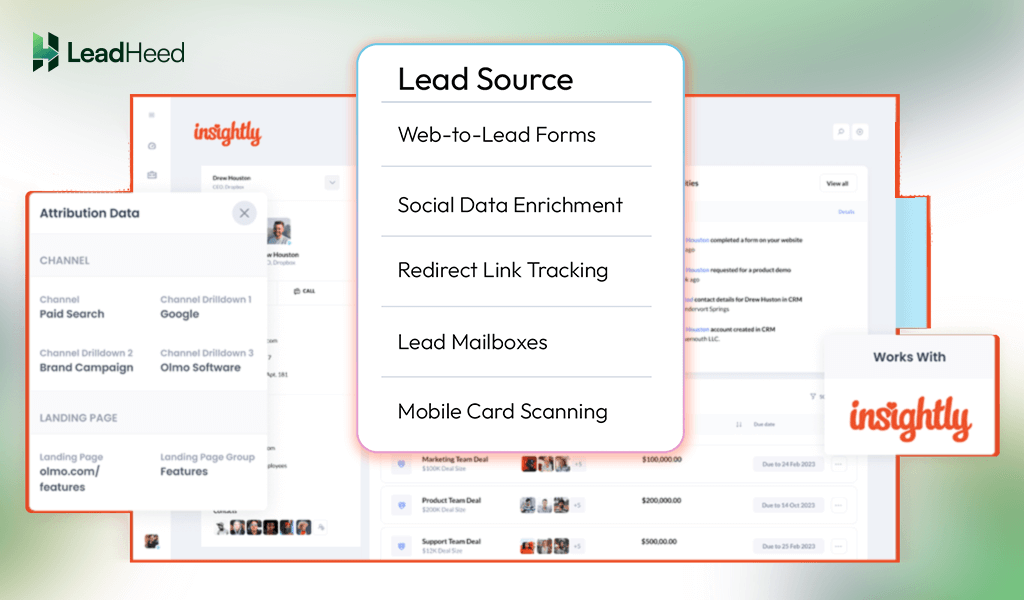
Once a lead is captured, Insightly automatically adds context through social profile matching, visitor path tracking, and built-in lead mailboxes or card scanning. This gives sales teams a clear picture of who the lead is, where they came from, and what caught their attention before any outreach begins.
Lead Generation Features:
- Web-to-Lead Forms: Custom HTML forms capture leads from websites.
- Social Data Enrichment: Adds social and professional details at the capture stage.
- Redirect Link Tracking: Tracks the visitor journey before conversion.
- Lead Mailboxes: Converts inbound emails into leads automatically.
- Mobile Card Scanning: Captures leads from physical business cards.
Pricing and Plans (per user/ month):
- Plus: $29
- Professional: $49
- Enterprise: $99
Best For: Clean, branded lead capture from websites, emails, and referrals with added visitor context.
How to Choose the Right Lead Capturing CRM for Your Small Business?
To find the right CRM software for lead capturing, list your sales steps and must-have features, then look for tools with solid lead tracking, automation, and easy integration. Choose a lead capture software that’s simple, easy-to-use and fairly priced so your team gets what they need without the extra hassle or cost.
i. Understand Your Business Needs
List your sales process and what features you need, like tracking leads, automating emails, or managing a sales pipeline. It keeps you from paying for extra features you’ll never use.
ii. Set a Realistic Budget
You must know how much you’re willing to spend each month or year. Compare pricing plans across different platforms and watch out for hidden fees. Some lead-capturing CRMs offer free plans, but they often limit features or the number of users.
iii. Prioritize Ease of Use
The system should be simple enough for your team to use without a steep learning curve. If it’s too complicated, your team may enter information incorrectly, which leads to poor data quality.
iv. Look for Strong Lead Management Features
Choose a CRM that helps you capture leads from different channels like forms, emails, or social media. It should also track where each lead is in the sales process.
v. Check Integration Options
Make sure the CRM can connect with your existing tools, like email platforms, calendars, and marketing software. If your business intends to collect prospects from Facebook, Instagram, or WhatsApp, consider implementing social media CRM.
vi. Consider Automation Capabilities
Look for tools that can handle repetitive tasks like follow-up emails or lead scoring automatically. It helps your team focus more on closing deals than doing admin work.
vii. Make Sure It’s Scalable
Even if you’re a small team now, your needs will grow in the coming days. Pick a CRM that can grow with your business as you add more users, features, or customers.
Conclusion
Choosing the right lead capture software depends on how a small business attracts and responds to new inquiries. Some tools focus on capturing leads from websites and ads, while others rely on social, email, or behavior-based triggers. The right choice is one that fits your lead sources, team size, and budget without adding extra complexity.
LeadHeed, a cloud-based CRM platform, keeps lead capture, tracking, and follow-ups simple without sacrificing control. With built-in website forms, real-time lead collection, automatic source tracking, and trigger-based capture, it helps teams collect every lead the moment interest appears.
Sign up for LeadHeed today and start capturing leads clearly, quickly, and without missing opportunities. Free for 14 days, no credit card required!!
Frequently Asked Questions
Which lead-capturing CRM is best for small businesses?
The best CRM depends on business needs. LeadHeed suits teams that want simplicity, HubSpot works well for inbound marketing, Pipedrive fits action-driven sales teams, while Freshsales and LeadSquared serve high-volume sales environments.
Is free lead management CRM software enough for small teams?
Free CRM plans can work for early-stage teams that need basic lead capture and tracking. As sales volume grows, paid plans are necessary to support automation, reporting, and team collaboration.
Can a lead-capturing CRM integrate with email and marketing tools?
Most modern CRMs integrate with email, marketing platforms, and communication tools. The integrations help centralize conversations and support smoother lead management for small business workflows.