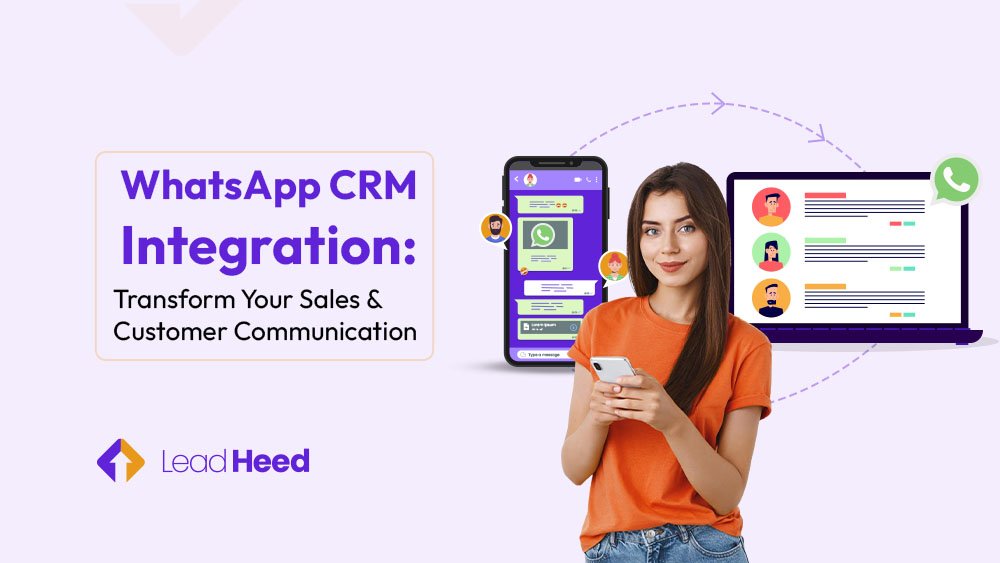
Your customers message you on WhatsApp all the time, but managing those chats separately quickly becomes a mess. You jump between apps, lose track of messages, forget follow-ups, and sometimes miss great leads without even realizing it. It’s frustrating and hurts your sales.
The good news? Integrating WhatsApp with CRM solves this by bringing all conversations and customer details into one place, helping you reply faster and stay fully organized. With WhatsApp CRM integration, you build stronger relationships and close more deals with less effort.
In this blog, you’ll learn how WhatsApp CRM works, why it matters, and how it can transform your daily operations.
What is WhatsApp CRM?
A WhatsApp CRM is a tool that connects your WhatsApp Business account directly with your CRM system, like LeadHeed or Salesforce. With over 2.5 billion users worldwide, WhatsApp is one of the most popular messaging apps, making this integration a powerful way to reach and manage your customers. This integration brings all your customer chats, profiles, purchase history, and past interactions into one central place.
This means you can see past conversations, track orders, and respond quickly without switching apps. In other words, it helps you stay organized, keep every customer happy, and build stronger relationships, all while saving time. With WhatsApp CRM, handling messages feels less chaotic, and your team can focus on helping customers and closing more deals.
Benefits of Integrating WhatsApp with CRM for Business
Integrating WhatsApp with your CRM makes communication faster, more personal, and easier to manage. It helps you respond instantly, track leads, automate follow-ups, and keep your team aligned. Below are the key benefits your business can expect.
1. Real-Time Customer Engagement
WhatsApp lets you chat with customers instantly. When integrated with your CRM, you can see every message and respond quickly, creating a sense of connection and trust.
2. Tailored and Personalized Communication
With access to customer data, you can customize messages based on preferences, purchase history, or past interactions. This makes each conversation feel personal and shows customers you really understand their needs.
3. Automated Follow-Ups and Reminders
Routine tasks like sending appointment reminders, order updates, or follow-ups can be automated. This saves your team time and ensures no customer is forgotten.
4. Efficient Lead Tracking and Management
WhatsApp CRM helps you keep track of leads and conversations in one place. You can easily follow up on potential customers and make sure no opportunity slips through the cracks.
5. Cost-Effective Customer Outreach
Reaching customers via WhatsApp is more affordable than many traditional marketing channels. Small and medium businesses especially benefit from a low-cost, high-impact way to stay in touch.
6. Centralized Team Communication
Your whole team can access chat histories and customer profiles in a unified platform. This reduces confusion, improves collaboration, and ensures everyone is on the same page when interacting with customers.
By integrating WhatsApp with your CRM, businesses not only streamline communication but also create more meaningful, efficient, and cost-effective interactions that help build stronger customer relationships.
What are the Factors to Consider while Integrating your CRM with WhatsApp?
Key factors like compatibility between WhatsApp and your CRM, automation features, personalization options, ease of use, data security, and reporting capabilities all play a major role in successful integration. Focusing on these factors ensures your WhatsApp-CRM integration runs smoothly, improves communication speed, and strengthens customer relationships.
- CRM and WhatsApp compatibility: You should check if your CRM is compatible with WhatsApp. Popular CRMs like LeadHeed or HubSpot support it, but make sure all the features you need for smooth CRM messaging are included.
- Automation options: Look for features that let you automate routine tasks like sending order updates, appointment reminders, or follow-ups. Automated WhatsApp messages help you save time and ensure no customer gets left behind.
- Personalization of messages: Tailored communication keeps customers happy and engaged. Thus, your CRM should let you use customer info to send personalized messages.
- Ease of use: The integration should be simple for your team. If it’s complicated, it can slow down responses and hurt customer communication via WhatsApp.
- Data privacy and compliance: WhatsApp requires businesses to follow privacy rules, obtain customer opt-ins, and handle sensitive data responsibly. Therefore, ensure your CRM keeps all customer information safe by implementing strong CRM data security measures while supporting secure messaging. This protects your customers’ data and maintains trust.
- Reporting and scalability: Your integration should track messages, performance, and customer interactions. It should also grow with your business, so your CRM WhatsApp integration continues to work efficiently.
By keeping these factors in mind, your WhatsApp for business setup will help your team stay organized, reply faster, and build stronger relationships with customers.
How to Integrate WhatsApp with Your CRM?
To integrate WhatsApp with your CRM, start by choosing a compatible CRM, getting access to the WhatsApp Business API, and linking it to your system. Then set up automated messages and train your team to use them effectively. This ensures faster communication, organized workflows, and stronger customer relationships.
Step 1: Choose a CRM That Works with WhatsApp
Not every CRM works with WhatsApp, so pick one that lets you manage chats, keep track of conversations, and store customer information in one place. Choosing the right CRM from the beginning makes setup easier and helps your team communicate with customers faster.
Step 2: Get WhatsApp Business API Access
To connect WhatsApp with your CRM, you need a WhatsApp Business API account, which is made for medium and large-sized businesses. Unlike the regular WhatsApp Business App, the API lets multiple team members access the account, use unlimited devices, and enjoy advanced features for CRM WhatsApp integration.
You can apply through an official WhatsApp Business Solution Provider to get verified and set up quickly, so your business can handle a high volume of customer messages easily.
Step 3: Link WhatsApp with Your CRM
Once you have API access, connect WhatsApp to your CRM. Enter your API credentials and configure your account so all messages, customer info, and chat histories sync automatically. This makes CRM messaging smooth and gives your team a complete view of every customer interaction in one place.
Step 4: Set up Automated Messages
The next step is to use automation to save time and stay consistent. Your CRM can send automated WhatsApp messages for reminders, follow-ups, abandoned carts, or order updates. Therefore, automation ensures customers get quick responses while your team focuses on building stronger relationships.
Step 5: Train Your Team to Use It
Finally, you should train your staff to manage automated workflows, personalize messages, and handle WhatsApp CRM chats efficiently. Providing CRM training tips, such as how to navigate the dashboard, use automation features, and maintain accurate customer records, ensures your team gets the most out of the system. Proper training improves collaboration, boosts customer satisfaction, and maximizes the benefits of your WhatsApp CRM integration.
Common Challenges in WhatsApp CRM Integration and How to Solve Them
Integrating WhatsApp with your CRM can improve communication, but it comes with challenges like setup, automation, high message volumes, rules, and data security. Here’s how you can overcome these issues and make the integration work smoothly.
Complicated Setup Process
The challenge:
Getting WhatsApp linked with your CRM can feel confusing at first. You need API access, approval from a provider, and correct CRM settings—so it’s easy to get stuck.
How to solve it:
Use an official WhatsApp Business Solution Provider (BSP). They guide you through verification, API setup, and CRM integration, making the whole process much easier and faster.
Limited Automation Without Coding
The challenge:
Without the right tools, setting up automation like reminders, FAQs, or follow-up messages often requires coding. This slows down teams and creates dependency on developers.
How to solve it:
Choose a CRM that offers no-code automation for WhatsApp. This lets you create workflows, templates, and triggers with simple drag-and-drop steps.
Difficulty Managing High Message Volumes
The challenge:
When hundreds of messages come in daily, teams quickly feel overwhelmed. Manual replies lead to delays, missed questions, and frustrated customers.
How to solve it:
You should use tools like shared inboxes, automated routing, chatbots for FAQs, and message templates. This helps your team respond faster and ensures nothing gets lost.
Risk of Violating WhatsApp Rules
The challenge:
WhatsApp has strict policies, especially around message templates and customer consent. Accidentally breaking these rules can lead to message blocks.
How to solve it:
Therefore, always make sure customers agree to receive your messages, use WhatsApp-approved templates when you start a chat, and avoid sending spammy promotions. Following these rules helps keep your WhatsApp account safe and running smoothly.
Ensuring Customer Data Security
The challenge:
Since WhatsApp chats often contain personal details, handling them outside your CRM can create privacy risks and compliance issues.
How to solve it:
Store all chats inside your CRM, restrict team permissions, and follow data protection laws. This keeps customer information safe and easy to manage.
Coordinating Team Access
The challenge:
If teams use separate WhatsApp numbers or devices, conversations become scattered. This causes confusion and makes it hard to track who said what.
How to solve it:
Use a WhatsApp API setup that supports multi-agent access with a shared inbox. Everyone works from the same conversation view, improving collaboration and response times.
Avoiding Message Overload for Customers
The challenge:
Sending too many messages can annoy customers and lead them to block or opt out. Overcommunication hurts trust and satisfaction.
How to solve it:
To solve this, you can set frequency limits, use automation wisely, and send messages only when they add value. You must keep communication helpful, not overwhelming.
Best Practices for WhatsApp CRM Integration
To use WhatsApp CRM well, focus on consent, personalization, mobile-friendly content, message control, and performance tracking. These steps help your team communicate efficiently and keep customers happy.
- Get customer consent: You should always ask before messaging. Customers appreciate it when you respect their space, and it keeps you compliant with WhatsApp rules. Consent isn’t just legal—it’s a way to show you value their time.
- Personalize messages: You can use the data in your CRM to send messages that feel human, such as names, past purchases, or preferences. Personalized WhatsApp CRM messages make customers feel seen and understood, not just another number on a list.
- Make content mobile-friendly: Most people read WhatsApp messages on their phones. Keep your texts short, links easy to click, and images or files quick to load. A smooth mobile experience shows you care about convenience.
- Control message frequency: Nobody likes spam. Therefore, use your CRM to manage how often you send messages. A few thoughtful messages work better than constant notifications, keeping your customers happy and engaged.
- Track and optimize: Use your CRM’s analytics to see what messages get opened, replied to, or ignored. Learn from your results and tweak your approach. Every message is a chance to improve your customer experience.
Conclusion
Integrating WhatsApp with your CRM can truly transform how your business communicates with customers. By keeping all chats, customer details, and interactions in one place, you can respond faster, personalize messages, automate follow-ups, and track every lead effectively. While challenges like setup, automation, and data security may arise, they can be easily managed with the right tools and best practices.
By integrating WhatsApp with a smart CRM like LeadHeed, your team can automate messages, respond faster, and manage leads seamlessly. Start using LeadHeed today to elevate your customer communication and sales.
FAQs
What is WhatsApp CRM integration?
WhatsApp CRM integration connects your WhatsApp Business account with your CRM so you can manage all customer conversations, profiles, and history in one place. It keeps everything organized, reduces manual work, and helps your team respond faster without switching between apps.
How to integrate WhatsApp with CRM?
To integrate WhatsApp with your CRM, consider the following points:
- Choose a CRM that supports WhatsApp
- Get WhatsApp Business API access
- Link WhatsApp to your CRM
- Set up automated messages
- Train your team to use the system efficiently
Which CRM is best for WhatsApp messaging in 2025?
The best CRM is one that supports WhatsApp Business API, offers no-code automation, and lets teams manage chats in a shared inbox. Popular options include LeadHeed, HubSpot, Zoho CRM, and Salesforce.
Can WhatsApp integration improve sales conversions?
Yes, WhatsApp integration can significantly improve sales conversions. It lets you connect with customers instantly, creating faster, more personal conversations that build trust. When combined with CRM, you can automate follow-ups, send personalized messages, and track every lead in one place. This means no missed opportunities, quicker responses, and a smoother path to closing more deals.
Is WhatsApp CRM integration suitable for small businesses?
Absolutely. Small businesses benefit the most because integration reduces manual work, keeps chats in one place, and helps teams stay organized. It’s affordable, easy to use, and makes customer communication faster and more personal.