Acquiring customers is expensive, but losing them is even more costly. Many businesses pour resources into marketing and sales, only to see customers stop engaging, abandon purchases, or quietly move to competitors. Over time, rising churn eats into revenue and makes sustainable growth feel out of reach.
The real issue isn’t a lack of effort. It’s the absence of clear visibility into customer behavior and the ability to respond at the right moment. When engagement feels generic, follow-ups are inconsistent, and loyalty strategies rely on guesswork, even satisfied customers can drift away.
Customer retention software helps businesses stay connected with their customers throughout the entire journey. These tools make it easier to track interactions, personalize communication, identify churn risks early, and build long-term relationships at scale.
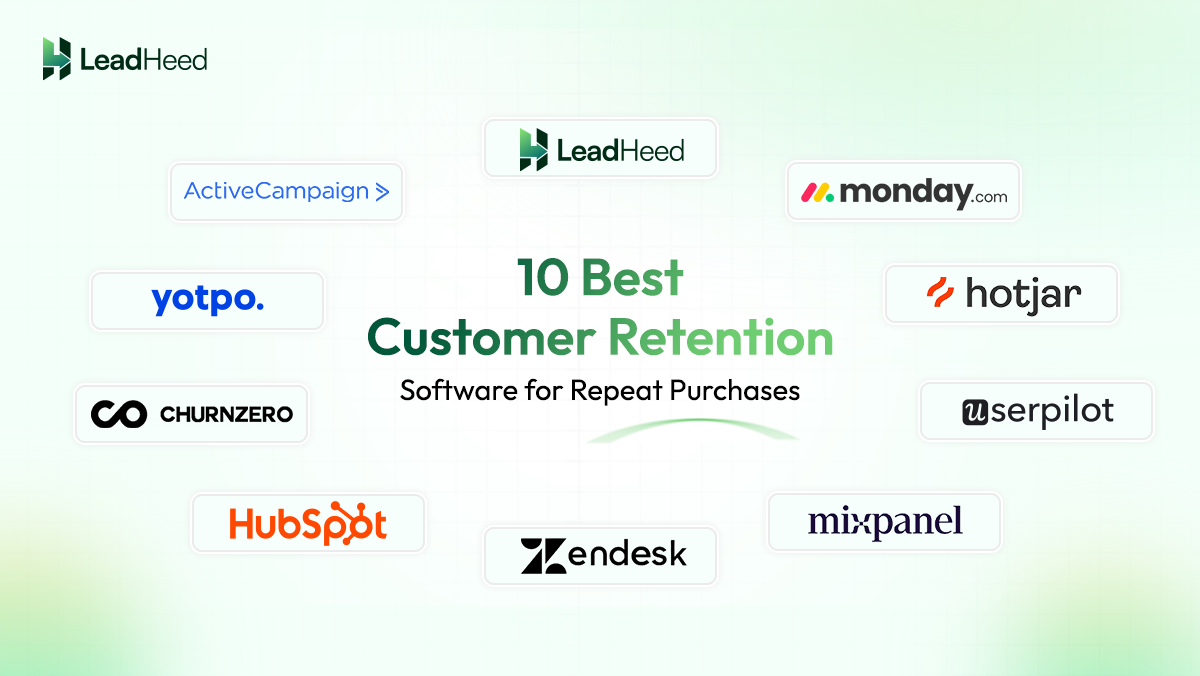
Here is the list of 10 best customer retention management software solutions to help you boost loyalty, reduce churn, and grow revenue sustainably.
| Customer Retention Management Software | Standout Features | Pricing Billed Annually (per user/month) |
|---|---|---|
|
1. Zendesk
 |
✓ Omnichannel Agent Workspace
✓ AI-Powered Satisfaction Prediction ✓ Zendesk QA (AutoQA) |
Customer Service: Support Team: $19 Suite Team: $55 Suite Professional: $115 Suite Enterprise: $169 Employee Service: Suite Team: $29 Suite Growth: $59 Suite Professional: $115 Suite Enterprise: Talk to sales |
|
2. HubSpot
 |
✓ Unified CRM Timeline
✓ Customer Health Scoring ✓ Integrated NPS and CSAT Surveys |
Free: $0 Starter: $9 Professional: $1,300 Enterprise: $4,700 |
|
3. Mixpanel
 |
✓ Behavioral Cohort Analysis
✓ Visual Retention Curves ✓ Automated Journey Triggers |
Free: Upto 1M monthly events Growth: Start at $0.28 per 1K events after the free plan is used Enterprise: Contact sales |
|
4. ChurnZero
 |
✓ Real-Time Customer Health Alerts
✓ Trigger-Based Workflows ✓ In-App Success Centers |
Contact sales |
|
5. Monday CRM
 |
✓ Visual Customer Relationship Boards
✓ Automated Renewal and Follow-Up Reminders ✓ Seamless Email and Communication Sync |
Free: $0 Basic: $9 Standard: $12 Pro: $19 Enterprise: Contact sales |
|
6. Userpilot
 |
✓ No-Code In-App Onboarding Flows
✓ Contextual User Surveys ✓ Feature Adoption Tracking |
Starter: From $299 Growth: Contact sales Enterprise: Contact sales |
|
7. ActiveCampaign
 |
✓ Behavior-Based Email Automation
✓ Advanced Contact Segmentation ✓ Customer Journey Mapping |
Email (/month): Starter: $15 Plus: $49 Pro: $79 Enterprise: $145 WhatsApp (/month): Core: $99 Advance: $99 Premium: $218 Email + WhatsApp (/month): Plus: $112 Pro: $142 Enterprise:$284 |
|
8. Yotpo
 |
✓ Points-Based Loyalty Programs
✓ VIP Tier and Referral System ✓ Rewards for Reviews and Social Engagement |
Review & UGC (/month): Starter: $79 (Up to 500 orders per month) Pro: $169 (Up to 500 orders per month) Premium: Contact sales Loyalty & Referrals (/month): Free: $0 Pro: $199 Premium: Contact sales Bundle (/month): Pro: $368 Premium: Contact sales Enterprise: Contact sales |
|
9. Hotjar
 |
✓ Session Recordings of Real User Behavior
✓ Click and Scroll Heatmaps ✓ On-Page User Feedback Polls |
Free: $0 Growth: $39 Pro: Talk to sales Enterprise: Talk to sales |
|
10. LeadHeed
 |
✓ Visual Pipeline Management
✓ Workflow Automation ✓ Centralized Account and Communication History |
Free: $0 Pro: $12 Elite: $28 |
What is Customer Retention Management Software?
Customer retention management software is a system that helps you keep existing customers engaged, satisfied, and more likely to buy again. It tracks customer activity, past conversations, support requests, and engagement so your team understands each customer better. Because everything stays in one place, customers do not need to repeat their details, and your team can support them faster.
Many platforms utilize predictive analytics and automation to spot customers who may stop buying or cancel. The software can highlight warning signs, such as reduced activity or repeated issues, and prompt your team to follow up. You can then send a helpful message, offer support, or share a relevant deal at the right time. It helps businesses reduce churn, build loyalty, and support steady long-term growth.
Here is what a customer retention system helps you do:
- Centralize Customer Data: Store notes, deals, activity history, and key customer details so nothing gets lost.
- Track Interactions and Behavior: See emails, messages, calls, support tickets, or product usage in one timeline (depending on the tool).
- Set Reminders and Tasks: Create follow-ups so customers get timely check-ins and support.
- Automate Retention Actions: Send renewal reminders, onboarding steps, and re-engagement emails using a retention automation platform or built-in automation.
- Measure Retention Performance: Track repeat purchases, churn signals, customer health, and engagement with reports.
Top 10 Customer Loyalty and Retention Software
Below are the 10 best customer retention management software we’ve selected based on key features like customer tracking, follow-ups, automation, and reporting. We used official websites for feature and pricing details and checked common user reviews on G2 and Capterra for pros and cons.
1. Zendesk
Zendesk is a well-known customer retention software that focuses on improving customer support and experience. It brings all customer conversations into one system, whether they come from email, live chat, phone, or social media. Its structured ticketing system ensures that every request is tracked and resolved on time. It helps support teams stay organized and respond quickly, which plays a major role in improving customer experience.
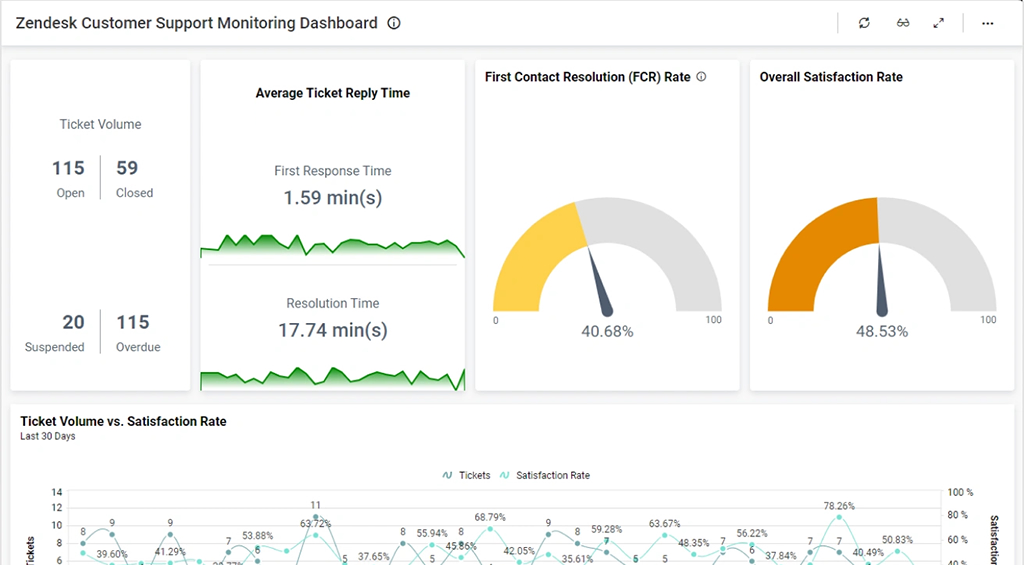
Zendesk also uses AI to route tickets automatically, suggest responses, and power chatbots to handle common questions. Furthermore, the platform stores full conversation history, giving agents clear context before responding. With reporting tools and satisfaction tracking, businesses can measure service quality and continuously improve.
Key Features:
- Advanced ticketing system
- Omnichannel support (email, chat, phone, social media)
- AI-powered automation and bots
- Self-service knowledge base
- Customer satisfaction tracking and analytics
| Pros | Cons |
|---|---|
| ✅ Strong ticketing that keeps support work organized. ✅ Omnichannel support helps teams manage messages in one place. ✅ Automation and reporting help teams handle volume efficiently. |
❌ Pricing can get expensive as you add agents/features. ❌ Setup and configuration can feel complex over time (triggers/workflows). |
Best for: Fast-growing companies and large enterprises that need to manage complex customer service across multiple teams and locations.
2. HubSpot
HubSpot works as a connected customer retention management system that ties marketing, sales, and service data to one customer record. This makes it easier to understand each customer’s full history and deliver consistent experiences. Teams can track conversations, issues, and follow-ups without jumping between tools, which supports stronger relationships and better retention over time.
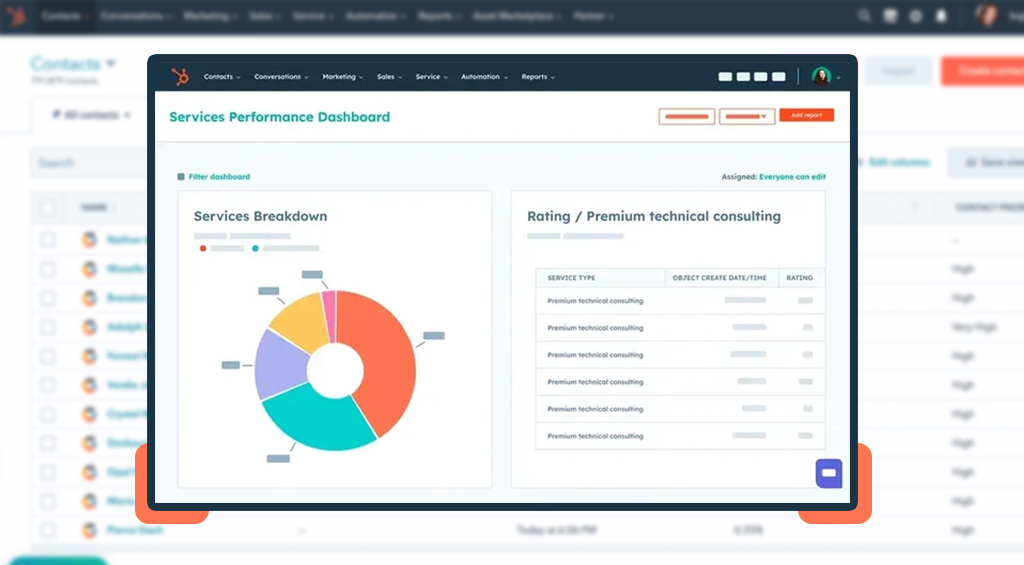
HubSpot’s Service Hub strengthens customer retention efforts through an AI-powered help desk, ticket automation, and performance tracking. It also supports self-service with a knowledge base and customer portal, so customers can find answers faster. On top of that, HubSpot offers NPS (Net Promoter Score) and CSAT (Customer Satisfaction) surveys to measure satisfaction and spot retention issues early.
Key Features:
- Smart CRM that keeps customer data in one place
- AI-powered help desk and ticketing (Service Hub)
- Omnichannel support across multiple channels
- Self-service tools like a knowledge base and customer portal
- Customer feedback surveys (NPS, CSAT) and reporting
| Pros | Cons |
|---|---|
| ✅ Easy to use for day-to-day support workflows. ✅ Centralizes customer communication and records in one place. ✅ Works well when you already use HubSpot’s CRM/Marketing/Sales hubs. |
❌ Can feel pricey, especially on higher tiers. ❌ Setups and templates can feel confusing or “clunky” for some teams. |
Best for: Growing companies that want an all-in-one growth platform with integrated customer retention CRM capabilities.
3. Mixpanel
Mixpanel works as a product analytics customer retention tool that shows what keeps users engaged and what causes them to drop off. Instead of guessing, you track key actions (like sign-ups, purchases, or feature usage) and then measure how often users come back. It is especially for businesses whose retention depends on product experience and consistent usage.
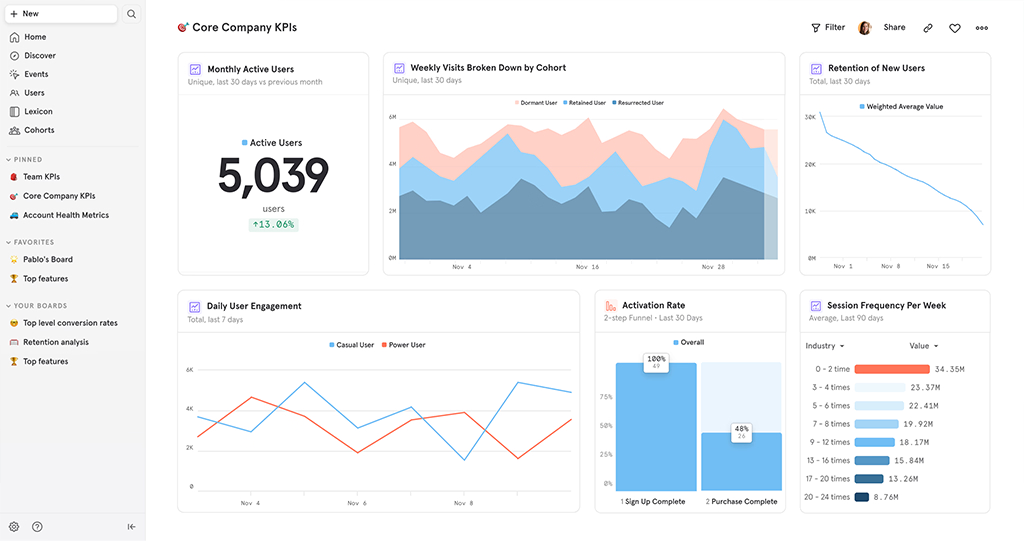
Mixpanel connects retention to real customer behavior. Its retention reports show how often users come back over time, funnels highlight where users stop during key steps, and flows reveal the most common journeys users take. Plus, with Cohorts, you can compare user groups (for example, users who used a feature vs users who didn’t) and learn what improves retention.
Key Features:
- Event-based product analytics to track what users actually do
- Retention reports to measure repeat engagement over time
- Cohort analysis to compare user groups and behaviors
- Funnels and flows to find drop-offs and friction points
- Dashboards to share retention insights across teams
| Pros | Cons |
|---|---|
| ✅ Powerful product analytics for understanding user behavior. ✅ Flexible dashboards, funnels, and cohort/retention analysis. ✅ User-friendly interface. |
❌ Steeper learning curve for advanced analysis. ❌ Some reviewers mention reporting limitations or performance issues. |
Best for: SaaS companies and product-led businesses that need deep behavioral insights.
4. ChurnZero
ChurnZero is a Customer Success platform built for B2B subscription businesses that want to protect renewals and grow recurring revenue. It acts like an early-warning system by tracking real-time customer behavior and product usage, then showing which accounts look healthy and which ones need attention.
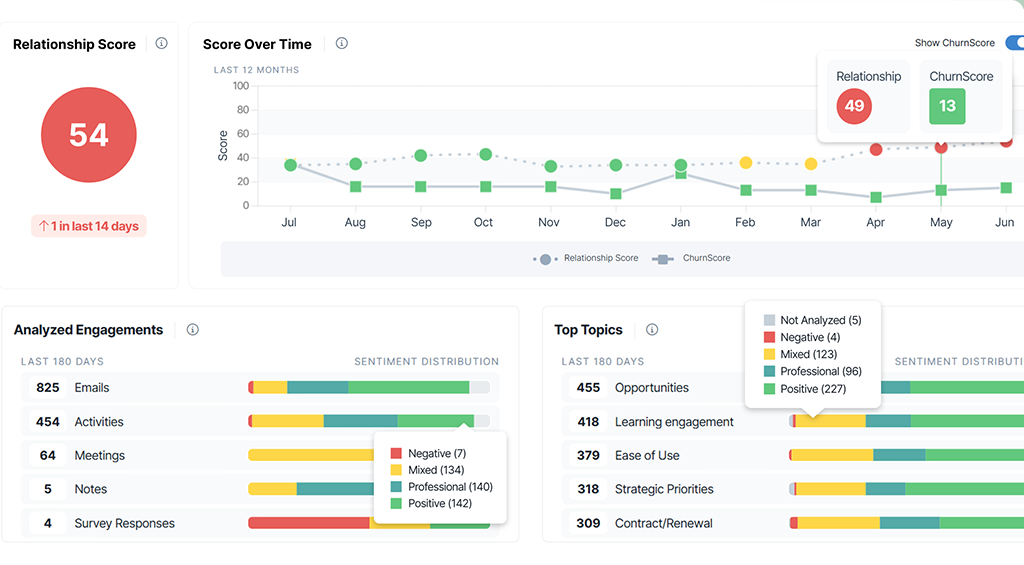
ChurnZero makes retention more systematic using health scores and automated programs. Teams can build “ChurnScores” using the metrics they choose, so they can spot at-risk customers early and act faster. It also uses AI agents and automated plays to help teams run the right follow-ups at the right time, which supports consistent customer engagement.
Key Features:
- Complete, real-time view of each customer account
- Custom health scores (ChurnScores) to spot risk early
- Predictive signals and alerts for churn and renewals
- Built-in AI Agents that help teams take action faster
- Custom dashboards and reporting for retention tracking
| Pros | Cons |
|---|---|
| ✅ Strong automation for customer success workflows. ✅ Centralizes account/customer data for proactive retention work. ✅ Customer support and configurability get frequent praise. |
❌ Learning curve and complexity during setup. ❌ Navigation can feel unintuitive for some users. |
Best for: B2B SaaS companies with a dedicated Customer Success team that need to manage hundreds or thousands of subscription accounts.
5. Monday CRM
Monday CRM is a customizable CRM that fits teams that want a clear, visual way to manage sales and customer workflows. You can build pipelines without code and track customer progress across stages with full visibility. This helps teams stay organized and maintain stronger relationships throughout the customer lifecycle.
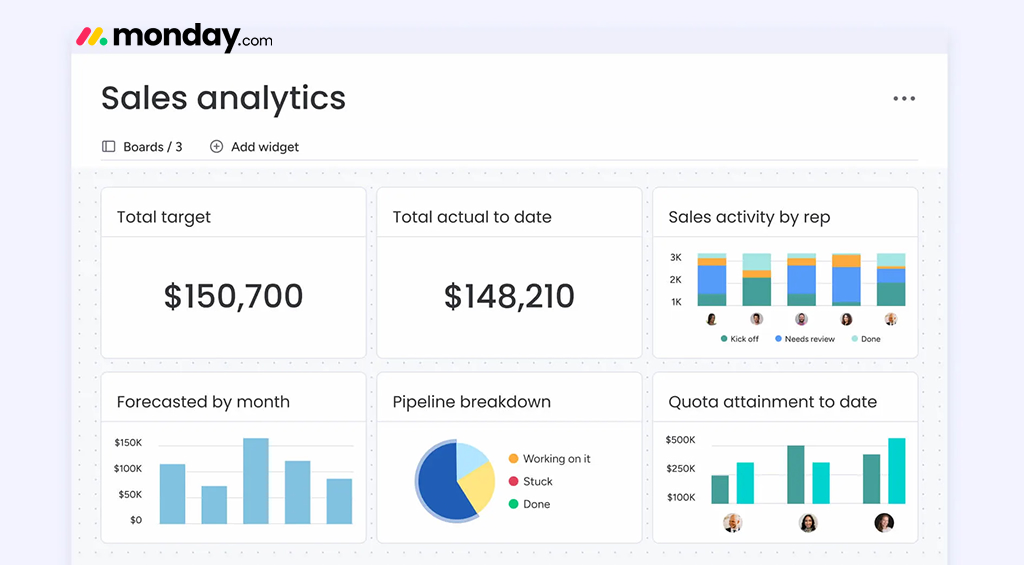
Monday CRM supports retention by reducing missed follow-ups and keeping customer context visible. It offers automations for repetitive work and a centralized place to manage communication. Teams can also use AI features to speed up customer responses by composing emails and summarizing the Emails & Activities timeline.
Key Features:
- Fully customizable sales pipeline with drag-and-drop deal stages
- Lead management with lead scoring based on custom criteria
- Account and contact management for a 360° customer view
- Email sync/tracking plus an Emails & Activities timeline to log calls, meetings, and notes
- Post-sales management to track work after the deal closes
| Pros | Cons |
|---|---|
| ✅ Visual, easy-to-use interface that teams adopt quickly. ✅ Highly customizable boards/pipelines for different workflows. ✅Useful automations for reminders and task coordination. |
❌ Learning curve for building the right setup and automations. ❌ Features can feel restrictive on lower tiers. |
Best for: Teams that want a visual, easy-to-use tool that bridges the gap between Sales and Project Management.
6. Userpilot
Userpilot is a no-code product growth platform that works well as customer retention software for digital products. It helps teams guide users inside the app with onboarding and feature education, without relying on engineering for every change. This improves time-to-value for new users and supports consistent engagement, which directly strengthens retention.
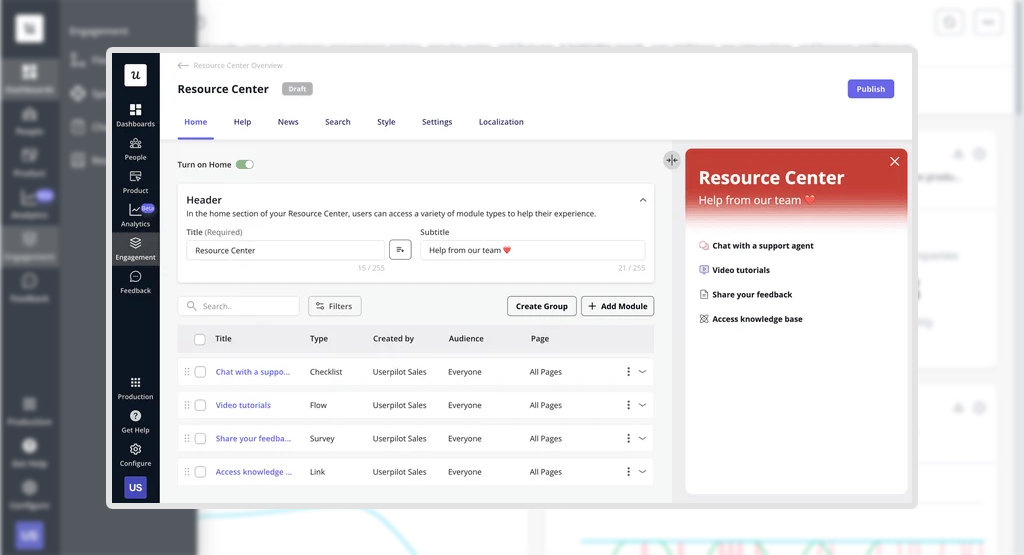
Userpilot combines in-app engagement with analytics and feedback in one retention platform. Teams can track how users behave, see which features drive repeat usage, and collect feedback through in-app surveys and NPS. With this data, you can improve onboarding, increase feature adoption, and reduce churn using practical customer retention tools that connect directly to real user behavior.
Key Features:
- No-code builder for in-app onboarding and guidance
- Behavioral segmentation for targeted in-app experiences
- Product analytics (funnels, paths, retention) dashboards
- In-app surveys and NPS to collect feedback
- Session replay to visualize user journeys
| Pros | Cons |
|---|---|
| ✅ Helps non-technical teams build in-app onboarding and guidance. ✅ Good targeting/segmentation for personalized user experiences. ✅ Customer support gets positive mentions. |
❌ Learning curve for advanced paths/funnels and deeper setup. ❌ Some reviewers complain about the pricing and cancellation process. |
Best for: SaaS companies focused on user onboarding and product-led growth.
7. ActiveCampaign
ActiveCampaign is a marketing automation and CRM platform that helps businesses run retention campaigns with less manual work. It lets teams build automated customer journeys and coordinate messages across multiple channels, so customers receive consistent communication after signup, purchase, or support interactions. This makes it a strong customer retention software option for brands that want to stay in touch and drive repeat actions through automation.
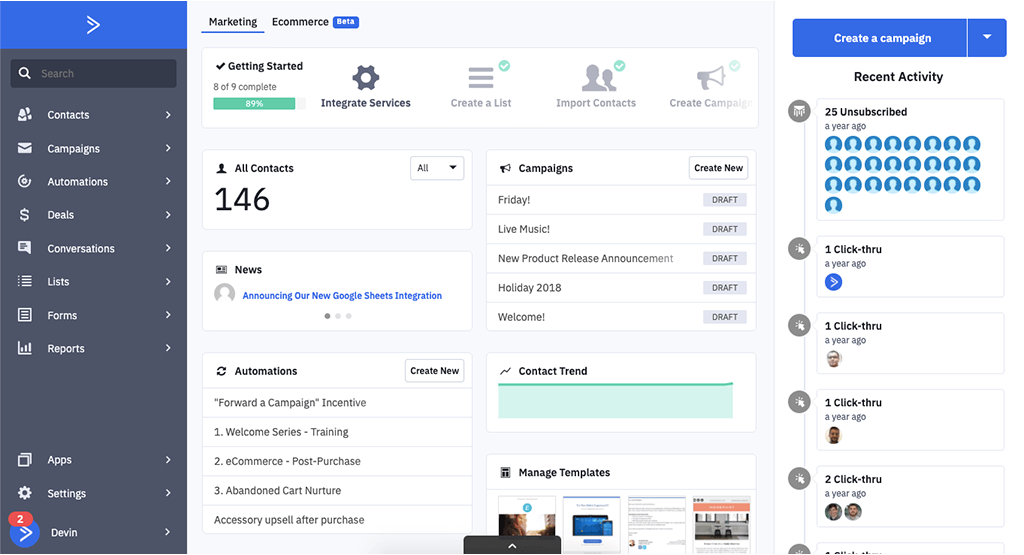
Moreover, ActiveCampaign offers tools like an AI Campaign Builder, AI Agents, predictive sending, and AI-suggested segments, so teams can personalize messages and improve engagement without complex setup. It also includes site and event tracking, which helps you act on real customer behavior.
Key features:
- Cross-channel automations for email and messaging
- Advanced segmentation for targeted retention campaigns
- Customer Experience Automation (CXA) approach
- Built-in sales CRM with pipelines, deals, and tasks
- Personalization tools like predictive/conditional content
| Pros | Cons |
|---|---|
| ✅ Strong automation for campaigns and customer journeys. ✅ Segmentation and workflow building are widely liked. ✅ Useful for email-driven retention and lifecycle messaging. |
❌ Pricing can rise as lists grow. ❌ Some reviewers mention usability issues or bugs in managing. |
Best for: Small to medium businesses that want powerful, “set-it-and-forget-it” automation to nurture long-term loyalty.
8. Yotpo
Yotpo is an eCommerce-focused customer loyalty and retention software that helps brands keep customers engaged after the first purchase. It does this by combining two retention drivers: loyalty programs (rewards and referrals) and customer reviews. Instead of relying only on discounts, Yotpo helps brands motivate repeat purchases by rewarding loyal shoppers and turning happy customers into advocates who refer others.
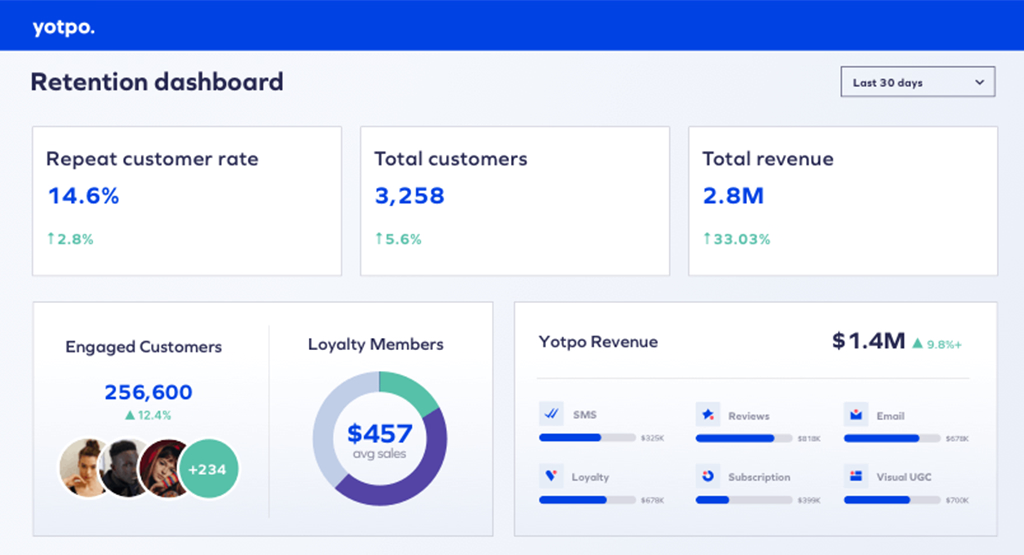
On the loyalty side, brands can create reward and referral experiences and track results through performance reporting and insights. On the reviews side, businesses can collect and manage customer reviews with moderation controls like spam detection and filtering, helping keep review content clean and useful.
Key features:
- Loyalty & referrals programs to reward repeat customers
- Review and UGC tools to build trust and social proof
- Messaging through SMS and email to stay connected at key moments
- Dashboards and analytics to measure loyalty performance
- Free option available for smaller stores (eligibility-based)
| Pros | Cons |
|---|---|
| ✅ Helpful for loyalty/reviews programs that support repeat purchases. ✅ Customer support gets frequent praise. ✅ Ease of use and smooth integration. |
❌ Pricing can feel high for smaller businesses. ❌ Some reviewers mention language limitations. |
Best for: E-commerce brands (DTC) that want to build a community and increase “Customer Lifetime Value” (LTV) through rewards.
9. Hotjar
Hotjar, which is now part of ContentSquare, is a behavior analytics and feedback tool that supports customer retention tools by showing what customers experience on your website. It helps you see user behavior through heatmaps and session replays. This makes it easier to find friction, like confusing pages, ignored buttons, or points where visitors stop scrolling and leave. When you remove these experience blockers, you improve satisfaction and increase the chance that users return.
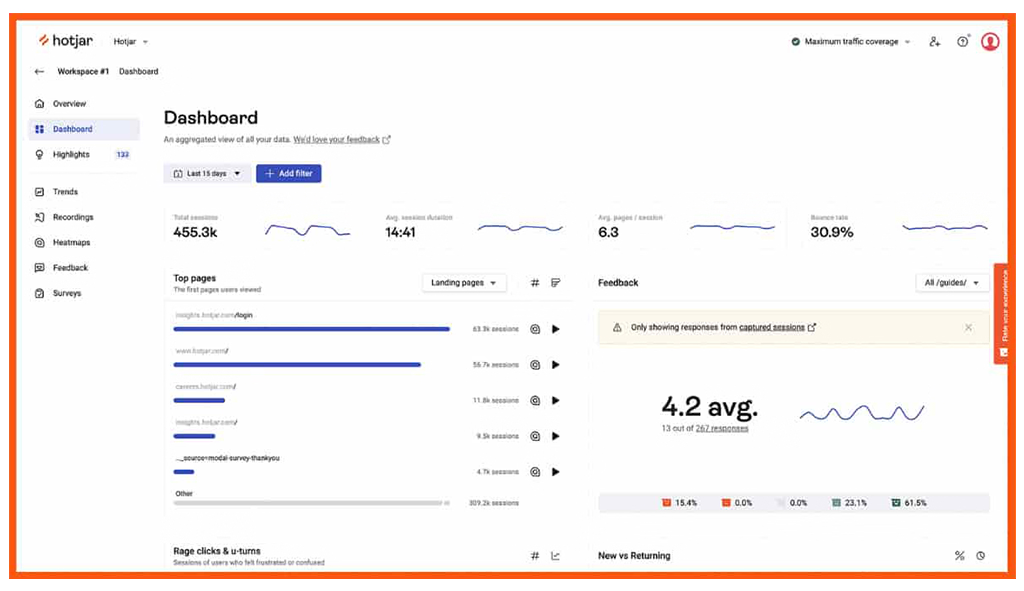
What makes Hotjar stand out is how it combines “watching behavior” with “hearing feedback” in one place. You can pair replays and heatmaps with surveys and feedback widgets to understand not just what happened, but why it happened. Hotjar also includes tools like funnels and dashboards to help you track where people drop off and measure improvements over time.
Key features:
- Heatmaps to see where users click, move, and scroll
- Session Replays (recordings) to watch real user journeys
- On-site surveys to collect feedback in context
- Feedback widgets to capture what users feel and why
- Funnels and dashboards to spot drop-offs and track improvements
| Pros | Cons |
|---|---|
| ✅ Great for understanding behavior with heatmaps and session replays. ✅ Easy to adopt and useful for finding UX friction. ✅ Feedback tools (surveys/widgets) add context to behavior data. |
❌ Session recording limits can feel restrictive. ❌ Some limits around survey customization and occasional performance issues. |
Best for: Businesses seeking qualitative insights into user behavior and website experience.
10. LeadHeed
LeadHeed is an easy-to-use customer retention software designed for small businesses and beginners. It gives you a full view of every customer, including conversations, tasks, deals, and notes, so you never miss an important touch point. By centralizing everything in one place, LeadHeed helps teams respond faster and stay organized, which leads to better retention and stronger customer relationships.
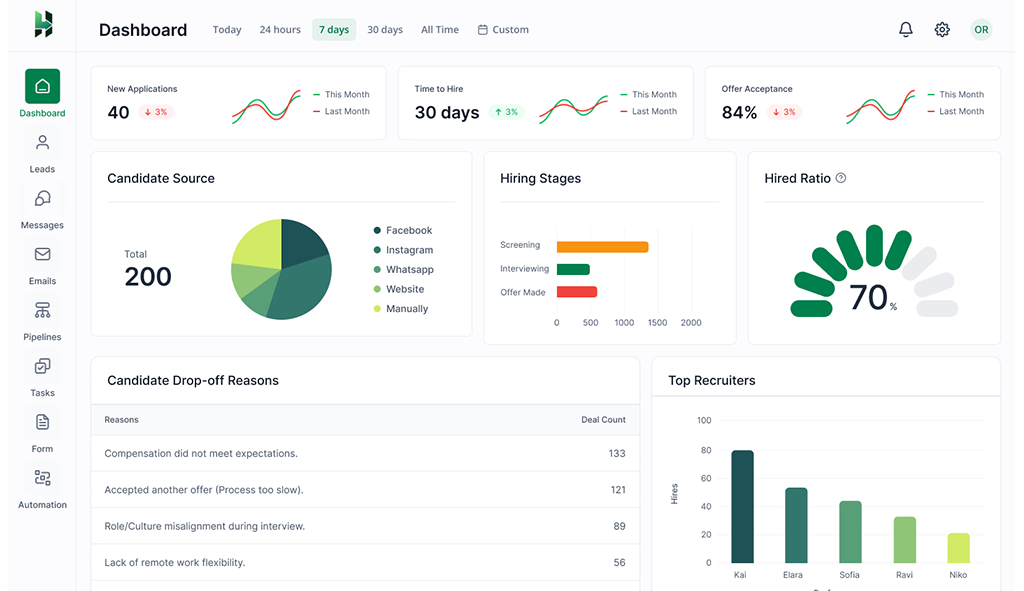
Additionally, with built-in workflow automation, teams can set reminders, trigger follow-ups, and manage sales pipelines automatically. This makes LeadHeed a practical customer retention software for businesses that want better engagement without complicated setup.
Key Features:
- All-in-one CRM with built-in retention focus
- Centralized communication (email + WhatsApp + social)
- Workflow automation for follow-ups and reminders
- Clear customer view with notes, deals, and CRM reporting
- Beginner-friendly with affordable pricing
| Pros | Cons |
|---|---|
| ✅ Extremely easy to use, no technical training required. ✅ Affordable with a generous free plan. ✅ Centralizes emails and social media messages in one dashboard. |
❌ Limited third-party integrations compared to legacy tools. ❌ Advanced reporting features are still developing. |
Best for: Small businesses and beginners who need an affordable, all-in-one tool that handles both new sales and long-term customer support.
How to Choose the Right Customer Retention Management Software?
To choose the right customer retention management software, first define your retention goals and ensure the tool integrates seamlessly with your CRM, billing, support, and marketing systems. Then prioritize platforms that offer strong automation, actionable analytics, scalability, and ease of use so you can reduce churn and increase repeat purchases effectively.
I. Set Clear Retention Goals: Decide what you want to improve, repeat purchases, renewals, or reduce cancellations. Clear goals help you pick software features that actually support your result.
II. Ensure Data Integration: Make sure it connects with your CRM, billing, support, and marketing tools. Unified data is essential for accurate segmentation and timely engagement.
III. Demand Automation: Pick a tool that can automatically send messages, renewal reminders, and win-back campaigns. Automation reduces manual work and keeps customers engaged on time.
IV. Prioritize Actionable Analytics: Choose software with dashboards, cohort analysis, and predictive signals so you can spot retention issues early and fix them fast.
V. Verify Scalability and Flexibility: Switching platforms later is expensive and disruptive, so confirm the system can handle more customers, channels, and complexity as you grow.
VI. Confirm to Ease of Use: Choose software with an intuitive interface and straightforward setup, so your team can start delivering value quickly.
Conclusion
A customer retention management system helps you reduce churn by tracking customer activity, improving follow-ups, and automating key touchpoints. Some tools support retention through customer service (Zendesk, HubSpot), others through product and experience insights (Mixpanel, Userpilot, Hotjar), while platforms like ChurnZero and ActiveCampaign focus on structured workflows and automation.
If you want a simple tool for follow-ups and long-term customer care, LeadHeed is a good choice. It works as a customer retention CRM by keeping customer details, conversations, deals, and tasks in one place, and it helps you automate reminders and follow-ups. For small businesses, LeadHeed offers an affordable and easy-to-use customer retention platform that makes retention more organized and consistent. Sign up for LeadHeed for free!!
Frequently Asked Questions
Which businesses benefit most from customer retention tools?
Any business that depends on renewals, repeat purchases, referrals, or long-term contracts benefits most from retention systems. For example, SaaS companies, eCommerce brands, subscription services, and service-based businesses.
How does customer retention software help reduce churn?
Customer retention system reduces churn by tracking customer activity and interactions so you can spot early warning signs like low engagement or unresolved issues. It also automates follow-ups and personalized messages at the right time, helping you re-engage customers before they leave.
What features should the customer retention software have?
A strong customer retention software should centralize customer data, track interactions and behavior, automate follow-ups and reminders, identify churn risk with analytics, and support personalized communication across key channels.
How do you keep track of customer retention?
You keep track of customer retention by measuring key retention metrics like repeat purchase rate, time-between-purchases, and customer lifetime value (CLV). Then you compare cohorts before/after campaigns or product changes to see what actually increases repeat behavior.