You can have a great product, a solid sales team, and a polished website, yet still struggle to attract the right prospects. Too often, businesses rely on random inquiries, low-quality contacts, or outdated methods that don’t bring real opportunities into the pipeline.
Without strong lead generation, your team wastes hours chasing prospects who never respond, and Marketing campaigns bring traffic but no conversions. Over time, missed opportunities pile up, growth slows, and sales become unpredictable.
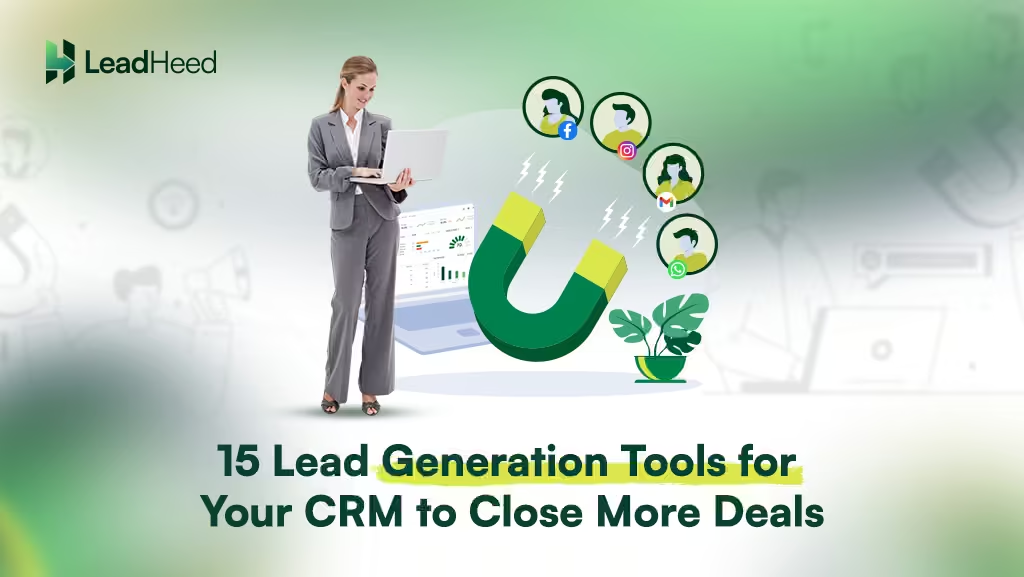
Lead generation tools help you create a system that attracts and qualifies the right prospects automatically. These tools help you turn website visits, emails, and conversations into real sales opportunities.
Highlights
- Generating the right leads is challenging, but CRM-integrated lead generation tools help capture, rank, and prioritize prospects so your team can focus on closing more deals.
- Lead generation tools gather potential customer info from different sources, like websites, emails, social media, and chats, turning visitor interest into real leads your team can reach out to.
- From website forms and landing pages to chatbots and email capture tools, these features help your CRM attract prospects, collect their information, and turn attention into real sales opportunities.
What are Lead Generation Tools & How They Work?
A lead generation tool helps businesses attract and capture people who might be interested in their products or services. It collects leads from different sources, like websites, emails, social media, or live chats, so nothing gets lost.
They give visitors easy ways to show interest, like filling out a form, starting a chat, scanning a QR code, or signing up on a landing page. When someone engages with these tools on your website, ads, or social media posts, their details are captured instantly.
15 Best Lead Generation Tools for Your CRM System
Tools like embeddable forms, landing page creators, email-in data capture, and live chat & chatbots help your CRM system capture leads and start meaningful conversations.
1. Embeddable Lead Forms
Embeddable lead forms are web forms you can place inside your website for collecting information about your leads, such as name, contact information, and email. Visitors can share their details right on the page, without being redirected to another page.
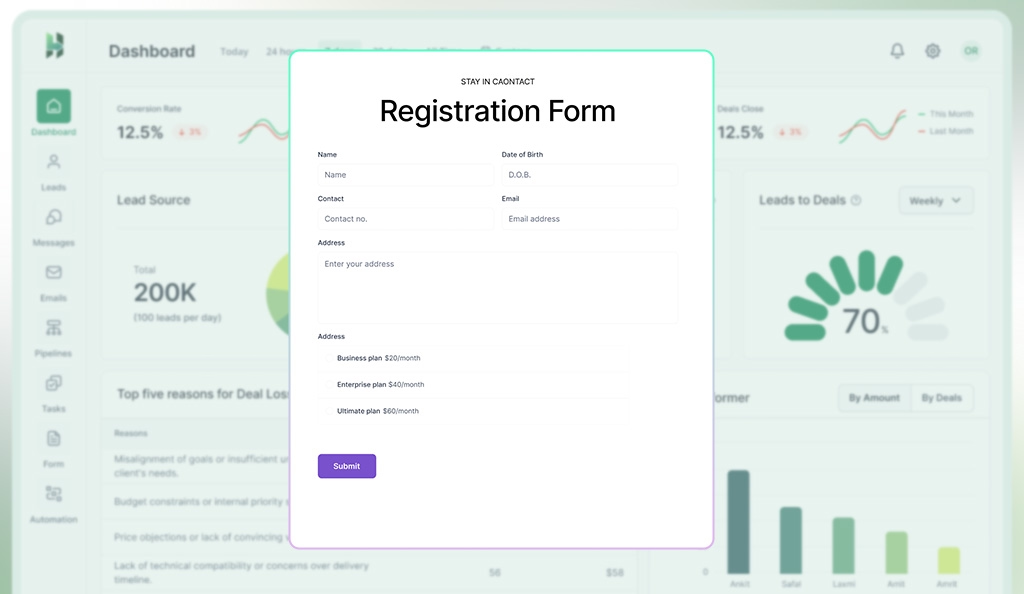
You can add your lead forms to landing pages, blogs, or contact sections to capture sign-ups, inquiries, or demo requests. Since users come across the form while already engaging with your content, the leads you get are often more genuine and interested.
2. Landing Page Builders
Landing page builders allow you to build web pages for capturing leads. Instead of complex websites, these pages focus on a single offer like a signup, demo request, or download. These tools use simple drag-and-drop editors and templates to create a page without needing code.
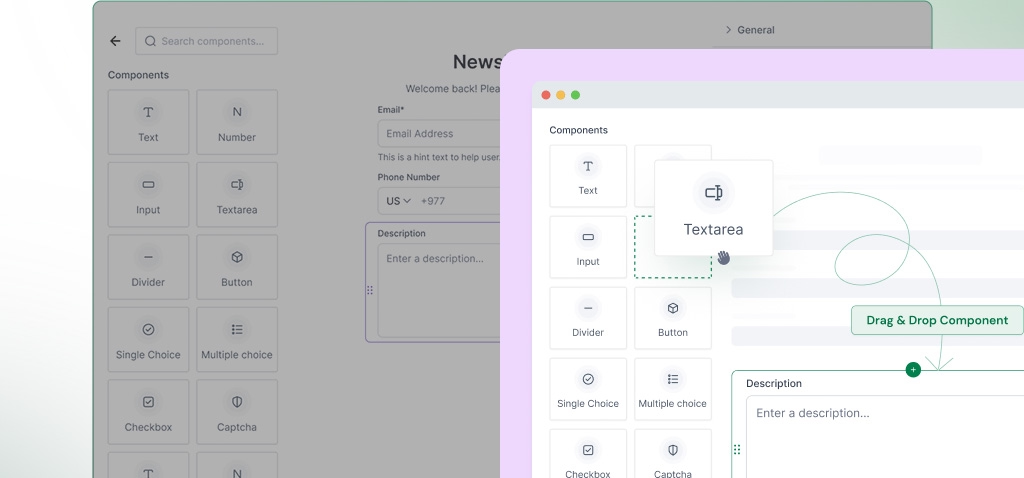
Landing pages remove distractions so that visitors land on a clear page, see a message, and are guided to take one simple action. It helps you turn interested visitors into contacts with a click.
3. Email Parsing
Email parsing, also called email-in data capture, is the method of extracting contact information of leads from incoming emails. When someone shows interest and sends an email like “Pricing details?”, the email parser instantly reads that message. Then, it pulls out key details such as name, email, company, and message, and creates a new lead for you.
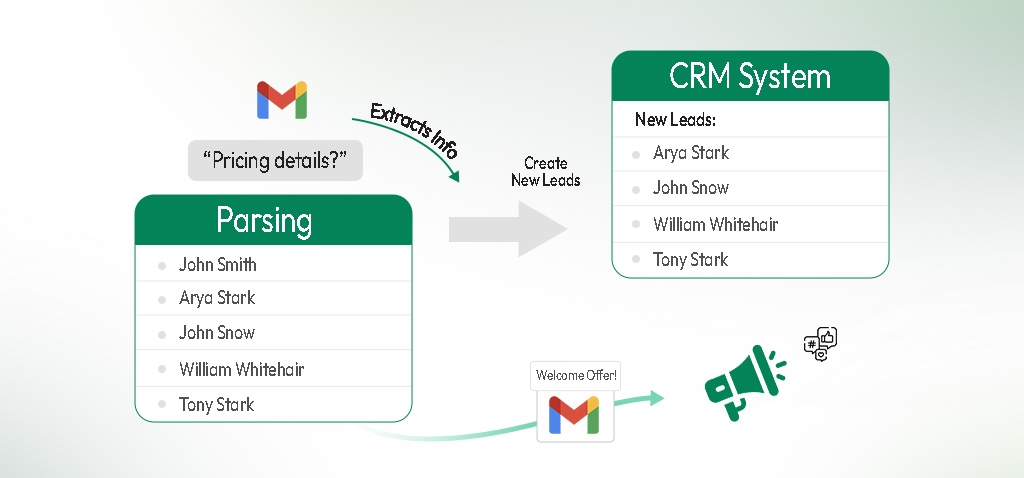
When integrated with a CRM, the captured leads are directed to your lead list in the system. You can then send welcome messages, offers, or updates to keep people engaged.
4. Social Media Integration
Social platforms are where your audience spends most of their time, making them an ideal source for lead generation. When your CRM system is integrated with Facebook, Instagram, and WhatsApp, people can sign up, message you, or fill out forms you shared on your posts, and their details are saved automatically.
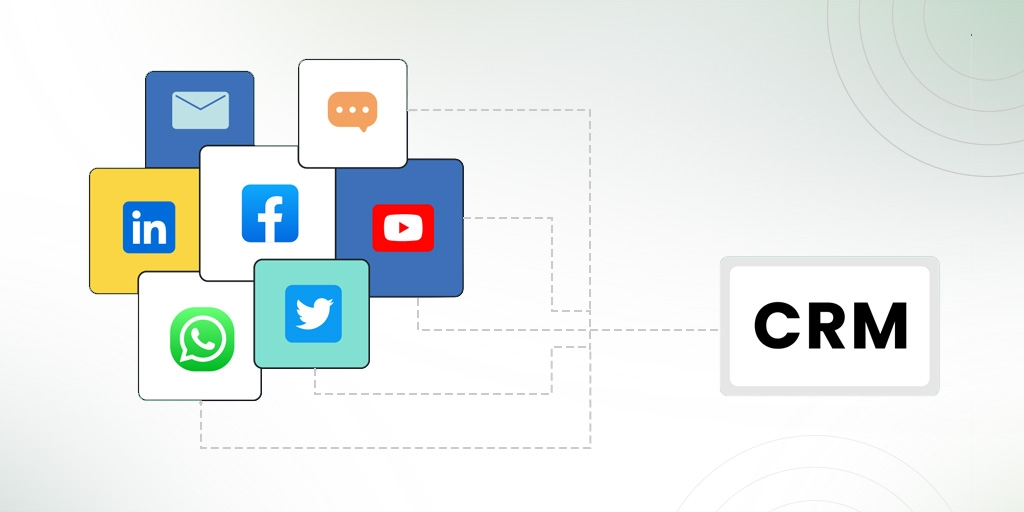
It makes follow-ups faster, reduces missed opportunities, and builds real customer relationships. Additionally, you can see which content brought more leads, so you can focus on what actually works.
5. Live Chat & Chatbots
Not every visitor is ready to give their details right away. Some are comparing options or looking for quick answers. Live chat and chatbots use a conversational approach to engage such visitors. They greet users, answer common questions, and guide them to relevant pages. When someone shows interest, the system politely asks for details like name, email, or company, and saves them directly in your CRM.
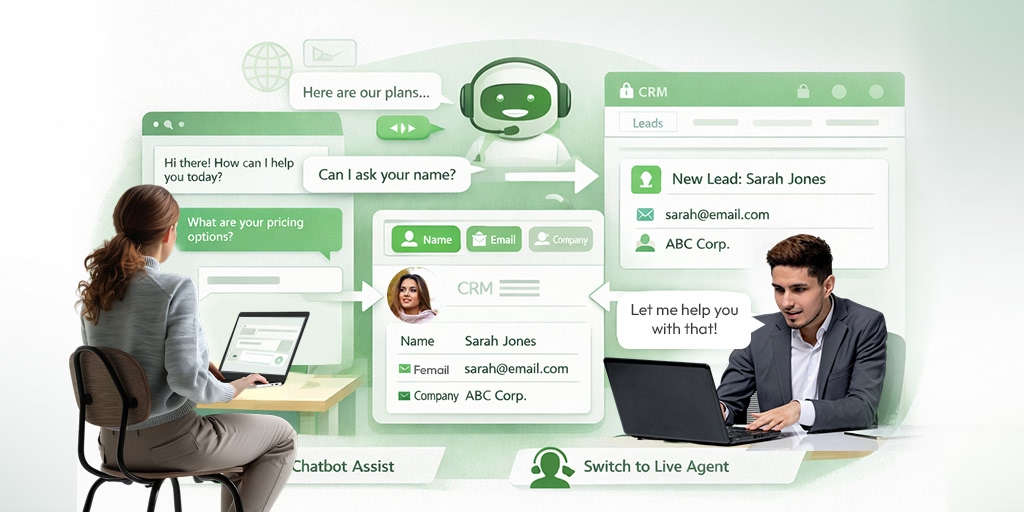
Plus, Chatbots work 24/7, which means you can capture leads even outside business hours. If a conversations become more complex, live agents can step in anytime, ensuring prospects get helpful and personalized responses.
6. Telephony Integration (Calls & SMS)
You can integrate your telephony system with your CRM to generate leads from your incoming calls and SMS. Since agents can see a person’s history while they chat, they can ask the right questions and make the conversation feel personal and relevant.
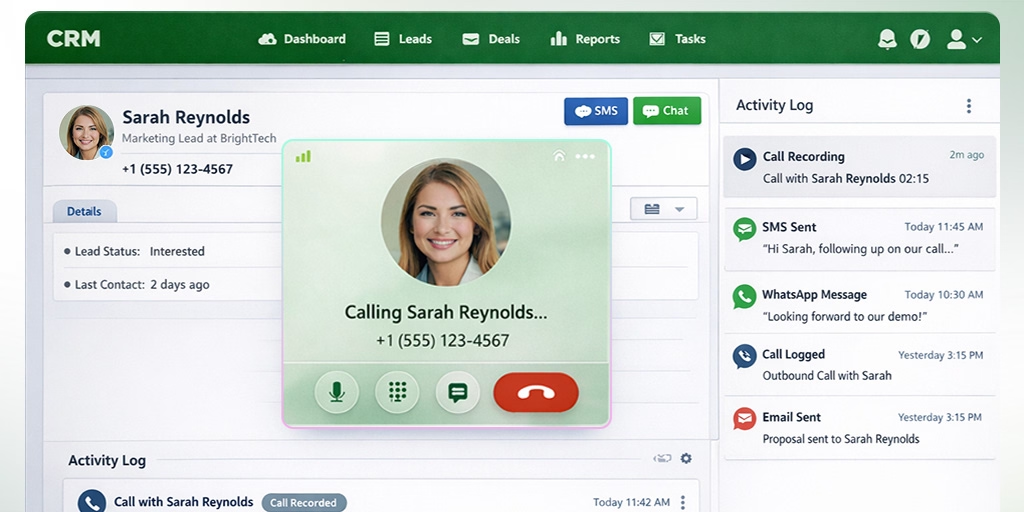
Once you have the contacts in your lead list in the CRM, you can add call notes, schedule follow-ups, or assign tasks right after the call. Moreover, you can quickly identify incoming calls by knowing the caller’s details through call screening.
7. Import Wizards (CSV/XLS)
Sometimes you might end up with a long list of potential leads after any event or campaign, and manually entering them can be overwhelming. In such a case, a CRM import tool allows you to bulk-upload lead data from spreadsheets or external systems directly into your database.
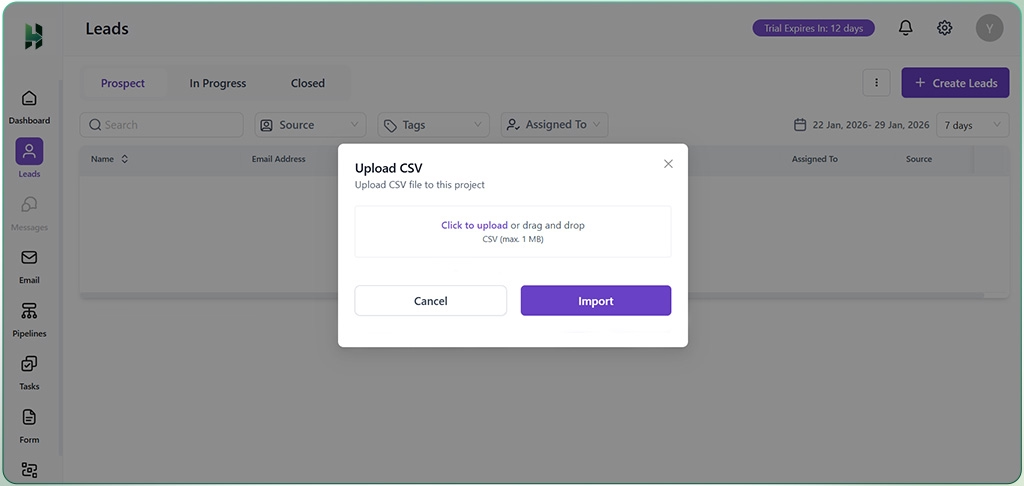
After import, you can assign these contacts to your agents for follow-up, and add them to campaigns right away. Additionally, they help match fields and fix errors, so your lead information stays accurate and organized.
8. Email Integration
When you manage emails separately from your leads, important messages get buried, slowing follow-ups and making them disorganized. Email integration connects your inbox with your lead generation tool, so all emails, replies, and contact info are automatically recorded within your system.
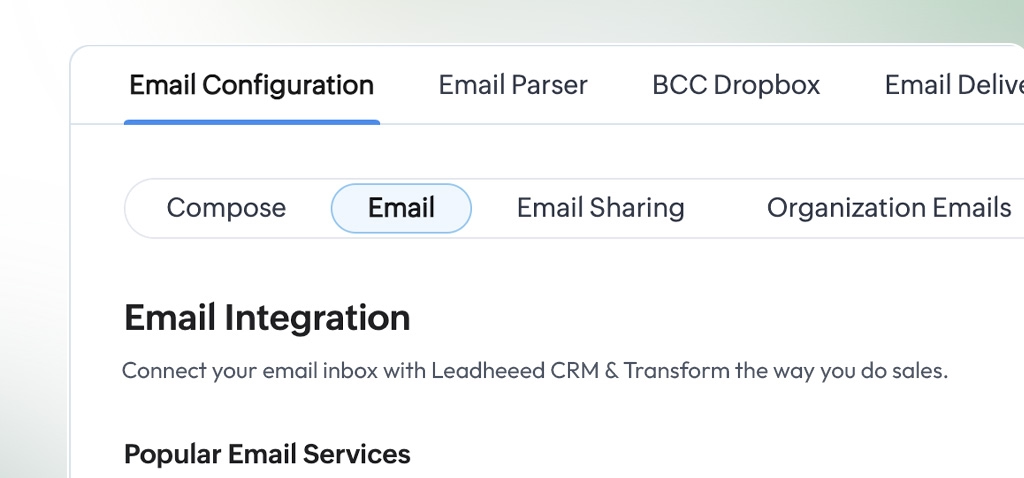
Instead of searching through inboxes, your sales team works from one dashboard, replies faster, and stays organized. Email integration also tracks opens, clicks, and replies. It shows you which leads are interested and ready for the next step, so your outreach feels timely and relevant.
9. QR Code Generators
Manually typing long links and filling out forms takes time, so many visitors avoid it. However, with one simple scan, QR code generators take your prospects to a landing page, sign-up form, special offer, or even your app, which makes it easy for them to engage with your business.
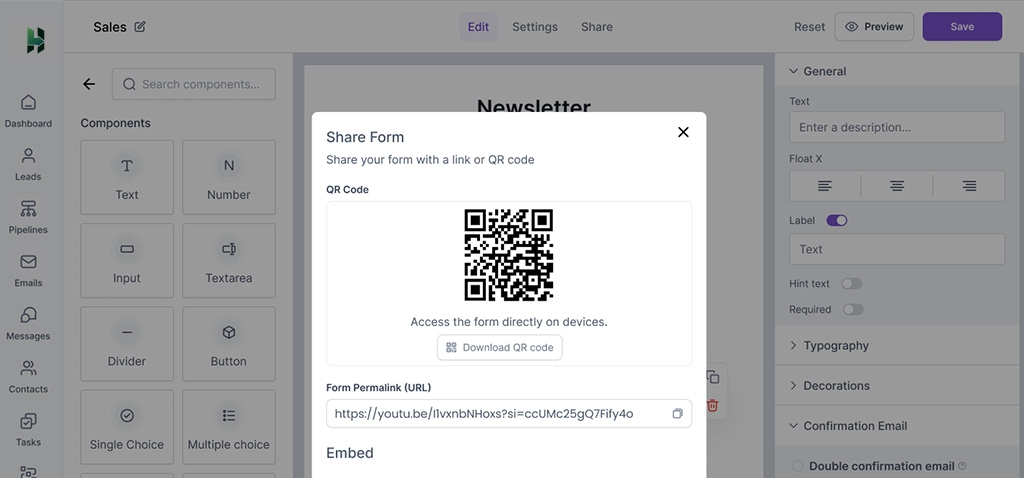
You can place QR codes on flyers, posters, business cards, emails, or social media posts to generate leads from both online and offline channels. When people scan the code, the system tracks each scan, captures contact information automatically, and guides users toward their next action.
10. Lead Filter
When running multiple campaigns or capturing leads from various channels, it becomes difficult to track which efforts are actually bringing results. Without clear visibility, teams often waste time and budget on underperforming sources. You can filter leads by tags, source, and owner for better lead segmentation and follow-ups.
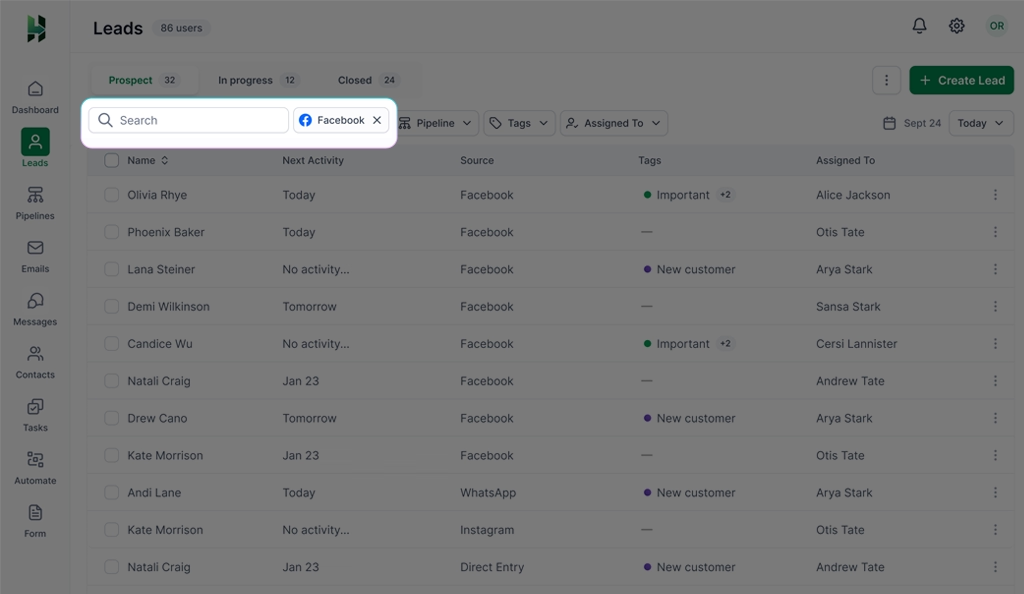
It gives your team instant visibility into which channels bring serious buyers and which ones don’t. You can focus on high-performing campaigns, improve weak channels, and prioritize leads that are more likely to convert.
11. Notes and Tag
When you have hundreds of leads, it’s easy to forget who the leads are, what they care about, and when to reach out. With notes and tags, you can label leads based on their interests, such as “Visited pricing page” or “Needs Follow-ups”. It helps you prioritize your leads and send relevant and personalized messages.
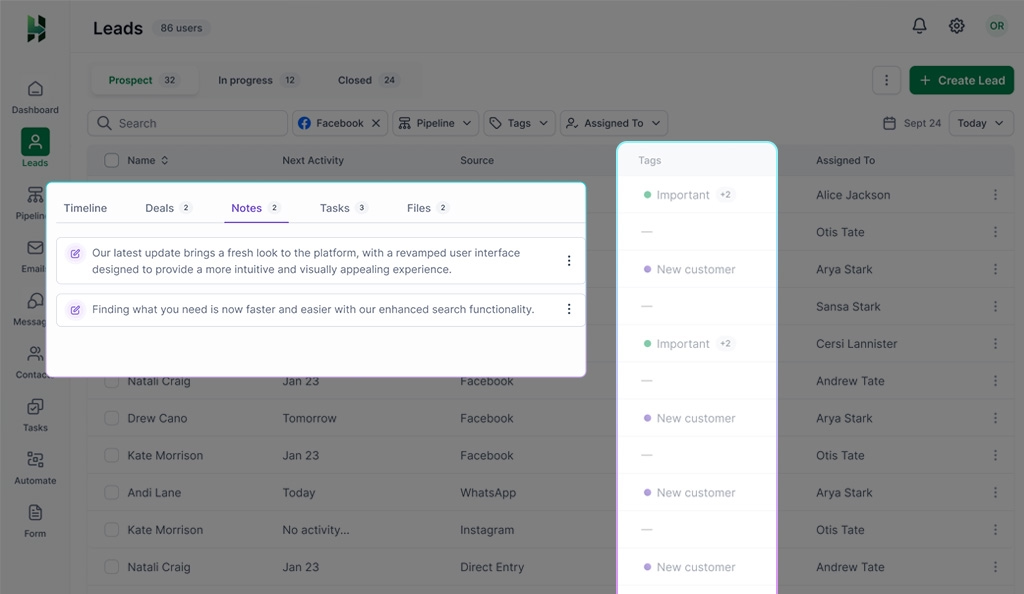
Furthermore, notes store details like pain points, goals, objections, or even personal preferences. These details can be used in follow-ups, making your outreach warmer and far more effective.
12. Lead Scoring
Not every lead in your CRM is ready to buy right away. Some are just browsing, while others are actively comparing options and looking for the right solution. Lead scoring helps your team differentiate those leads by assigning numerical values to prospects based on their behavior and profile.
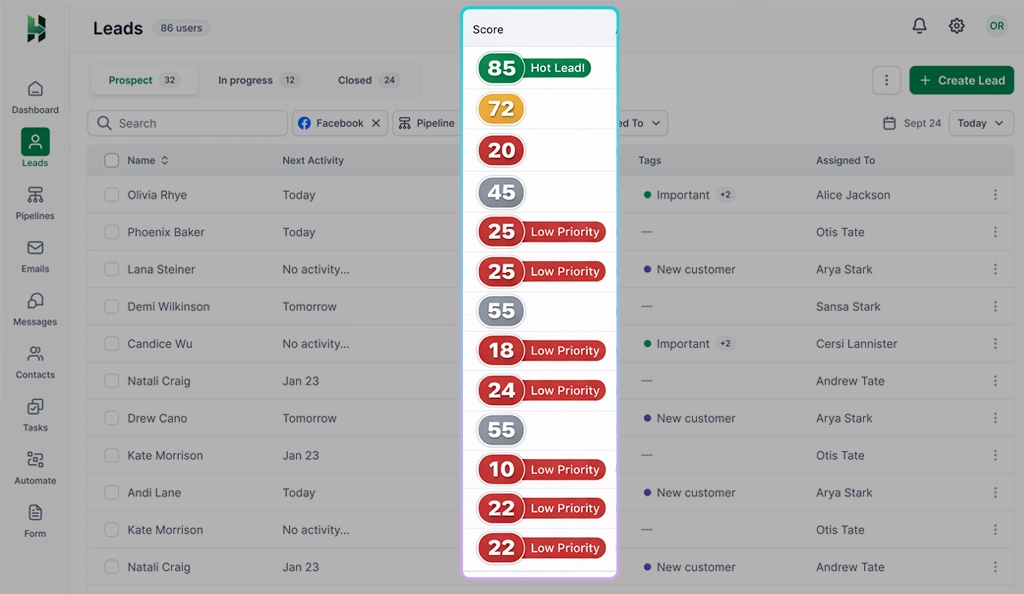
For example, opening emails, visiting key pages, downloading resources, or requesting a demo can increase their score. On the other hand, long periods of inactivity or poor fit can lower it. Once they reach a certain level, your CRM can notify your sales team so they can reach out at the right time.
13. Email Templates
Email templates are ready-made email formats that help you contact leads quickly and confidently. They give you a clear structure while allowing you to personalize messages with details like the lead’s name, company, or interests. Your team can use them for first contacts, follow-ups, demo reminders, and special offers instead of writing every email from scratch.
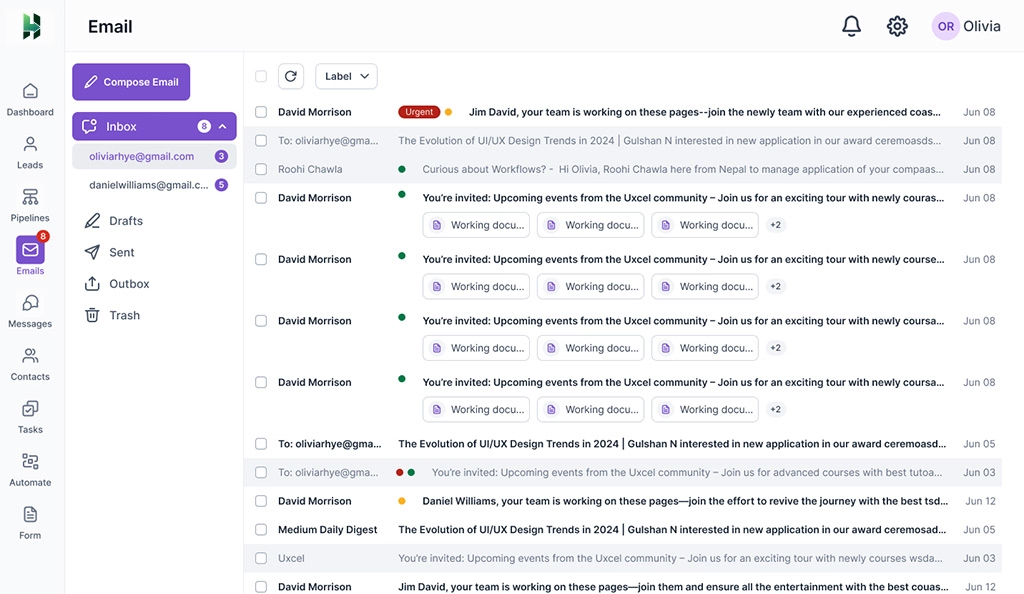
They also make it easy to try different messages and see how people actually respond to them. Over time, you can track which templates get better responses and refine them for stronger results.
14. Exit-Intent Popup
When someone is about to leave your website, a simple message can pop up to stop them for a second. The purpose of these messages is to capture attention one last time and encourage the visitor to take action.
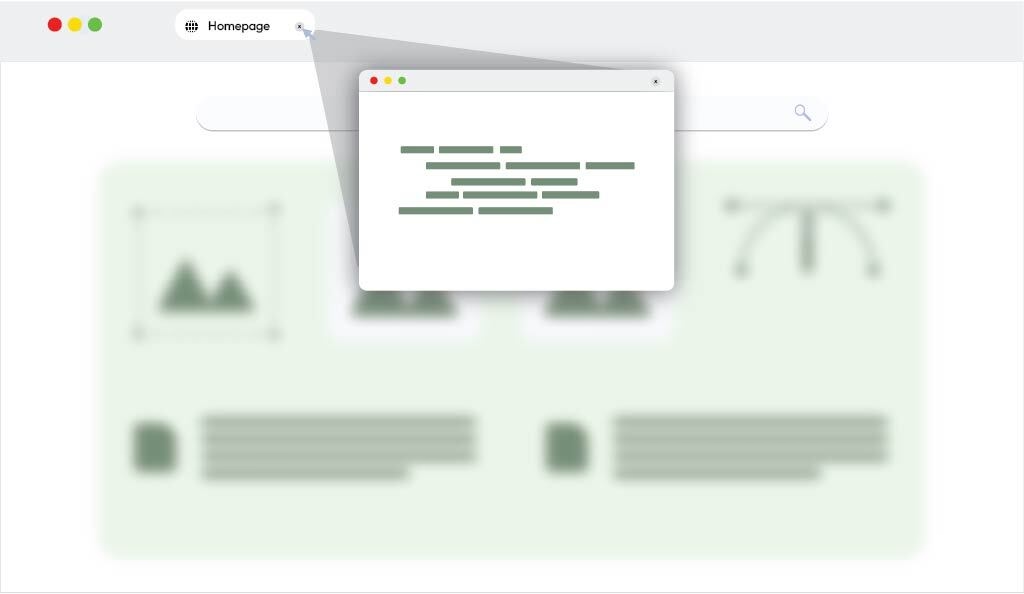
You can offer something valuable like discounts, guides, and free demos, and encourage them to leave their contact information. When done right, exit-intent popups can boost conversions, reduce cart abandonment, and turn casual visitors into loyal leads.
15. B2B Database Integration
B2B database integration connects your CRM with external business data providers like ZoomInfo, Apollo, LinkedIn Sales Navigator, and more. These databases contain verified information about companies and decision-makers, such as names, job titles, email addresses, company size, and industry.
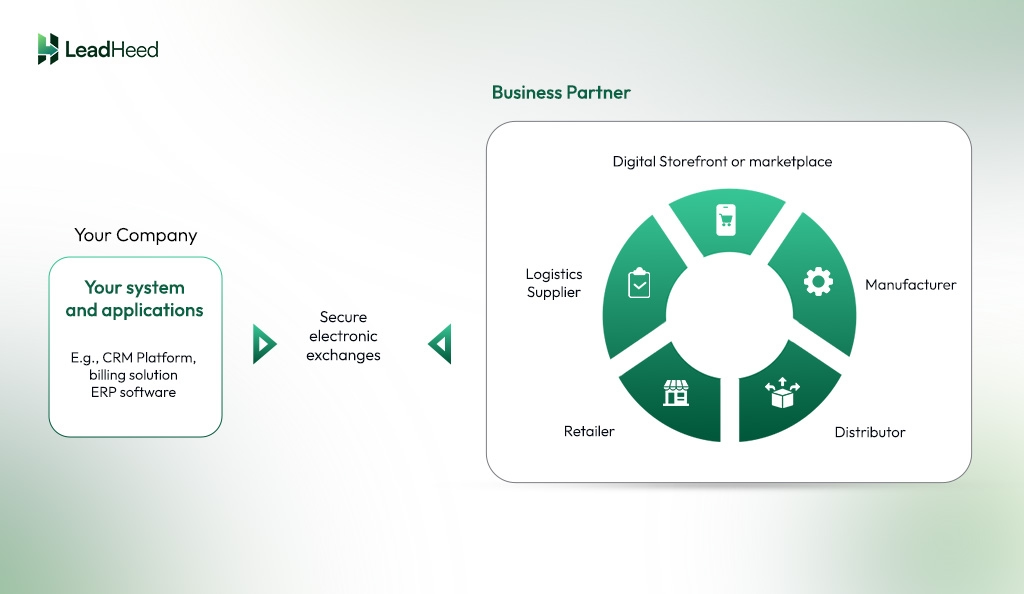
When integrated into your CRM, lead data flows directly into your system. It helps sales and marketing teams find and manage potential customers more quickly and easily, without spending time on manual research.
Conclusion
Lead generation works best when your CRM does more than store contacts. The right tools help you capture interest, qualify prospects, and respond while intent is still high. From embeddable forms and landing pages to chat, email, calls, and databases, each tool plays a clear role in moving prospects from curiosity to conversation.
When these tools connect directly to your CRM, nothing slips through the cracks. Leads get captured automatically, sorted properly, and followed up on at the right time. Your sales team spends less time chasing cold contacts and more time talking to people who actually want to buy.
With LeadHeed CRM software, generating leads is much easier. It helps capture leads through online forms, social channels, and imports, then keeps everything organized with tags, notes, lead sources, and scoring. Your team can see where leads come from, track conversations, prioritize hot prospects, and follow up without switching tools or losing context. Get started with your free 14-day trial today!
FAQs
How can I generate leads quickly?
You can generate leads quickly by using targeted forms, landing pages, email campaigns, social media outreach, and live chat.
Is cold calling still effective for leads?
Cold calling can still work, but it’s not very effective today. Most people ignore cold calls today, so modern channels like email, social media, and referrals usually work better.