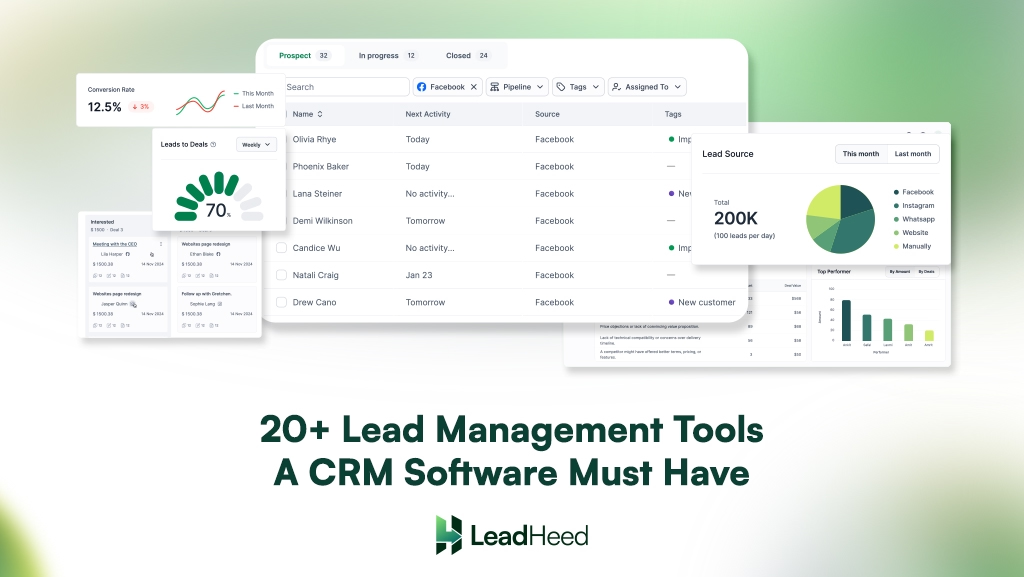
Every sales process starts with a lead, but success depends on how that lead is managed. Even if businesses collect leads, without a proper lead management tool, prospects’ data is scattered among systems, and no one knows who owns the lead or what action is required next.
Sales teams struggle to track progress, assign ownership, or understand which leads deserve attention first. As a result, they repeat conversations, miss important context, and lose trust with prospects.
A Customer Relationship Management (CRM) system with strong built-in lead management tools brings structure to every stage of the lead journey, from capture to conversion. It helps teams track lead status, record communication, and manage pipelines with clarity.
Highlights
- A lead management CRM captures, tracks, and manages leads through defined stages while keeping ownership, actions, and communication visible.
- CRMs need lead management tools to prioritize high-intent leads, ensure timely follow-ups, and maintain accurate sales data.
- Tools like lead capture, scoring, pipeline tracking, and automated workflows improve speed, clarity, and accountability.
- Features such as communication logs, task management, and reporting support consistent outreach and better decision-making.
What is a Lead Management CRM?
A lead management CRM is software that helps businesses capture, track, and manage potential customers throughout the sales process. It defines ownership, tracks progress, and records every action taken on a lead until it becomes a deal or is closed out.
This type of CRM brings structure to sales teams by keeping every lead inside a defined workflow. Leads move through defined stages, follow-ups stay on schedule, and responsibilities remain visible at all times. By centralizing communication history, tasks, and lead status in one place, teams reduce guesswork and maintain consistent outreach.
Why Do CRMs Need Strong Lead Management Tools?
CRMs need strong lead management tools to capture every lead, assign ownership, and ensure timely follow-ups across the sales process. These tools help teams prioritize high-intent leads, track pipeline progress, and keep sales data accurate.
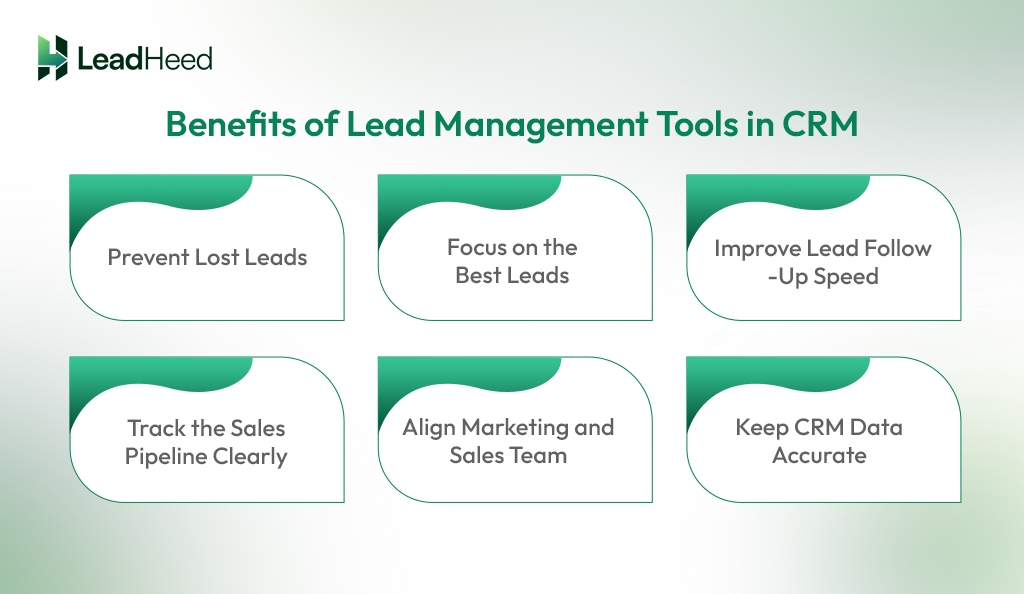
- Prevent Lost Leads: Lead management tools ensure every lead is captured, assigned to the right owner, and followed up at the right time, reducing missed opportunities.
- Focus on the Best Leads: Lead scoring helps sales teams rank leads in CRM based on behavior, engagement, and fit, allowing teams to focus effort on prospects most likely to convert.
- Improve Lead Follow-Up Speed: CRM lead management tools use reminders, alerts, and automation to help teams respond quickly while leads are still engaged.
- Track the Sales Pipeline Clearly: Defined lead stages make it easy to see where each deal stands. This visibility helps teams spot delays and plan more accurately.
- Align Marketing and Sales Team: Lead management connects marketing campaigns with sales results. Both teams work from the same lead data, sources, and status updates.
- Keep CRM Data Accurate: Proper lead tracking prevents duplicates, missing details, and outdated records from entering the system. When lead data stays clean and up to date, reports become more reliable, and forecasts improve.
Essential Lead Management Tools of CRM Software
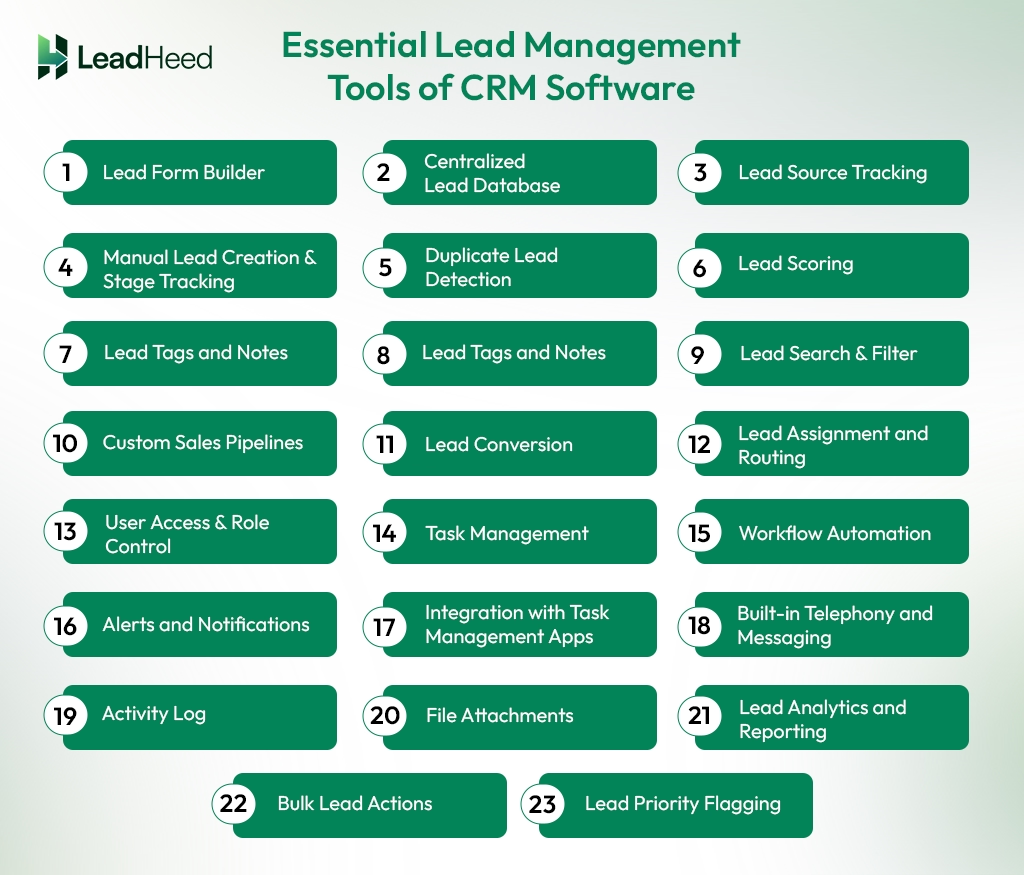
CRM software must include lead management tools such as lead capture, lead status tracking, scoring, routing, task management, communication history, and analytics. Together, these tools keep lead data accurate, improve follow-up speed, and help sales teams manage leads from first contact to conversion.
1. Lead Form Builder
Lead forms help you collect contact details and basic information from people who show interest in a business. A CRM allows you to build a form that you can share to pull data from websites, landing pages, chat widgets, social media ads, emails, and more. Besides, CRM software can also create a contact list of your callers and centralize them in your lead list when integrated with your telephony system.
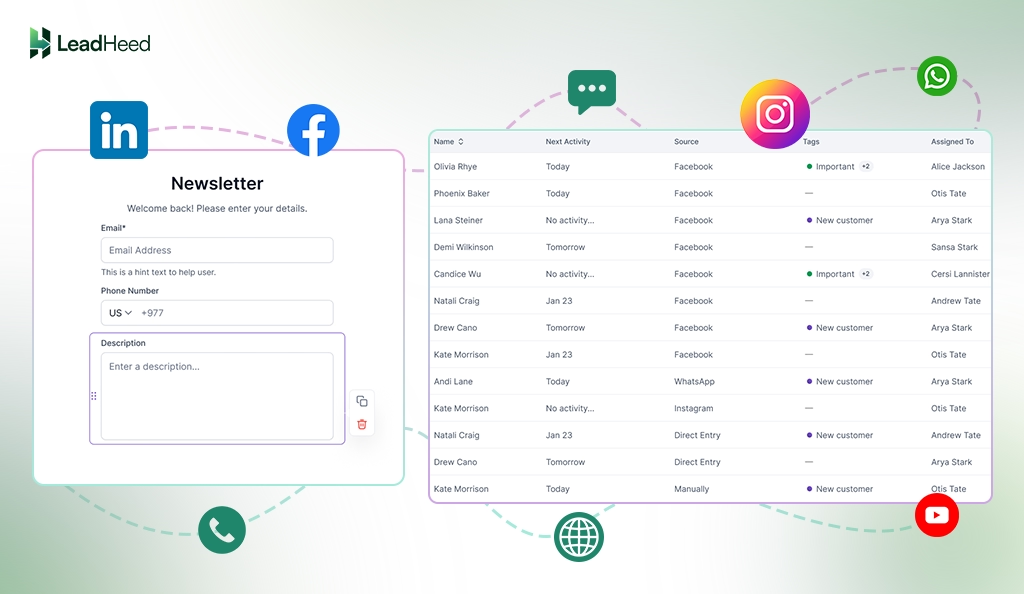
The leads are sent directly into the CRM, after which you can qualify them and convert them into leads. Since the capture process is automated, your team saves time and reduces errors that often occur with manual data entry.
2. Centralized Lead Database
Businesses collect leads from various channels like websites, ads, calls, emails, and imports. When that data stays spread across tools, teams lose track of ownership and next steps. A centralized lead database brings all leads into one place.
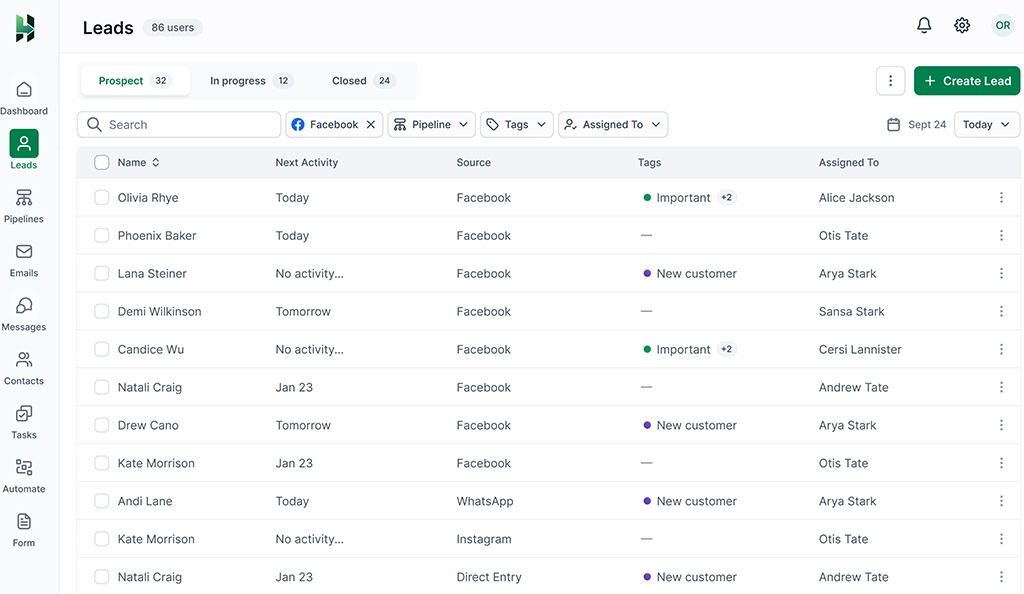
You can view contact details, lead source, current status, and past interactions in a single system without switching between tools. Every update stays visible to the whole team, which prevents duplicate records, mixed-up details, and conflicting follow-ups.
3. Lead Source Tracking
You can track where each lead comes from, such as website forms, referrals, ads, or a campaign. If you have your CRM integrated with a calling platform, you can also record calls as a lead source. The system records details at the time of capture, so your team always knows how a prospect entered the CRM.
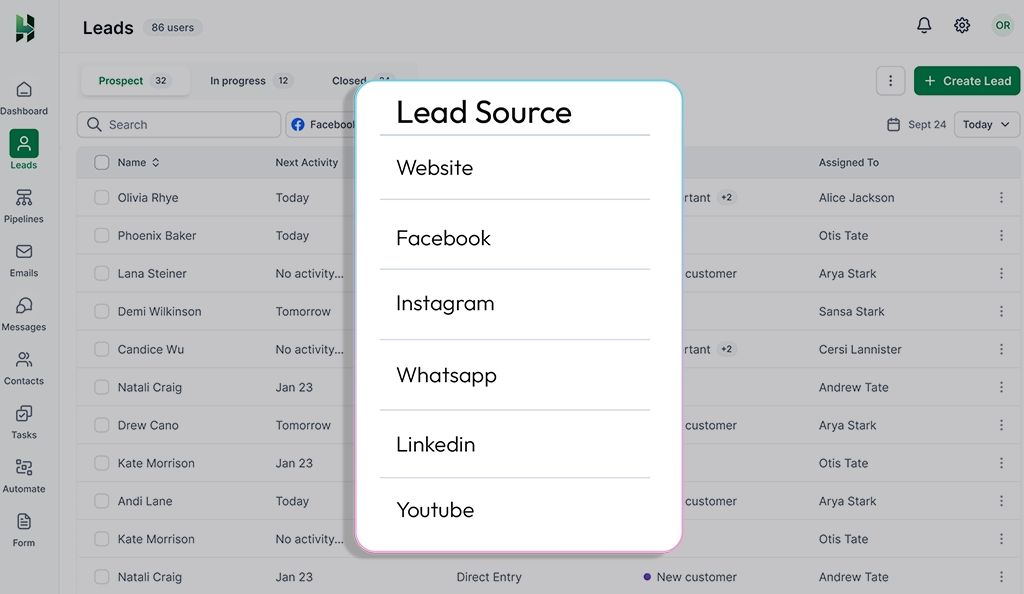
Lead source gives important context for how you approach the conversation, such as referral leads often expect a warmer approach, while ad-generated leads usually need more qualification. Over time, source tracking shows which channels bring quality leads and which ones waste effort, helping you adjust follow-ups and spending with clarity.
4. Manual Lead Creation & Stage Tracking
Leads don’t always come from online interaction; some enter from offline sources such as referrals, events, or sales calls, where details are shared verbally. In these cases, you need to create the lead manually so it follows the same tracking process as every other inquiry with the same fields, ownership, and visibility.
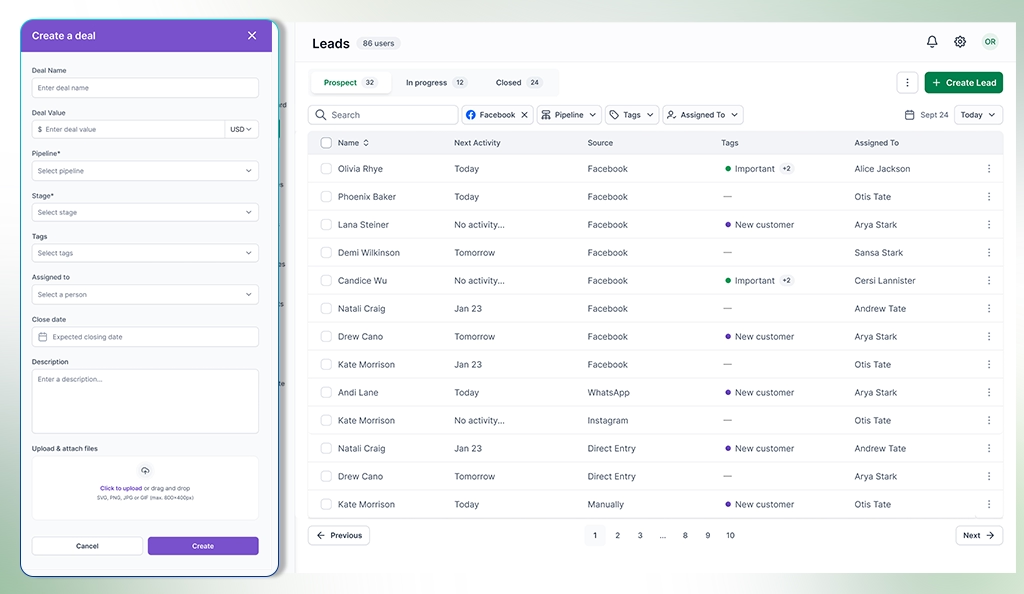
After a lead is collected, you need to know where it stands in the sales journey to decide the next step. A CRM that groups leads into clear stages, such as new, contacted, qualified, active, or closed, shows progress at a glance. Each stage represents a specific point in the sales process and guides the next action, whether that is a call, a follow-up, or closing the lead.
5. Duplicate Lead Detection
Sometimes, a prospect may fill out forms twice, send an email, and later call the business. The same data often enters your system more than once. But if you use duplicate lead detection, it spots matching details such as email addresses or phone numbers and flags repeated entries before they create confusion.
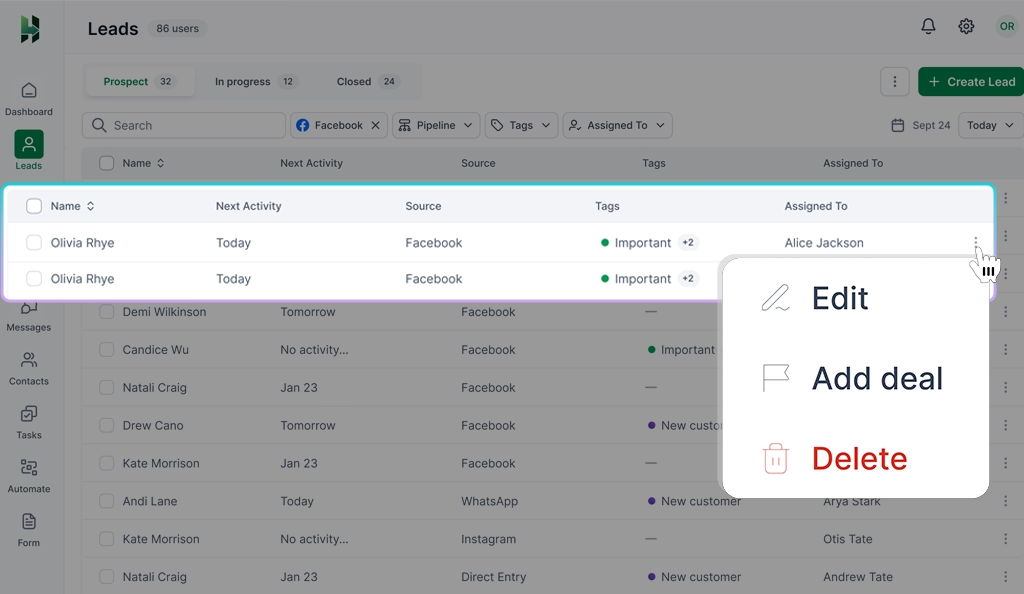
With one clear record per lead, your data stays accurate, and reports reflect real activity. Your team avoids calling the same prospect twice or sending mixed messages from different reps, and follow-ups stay consistent.
6. Lead Scoring
Not every lead deserves the same level of attention. Some people show clear interest, while others only browse and treating them all the same often wastes time. You can sort those leads by assigning a numerical value to prospects based on prospect actions, response, or basic fit.
For example, a lead might get +10 points for filling out a demo form and +20 points for replying to an email, or +30 for answering a sales call. A higher score signals stronger buying intent, while a lower score shows the lead needs more nurturing or can wait.
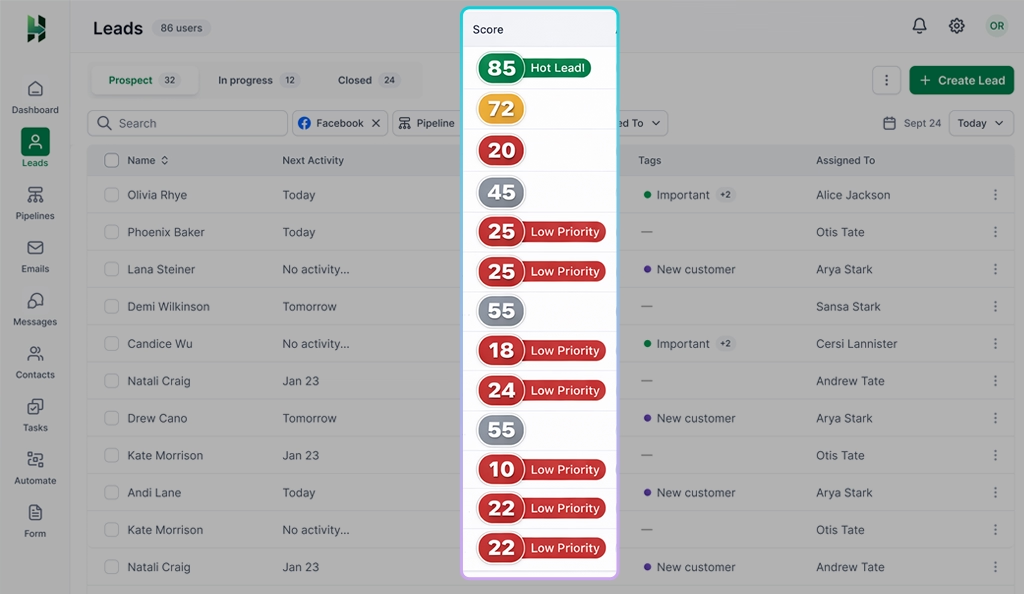
Furthermore, the scores help the team spot high-intent leads faster without digging through a detailed report. Also, instead of calling leads in the order they arrived, reps can target high-score leads first, which drastically improves closing rates and shortens the sales cycle.
7. Lead Tags and Notes
Beyond numerical value and basic detail, a CRM system must capture context from real conversations to keep follow-ups relevant and informed. You can add a tag to a lead based on interest, urgency, or use case, then write short notes about what the prospect asked and shared, or suggest next steps.
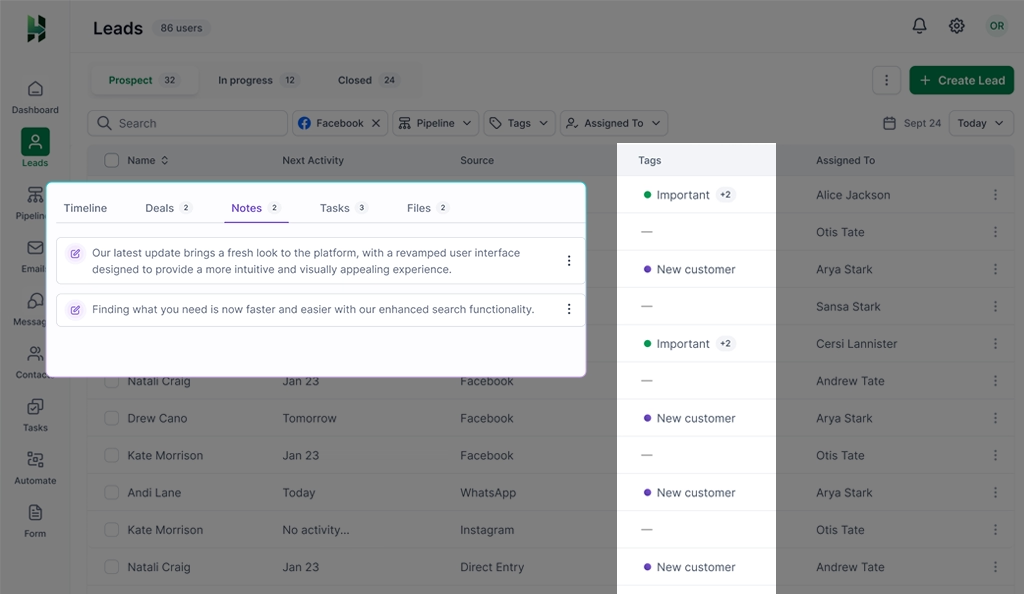
When a lead moves between team members, tags and notes provide a clear background without relying on memory. Important details stay visible, repeated questions get avoided, and follow-ups stay consistent. Grouping leads under shared tags also makes filtering easier and helps teams prioritize tasks across the sales pipeline.
8. Lead Search & Filter
Searching through a massive database manually is impossible once you have more than a few dozen leads. But with the CRM search and filter tool, you can pull up a specific lead by typing a name, email, or company into a search bar. You can also apply filters to further narrow results by location, status, source, owner, or activity and reach what you need in seconds.
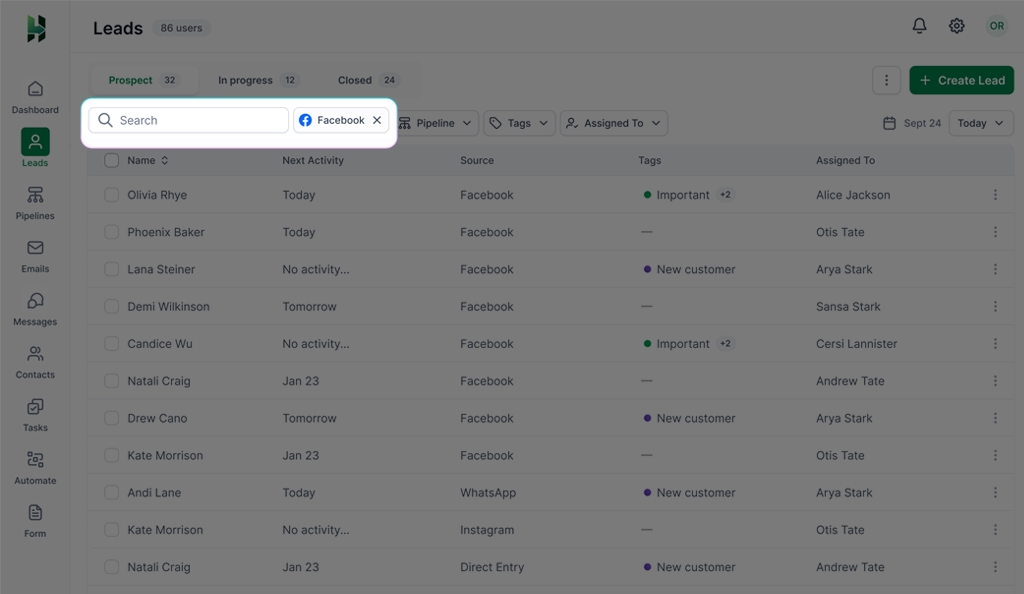
With faster access to relevant leads, Sales reps can focus on specific lead groups, such as high-priority or inactive leads that need immediate follow-up, and take action without delay. Your team spends more time talking to prospects instead of sorting data.
9. Custom Sales Pipelines
Different businesses qualify leads, approve deals, and close sales in different ways. Custom pipeline tools let you build stages that match your actual workflow rather than forcing you into a template. You choose the steps, name the stages, and set the order that fits your daily sales flow. You can even run multiple pipelines for separate products so your data stays organized and distinct.
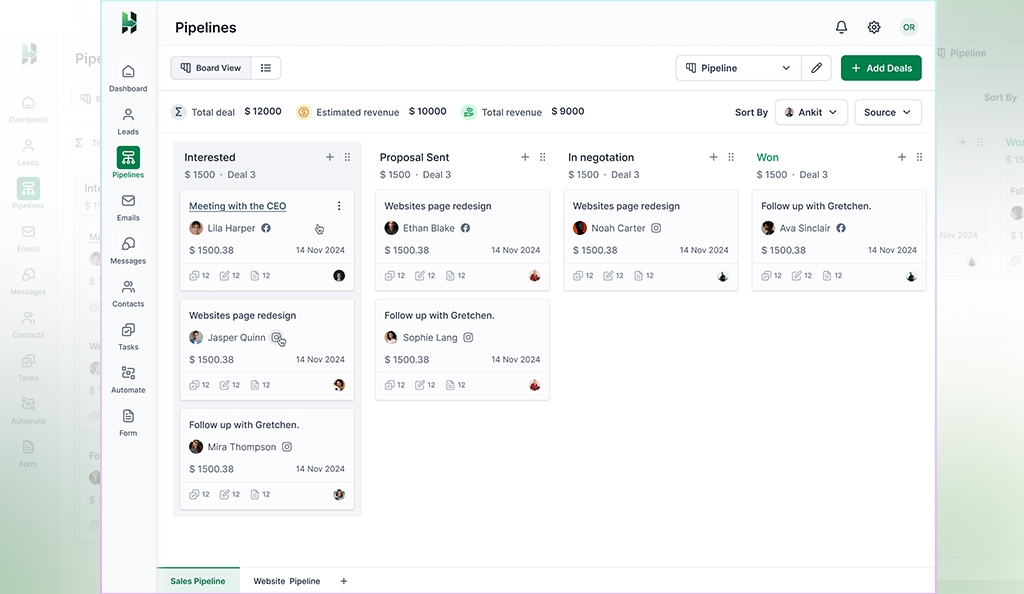
A well-structured pipeline brings clarity to the sales process and keeps work predictable. You can see how many leads sit at each stage and where deals slow down. Sales reps know which action fits each stage, and managers can review progress without asking for updates.
10. Lead Conversion
At some point, a lead shows real interest and matches your ideal customer profile. Lead conversion marks that moment and moves the qualified prospect into an active sales opportunity, also known as a deal, with a single click. The CRM carries over all the contact history, notes, and files from the lead stage, so you continue the conversation without starting over.
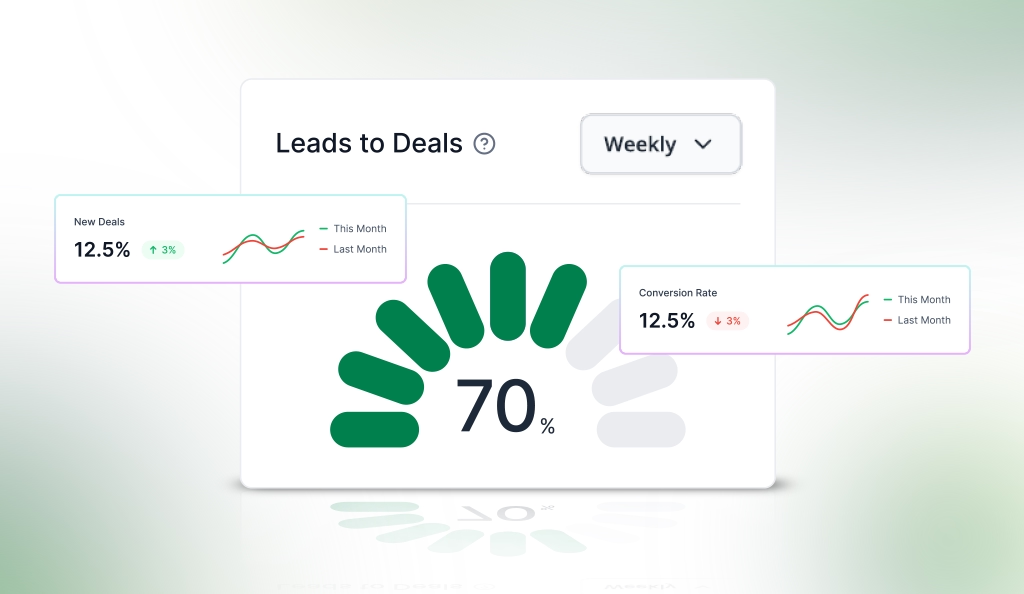
Moving a lead into the deal stage helps separate general inquiries from real revenue opportunities. You can assign a specific dollar value and expected close date to these deals, then track progress through the pipeline.
11. Lead Assignment and Routing
When multiple team members work with the same lead data, conversations and actions can overlap. Lead assignment and routing prevent that confusion by giving each lead a clear owner. You assign leads based on factors like source, location, or current workload, so responsibility stays clear from the start.
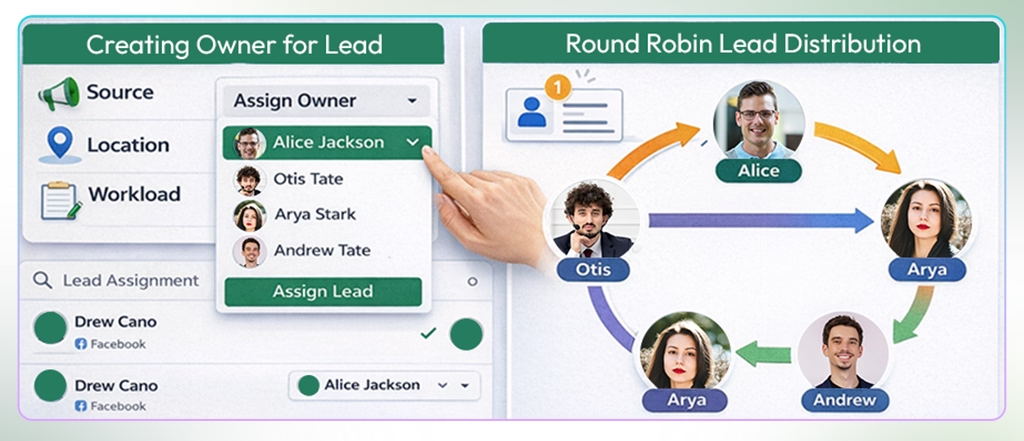
You can also use a round robin system to distribute leads evenly across sales reps. Each new lead goes to the next available team member, which balances workload and ensures every inquiry gets the attention it deserves before it goes cold.
12. User Access & Role Control
Lead data often includes private contact details, deal values, and internal notes that should not be visible to everyone. Setting clear access limits helps keep this information in the right hands. You assign permissions based on job roles, such as sales rep, manager, or admin, and define who can edit records, export contact lists, or view sensitive details.
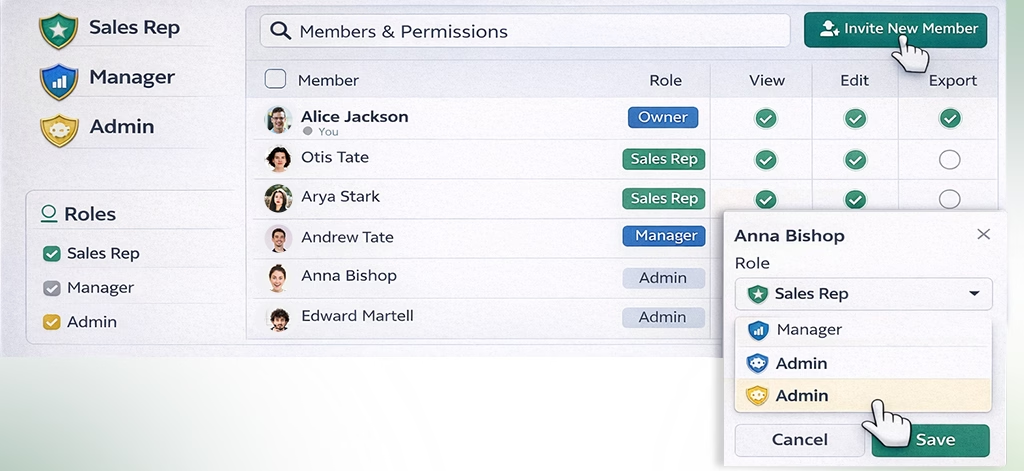
Role-based settings prevent accidental edits and misuse while keeping sensitive data protected. Since responsibilities remain well defined, the system stays stable as more users work in it, and the data remains accurate over time.
13. Task Management
After a call, meeting, or message with a lead, a rep needs a clear way to record the next step. A CRM system should let you plan follow-ups by writing short action descriptions, setting due dates, and assigning responsibility to the right person. Tasks stay linked to the lead, along with notes or files, which keeps context clear during future conversations.
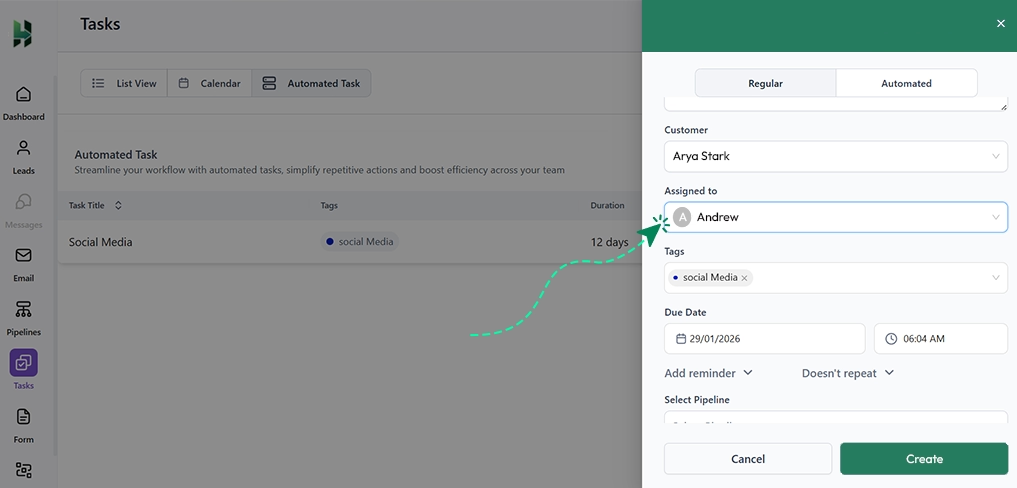
Clear task tracking keeps teams consistent by showing exactly what action needs to happen next and when. Sales reps know exactly what needs attention each day, while managers can see pending and overdue tasks at a glance. With clear follow-up tracking, teams reduce delays, maintain momentum, and build trust through consistent communication.
14. Workflow Automation
Routine sales work often follows the same pattern: a lead arrives, a rep gets assigned, and a follow-up needs to happen. Instead of repeating these steps manually, you can set trigger rules so certain actions happen automatically when a lead moves through the pipeline.
For example, when a lead becomes qualified, the system can instantly create a follow-up task, send an email, and notify the assigned rep right away.
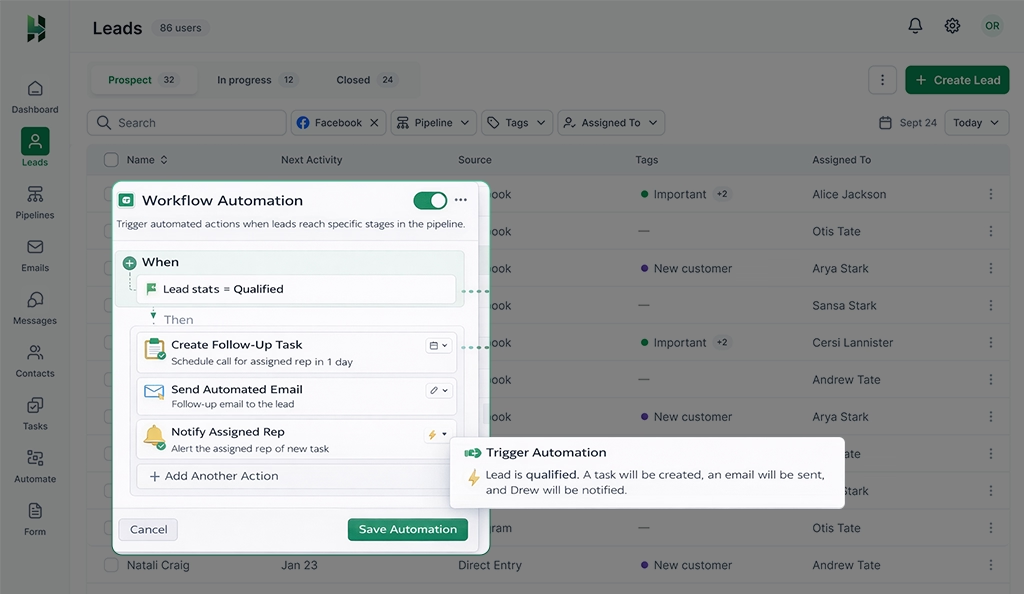
Even when you are busy or out of the office, CRM Workflow automation ensures that your process remains consistent. Important steps do not get skipped, and timing stays predictable. As lead volume increases, the consistency helps teams manage more work without losing control or slowing down response time.
15. Alerts and Notifications
Sales teams miss opportunities when important signals go unnoticed. You need to know when a lead opens a message, misses a follow-up, or sits in the same stage for too long. A CRM should draw attention to these moments instead of making you search for them.
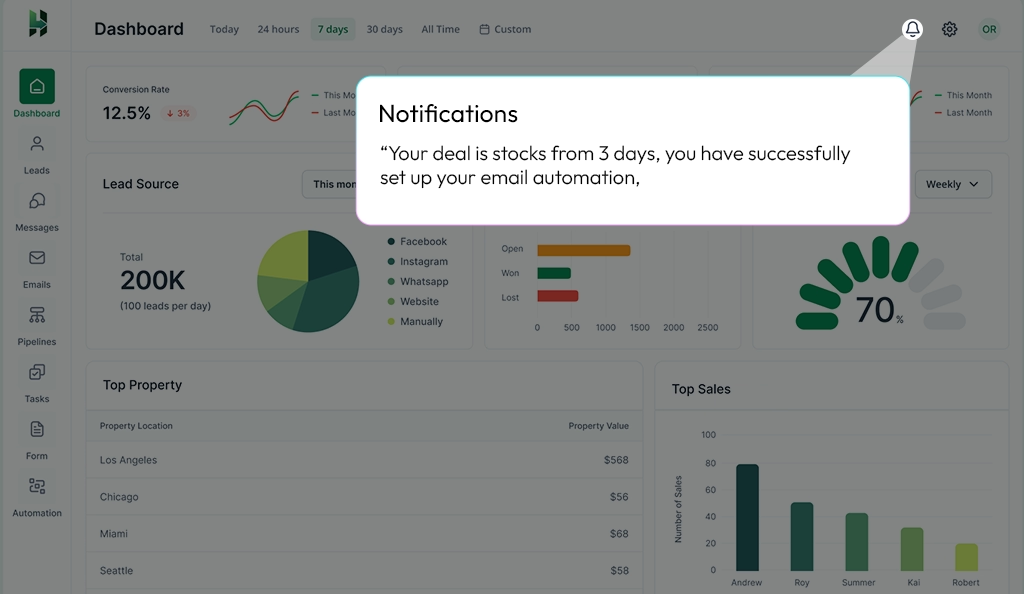
Timely prompts help you act while interest is still fresh. You respond faster, adjust priorities during the day, and avoid late follow-ups.
16. Integration with Task Management Apps
When scheduling follow-ups or planning a task, sales reps often use a calendar, daily planner, or a specific task app. Linking these external tools directly to your CRM keeps every schedule accurate and eliminates the need for manual double-entry. A follow-up set during a live call can instantly appear on your Google or Outlook calendar, and changes made to dates also stay in sync across all systems.
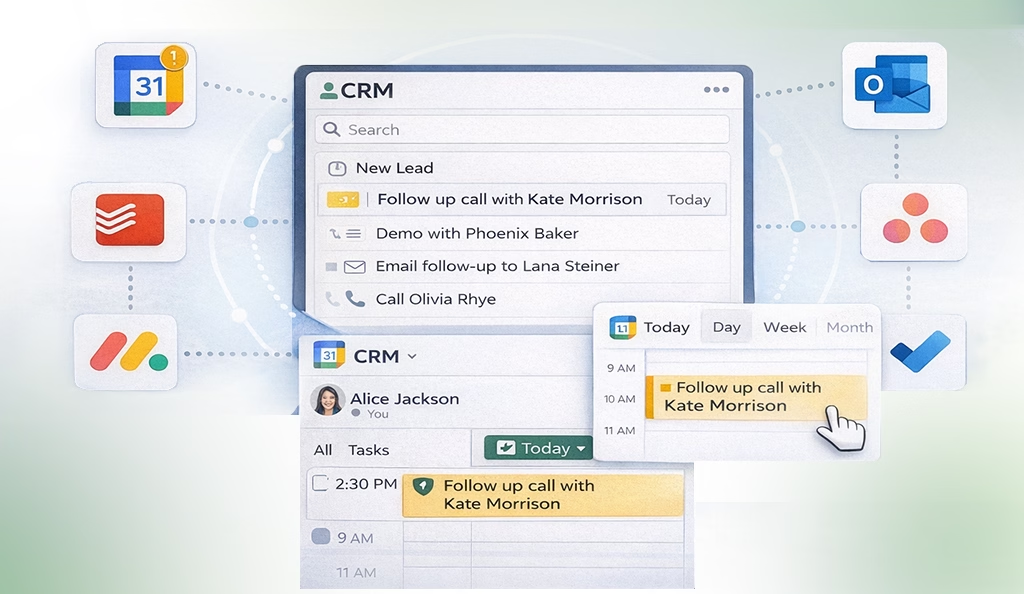
As the workload increases, a unified CRM system helps teams stay organized, consistent and avoid missed actions. Team members manage their work from a single view instead of switching between tools, while updates stay aligned across connected platforms.
17. Built-in Telephony & Messaging
Built-in CRM dialer and messaging allow sales teams to call or message leads directly from the CRM. Users can make phone calls, send SMS, or use messaging apps without switching the device. Each interaction is automatically logged into the system, including call recordings and message transcripts, which keeps the communication history complete and up to date.
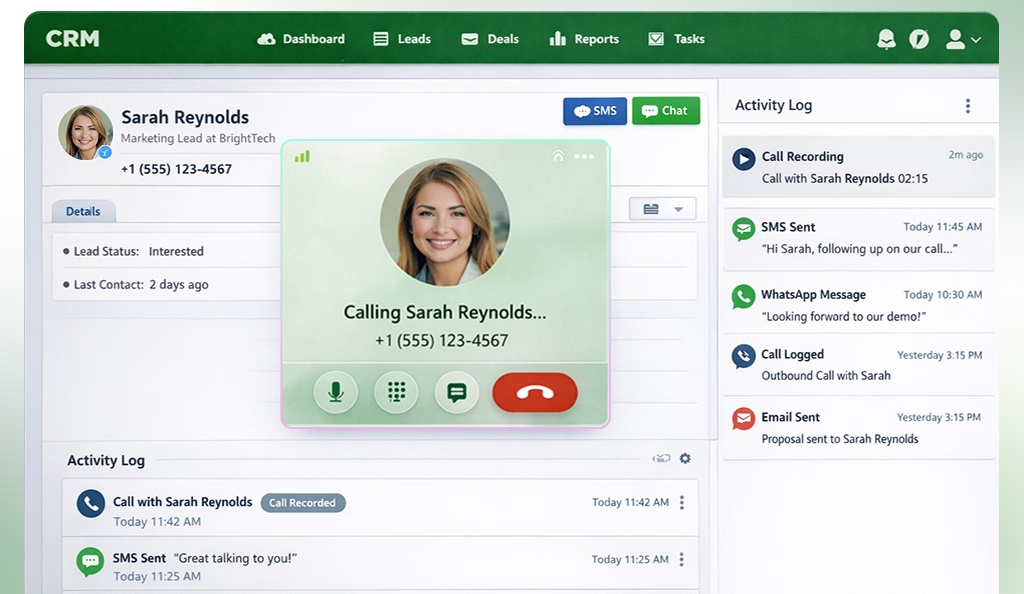
Since every conversation stays connected to lead data, teams always have context and can follow up in a clear, consistent way. It also keeps outreach quick and direct and helps teams respond to inbound calls without delay.
18. Activity Log
A lead goes through many changes throughout the sales journey: tasks get created, stages move forward, ownership changes, and conversations take place. An activity log records each of these actions in one timeline, showing what changed, who made the update, and when it happened.
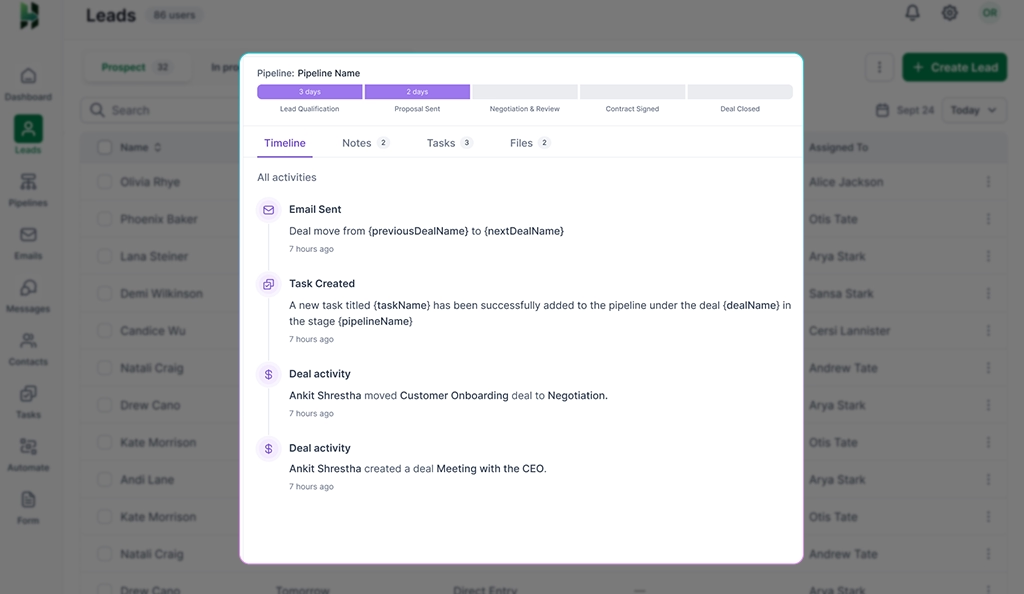
The transparent activity history keeps every task or action clear and aligned, even when multiple people interact with the same lead. It prevents conflicting messages, supports smoother handovers, and gives managers a factual basis to review progress.
19. File Attachments
In most CRM systems today, you can upload and store documents directly within a lead or deal record to remember details about leads. The files can be proposals, contracts, presentations, or identification documents. Each document stays connected to the right contact, so there is no confusion about ownership or relevance.
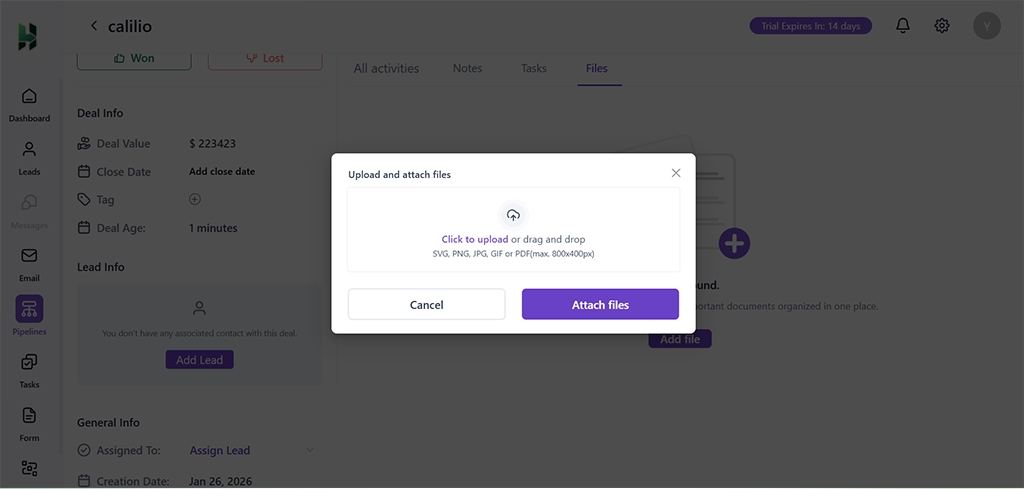
Keeping these documents tied to the lead removes the need to search through emails or external folders. It supports smoother collaboration and reduces confusion during the sales process.
20. Lead Analytics & Reporting
Lead analytics and reporting give sales teams clear insight into how leads move through the sales process. These reports can track metrics like lead volume, conversion rates, response time, and deal outcomes. Data is usually shown through charts and tables, making patterns easy to spot.
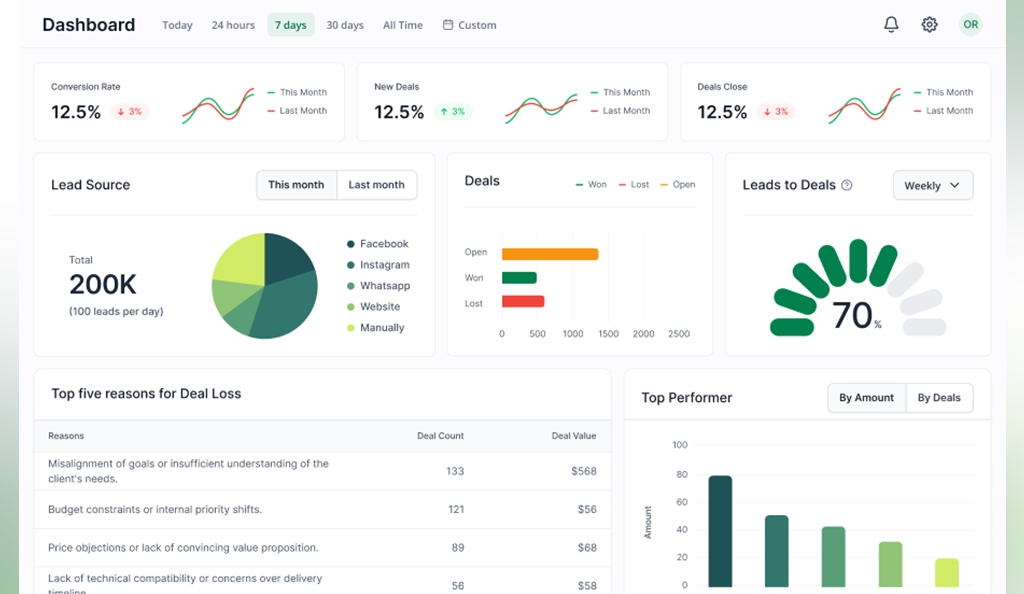
With clear CRM reporting, managers can see what is working and what needs attention. Meanwhile, sales teams can adjust their approach based on real results instead of guesswork. Overall, analytics help teams plan better, set realistic targets, and improve results over time.
21. Bulk Lead Actions
As lead volume grows, you often need to update many records at the same time. Instead of opening each update one by one, with bulk lead action, teams can select multiple leads and apply changes such as updating status, assigning owners, adding tags, or sending emails. It is especially helpful when working with large campaigns or imported lead lists.
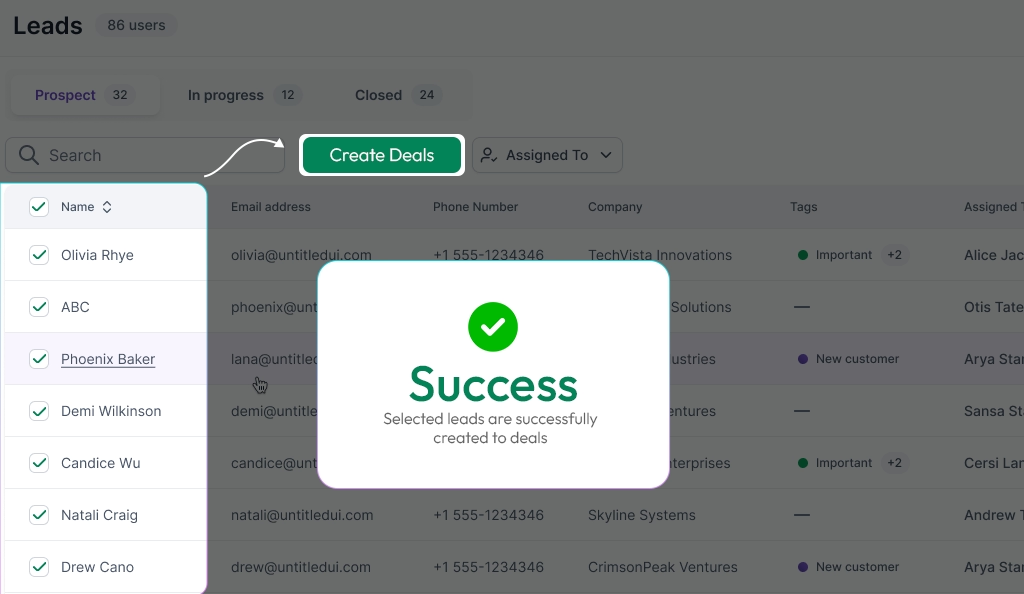
Every selected lead follows the same update rules, which reduces uneven data and manual errors. Teams spend less time on repetitive admin work and more time on outreach and follow-ups.
22. Lead Priority Flagging
Some actions, such as pricing inquiries, direct purchase requests, or technical support questions, need immediate attention. You can mark these leads as high, medium, or low priority based on interest level, deal size, urgency, or internal rules. These flags are usually visible in lead lists and detail views, making important leads stand out right away.
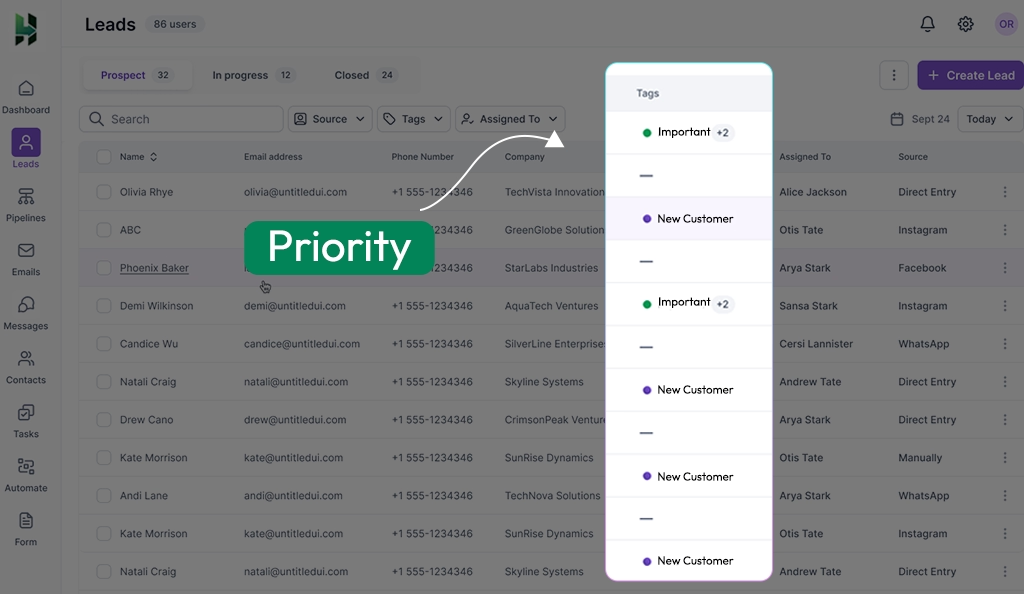
When priorities are visible, high-value leads receive attention before interest fades, and Work stays organized even during busy periods.
Conclusion
Effective lead management depends on more than collecting contacts. It requires systems that define ownership, track progress, and support timely follow-ups. Well-built lead management tools provide this structure by connecting lead data, communication history, automation, and reporting in one CRM workflow.
LeadHeed is a CRM software built to manage leads with clarity and control. With built-in centralized lead tracking, clear pipelines, task management, communication history, and reporting, LeadHeed helps sales teams stay organized and focused on the right actions. Start your free trial today, no credit card required!!
Frequently Asked Questions
What are the 7 C’s of CRM?
The 7 C’s of CRM are Customer, Consistency, Communication, Collaboration, Customization, Convenience, and Control. These principles guide how CRM systems store data, manage interactions, and deliver a reliable customer experience.
Can a CRM work without lead management tools?
A CRM can store contacts without lead management tools, but it cannot support an effective sales process. Without lead tracking, assignment, follow-ups, and prioritization, teams lose visibility, miss opportunities, and struggle to convert leads into deals.
How do lead management tools improve sales productivity?
Lead management tools improve sales productivity by organizing leads, assigning ownership, and guiding timely follow-ups so reps know exactly what to do next. They reduce manual work through automation and prioritization, allowing sales teams to focus on high-intent leads and close deals faster.
Are lead management tools different from contact management?
Lead management tools are more advanced than contact management. Where contact management focuses only on storing and updating contact data, lead management focuses on capturing, tracking, prioritizing, and converting prospects through the sales process.