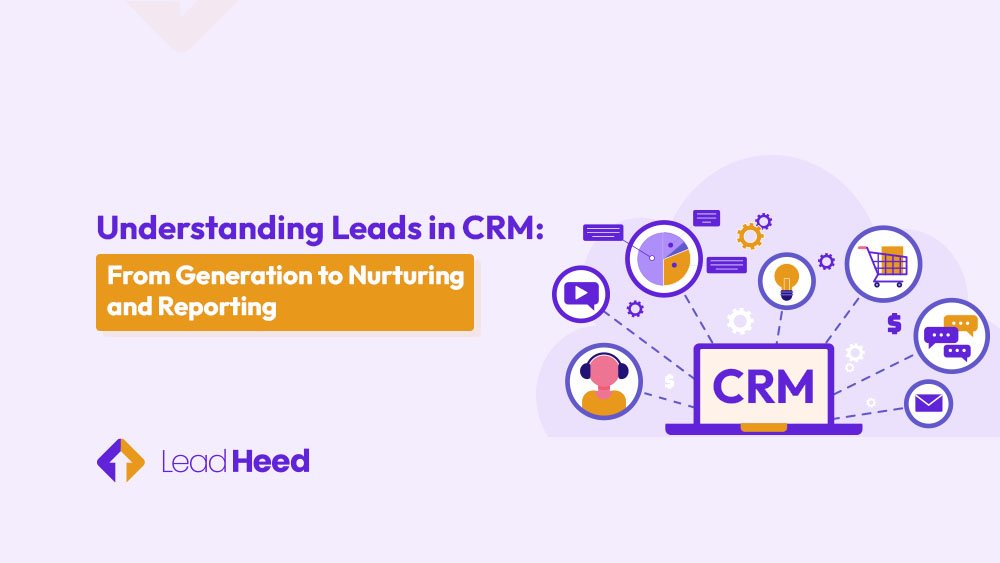
You’re getting leads, but they aren’t turning into customers. Sounds familiar? Without the right system, follow-ups fall through, sales get messy, and promising opportunities vanish. Many teams fail to track or manage leads in CRM properly. This leads to confusion over stages and makes it harder to focus, frustrating both sales and marketing.
With a CRM, you can manage every lead effortlessly — track progress, prioritize prospects, and turn interest into sales. It gives your team a clear view of customer interactions, automates repetitive tasks, and helps personalize outreach. The result? Stronger relationships, smoother sales processes, and a steady increase in conversions.
This guide explains how a CRM takes leads from generation to conversion. Learn how it helps your team organize data, improve follow-ups, and make smarter decisions that lead to higher sales and faster growth.
What is a Lead in CRM and Why It Matters?
A lead in a CRM system is a person or company that shows interest in your product or service. They may fill out a form, download content, or contact your business. A Customer Relationship Management helps keep all lead information in one place. This makes it easier to follow up, track progress, and prevent losing potential customers.
It’s important to understand that leads, contacts, and accounts are not the same. A lead is a new potential customer with limited details. Once more information is gathered or a relationship is built, the lead becomes a contact. An account, on the other hand, represents the company associated with one or more contacts. Recognizing these differences helps teams organize data accurately and maintain a clean CRM database.
Having a clear definition of what qualifies as a lead ensures that sales and marketing teams stay aligned. When both teams agree on lead criteria, they can focus on high-quality prospects, improve follow-ups, and boost conversion rates. A CRM system makes this process structured, transparent, and far more efficient.
Types of Leads You Should Track in CRM
You should track leads such as suspects, cold leads, warm leads, and hot leads for measuring interest and buying intent. For better sales and marketing alignment, you should track Marketing Qualified Leads (MQLs) and Sales Qualified Leads (SQLs). These lead types help businesses adjust their engagement strategy.
1. Suspects
Suspects are people or companies that match your target audience but haven’t shown any clear interest yet. They form the foundation of your potential customer list. At this stage, engagement is all about creating awareness — through ads, blogs, or email campaigns — to see if they can be nurtured further down the funnel.
2. Cold leads
Cold leads are prospects who have interacted minimally with your business. They might have opened an email or visited your website once, but haven’t engaged further. However, keeping cold leads in your pipeline is still valuable. The goal here is to rekindle interest by sharing helpful content, gentle reminders, and educational materials that warm them up over time.
3. Warm leads
Warm leads have shown noticeable engagement with your business — for example, downloading a guide, attending a webinar, or requesting product details. They’ve moved beyond awareness and are evaluating options. At this stage, your communication should be more personalized, sending relevant offers, tailored emails, or case studies that address their specific pain points. The aim is to move them closer to making a purchase.
4. Hot leads
Hot leads are those ready to buy. They often ask about pricing, features, or next steps, signaling strong purchase intent. These leads deserve your highest priority. Your engagement should be immediate and direct, through calls, demos, or limited-time offers — to close the deal quickly before interest fades.
5. Marketing Qualified Leads (MQLs)
Marketing Qualified Leads are prospects identified by the marketing team as promising based on their actions or profile. They’ve engaged with your content and match your target audience, but aren’t quite ready for sales yet. MQLs benefit from nurturing through automated email workflows, targeted ads, and helpful resources that educate and prepare them for the next stage of the funnel.
6. Sales Qualified Leads (SQLs)
Sales Qualified Leads are the most valuable type — prospects who are ready to speak directly with sales. They’ve met clear qualification criteria, shown strong intent, and are likely to make a purchase soon. At this stage, the focus shifts to personal interactions such as calls, demos, or detailed proposals to help close the deal efficiently.
What are the Key Stages of a Lead in CRM?
The key stages of a lead in CRM are the steps a person takes before becoming a customer. These include awareness and interest, lead capture, qualification, consideration, opportunity, and conversion. Each stage shows how ready the lead is, and helps sales and marketing teams guide them with the right messages at the right time.
1. Awareness & interest
In this stage, a lead in CRM first learns about your product or service. They may see an ad, read a blog, or hear about you from a friend. The goal is to get attention and spark curiosity. Businesses use content, SEO, and social media to create awareness. Interest grows when the lead starts exploring more. They may click on posts, visit your site, or sign up for free resources.
2. Lead capture
This stage happens when a CRM lead shares their details with you. They may fill a form, download a guide, or talk with a chatbot. It means they are open to hearing more. Capturing leads in CRM gives you a chance to track and nurture them. With data like email, phone, or company info, you can start sending the right messages to build trust.
3. Qualification
In CRM, qualification means checking if a lead is a good fit. Not every lead is worth sales time, so you need to filter. You look at interest, budget, or buying power. Qualified leads in CRM are scored and grouped. This helps sales and marketing teams know which ones to follow up with now, and which need more nurturing before they are ready.
4. Consideration
Here, the lead in CRM is comparing options. They know their problem and are looking at different products or services. They may read reviews, attend webinars, or ask for demos. In this stage, engagement is about trust. Businesses must show value, explain features, and solve objections. A clear, helpful approach makes the CRM lead move closer to the next stage.
5. Opportunity
An opportunity is when a CRM lead is close to buying. They show strong intent, like asking for pricing or requesting a proposal. This stage is critical for sales teams. In CRM, opportunities are tracked as deals. Sales reps need to act fast with offers, demos, or one-to-one talks. Good timing here can decide if the lead converts or walks away.
6. Conversion
Conversion is the final stage in lead management in CRM. This is when a lead becomes a customer by signing up, making a payment, or closing a deal. The focus here is on making the process simple and smooth. A clear offer, easy checkout, or quick response helps. Every conversion adds to business growth and proves the CRM strategy is working.
How Does Lead Generation Work in CRM Systems?
Lead generation in CRM systems is the process of attracting, capturing, enriching, and qualifying leads to turn them into customers. They attract people with ads, capture their details, add extra information, and finally check and assign leads for sales or follow-up.
1. Attract
The first step is to get people’s attention. CRM lead generation brings the right people to your business using SEO strategies, ads, social media, or referrals. For example, a local bakery might share short Instagram videos of fresh pastries. This helps new leads find your business and enter your CRM so you can follow up later.
2. Capture
After attracting interest, you need to capture contact details. This can be done with forms, chatbots, or gated content like free guides. Once captured, these leads are automatically added to your CRM, allowing your team to send helpful messages, nurture relationships, and guide prospects through the next steps in their journey.
3. Enrich
Enrichment adds extra information to CRM leads. This can include company size, location, industry, or behavior on your website. A software company can see which pages a lead clicks on. This helps your team understand the lead better and send personalized messages that match their needs.
4. Qualify and Assign
The final step is checking which leads are ready to buy and assigning them properly. A CRM helps rank leads by interest and fit. A travel agency may focus on a customer asking for a holiday quote over someone just reading blogs. This ensures the team spends time on leads most likely to convert.
Lead Qualification in CRM: Best Practices
Lead qualification in CRM is the process of identifying and prioritizing leads that are most likely to buy. Best practices include knowing the customer, setting standards, validating leads, and scoring them objectively. They also include differentiating early-stage and sales-ready leads, using insightful engagement, tracking progress, and continuously optimizing your approach.
1. Know your perfect customer
The first step in lead qualification is knowing who your ideal customer is. Look at their role, industry, company size, needs, and pain points. Understanding this helps your team focus only on leads that have real potential. Additionally, a clear profile makes it easier to spot quality leads in CRM and avoid wasting time on prospects who are unlikely to convert.
2. Set smart qualification standards
The next step is setting clear rules for which leads are worth pursuing. These standards could include budget, company size, engagement level, or location. By defining criteria in your CRM, teams can quickly decide which leads should move forward and which need more nurturing. Thus, smart qualification standards save time, reduce wasted effort, and help focus on prospects most likely to become customers.
3. Validate leads before engagement
Before reaching out, check lead details like email, phone, or company name. Validating leads in CRM reduces wasted effort, avoids communication errors, and ensures your sales team only reaches leads they can actually contact. Proper validation improves efficiency and increases the chances of a successful first interaction.
4. Score leads objectively
Use lead scoring to assign points based on behavior, demographics, and engagement. High scores indicate stronger interest and higher potential to convert. Scoring leads in CRM helps sales teams prioritize follow-ups, focus on the most promising prospects, and manage time better. It removes guesswork and ensures attention goes to leads most likely to buy.
5. Differentiate early-stage and sales-ready leads
Not all leads are ready to buy immediately. Early-stage leads need nurturing, while sales-ready leads are prepared for direct outreach. Differentiating leads in CRM ensures your team invests time wisely. By treating each type according to its stage, businesses can guide prospects through the funnel efficiently and improve overall conversion rates.
6. Use insightful engagement
Engage leads with messages, emails, or content that match their interests and stage in the CRM pipeline. Insightful engagement builds trust and keeps leads moving forward. Personalized communication demonstrates that you understand their needs, increasing the likelihood of conversion. Using CRM data to tailor engagement ensures your approach is relevant and effective.
7. Track progress and follow-up strategically
Monitor each lead’s activity in your CRM, including responses, clicks, and stage movement. Strategic follow-ups help ensure no lead is forgotten and every prospect receives timely attention. Tracking progress allows teams to plan next steps, measure success, and make sure high-potential leads are prioritized, improving conversion chances and sales efficiency.
8. Continuously optimize your approach
Finally, review your lead qualification process in CRM regularly. Check which criteria and engagement strategies work best and refine what doesn’t. Continuous optimization keeps your approach aligned with changing customer behavior and business goals. This increases efficiency, ensures better lead management, and helps convert more prospects into paying customers.
Nurturing Leads With Targeted CRM Workflows
Nurturing leads with targeted CRM workflows means guiding prospects with the right messages at the right time. This includes personalizing communication by awareness stage and using multiple channels like email, SMS, and chat. You also set exit triggers to move leads into the sales pipeline efficiently.
1. Personalize nurturing by the awareness stage
Leads in CRM are at different awareness stages. Some are just realizing a problem, others are exploring solutions, and some are comparing vendors. Personalizing communication for each stage helps keep leads engaged and prevents them from dropping off.
For example, a software company can send educational content to a lead in the problem stage. It can also offer product demos or comparison guides to leads evaluating vendors. Therefore, tailored content makes engagement more relevant and increases the chance of moving the lead forward.
2. Multichannel nurturing
Leads respond in different ways, so it’s important to engage them across multiple channels. Email, SMS, chat, and retargeting ads all work together to ensure your messages reach the lead where they are most active.
For instance, an e-commerce business might send a cart reminder via SMS, follow up with a promotional email, and run retargeting ads on social media. Multichannel nurturing increases engagement and keeps leads moving closer to conversion.
3. Define exit triggers
Exit triggers in CRM workflows tell you when a lead is ready to move to the sales pipeline. These triggers can include actions like requesting a demo, downloading pricing guides, or reaching a certain lead score.
Once a lead hits the exit trigger, the workflow automatically moves them into the sales pipeline. This ensures timely follow-up, avoids missed opportunities, and improves the chances of converting leads into paying customers.
How Can CRM Reporting Improve Lead Management?
CRM reporting improves lead management by showing which leads are active, where they get stuck, and which campaigns work best. It helps track lead activity, identify bottlenecks, measure campaign effectiveness, and make better decisions.
1. Track lead activity
CRM reports help you see what leads are doing. You can track who opened emails, clicked links, or visited your website. This shows which leads are engaged and which need more attention. A software company can notice which leads downloaded a guide versus those who only visited the homepage. This helps focus follow-ups on leads more likely to convert.
2. Identify bottlenecks
Reports show where leads get stuck in the sales process. If many leads are stuck at the same stage, you can find and fix the problem. A marketing team may see that many leads drop off after the demo request stage. By improving communication or guidance at that point, more leads can move forward in the pipeline.
3. Measure campaign effectiveness
CRM reporting shows which campaigns bring the most qualified leads. You can see which ads, emails, or social posts generate high-quality leads worth pursuing. An e-commerce store can compare email campaigns and social ads to find which brings the highest lead conversion. This helps allocate marketing resources smartly and increase ROI.
4. Improve forecasting and decisions
Reports give insights for better planning and decision-making. You can predict sales, assign resources, and plan follow-ups based on data from CRM leads. A company can see how many leads are ready to convert this month. This helps sales plan outreach, set realistic targets, and make better decisions to grow revenue.
Conclusion
Managing leads effectively is key to turning interest into sales — but without the right system, it’s easy to lose track and miss opportunities. A CRM helps simplify this process by organizing every step, from capturing and qualifying to nurturing and reporting. With better visibility and coordination, your teams can focus on building relationships that truly drive revenue growth.
That’s where LeadHeed CRM comes in — your all-in-one solution for smarter lead management. It helps you capture, track, and convert leads effortlessly while automating repetitive tasks and providing real-time insights. With LeadHeed, your team can focus less on manual work and more on closing deals.
Ready to turn every lead into a customer? Try LeadHeed CRM today and see how easy nurturing and conversion can be!
FAQs
What is a lead in CRM?
A lead in CRM is a person or business that has shown interest in your product or service — for example, by visiting your website, filling out a form, or contacting your team. In a CRM, leads are tracked and nurtured through personalized communication to turn interest into sales.
How do I automate lead scoring in a CRM?
Lead scoring automation uses predefined criteria like engagement, behavior, and demographics to rank leads. The CRM updates scores automatically as prospects interact, helping sales prioritize high-potential leads.
What is lead scoring in CRM?
Lead scoring in CRM is a method of ranking prospects based on their likelihood to become customers. It assigns numeric values to leads using factors like engagement, behavior, demographics, and past interactions. This helps sales teams prioritize high-potential leads, focus efforts efficiently, and increase conversion rates.
What is the difference between a Lead and a Contact in CRM?
A lead is an unverified prospect showing initial interest in your product or service. On the other hand, a contact is a verified individual with detailed information, often linked to a company account.
How to track lead stages in a CRM system?
CRMs track leads through stages like awareness, capture, qualification, consideration, opportunity, and conversion. Monitoring each stage helps sales teams identify bottlenecks and move leads efficiently through the pipeline.
How do CRM dashboards help with lead management?
CRM dashboards provide visual insights into lead performance, conversion rates, and engagement. They help teams quickly identify trends, prioritize leads, and optimize marketing and sales strategies.